Live Photo Gallery

Mitch656

New member
Power User
VIP
Local time
2:16 AM
Messages
722
Location
Australia
Hi i was just wondering is there a way to get Windows Live photo gallery, without getting Movie maker along with it, as i dont want it. Is there a work around?
 

My Computer My Computer

At a glance

Windows 7 Professional 64bitIntel Core i5 - 2500K @ 3.30GHz4GB DDR3EVGA Nvidia GeForce GT 740 2GB DDR3
Computer type
PC/Desktop
Computer Manufacturer/Model Number
Custom Build
OS
Windows 7 Professional 64bit
CPU
Intel Core i5 - 2500K @ 3.30GHz
Motherboard
Gigabyte Z77-HD3
Memory
4GB DDR3
Graphics Card(s)
EVGA Nvidia GeForce GT 740 2GB DDR3
Screen Resolution
1680 x 1050
Hard Drives
1T Samaung HD/ 1T toshiba external drive/ 1T western digital external drive/ 2T seagate external drive/ 250gb samaung SSD
PSU
Antec 430W
Keyboard
Microsoft Wireless Keyboard 800
Mouse
Microsoft Wireless Mouse 1000
Antivirus
AVG
Browser
Internet Explorer
You might try the following trick on Windows Live Essentials 2011.

1. Download the web-setup file "wlsetup-web.exe"
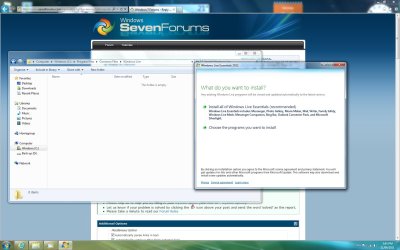
2.When it starts select the second option
"Choose the programs you want to install"
3. Here is very important part: DO NOT CLICK install button!
You need to wait here. It depends on your internet speed.
For 4.3 Mbps it took 15 minutes wait.
4. Go to C:\Program Files\Common Files\Windows Live\.cache
You will find a bunch of folders where with random names.
You can stop waiting when this folder will get to about 259 MB.
And new folders will stop appearing.
5. Find the following files and backup them in separate folder:
PhotoCommonLang.msi
d-PhotoCommonLang.msp
PhotoLibraryLang.msi
UXPlatform.msi
d-PhotoLibraryLang.msp

Folder containing:
DEC2006_d3dx9_32_x64.cab
DEC2006_d3dx9_32_x86.cab
DSETUP.dll
dsetup32.dll
DXSETUP.exe
dxupdate.cab

Another folder with
Aug2009_d3dx10_42_x64.cab
Aug2009_d3dx10_42_x86.cab
DSETUP.dll
dsetup32.dll
DXSETUP.exe
dxupdate.cab

And other single files
wllogin_wlx-x86.msi
d-UXPlatform.msp
WLXSuite.msi
UXPlatformLang.msi
d-WLXSuite.msp
crt90.msi
d3dx10-x86.msi
dw20shared.msi
soxe.definitions.msi
soxe.core.msi
d-soxe.core.msp
Contacts.msi
d-Contacts.msp
pimt.msi
PhotoCommon.msi
WLXSuiteLang.msi
d-PhotoCommon.msp
SQLServerCE31-EN.msi
PhotoLibrary.msi
d-PhotoLibrary.msp
d-WLXSuiteLang.msp

IGNORE the rest of the files - those are the other components of Live Essentials.

6. Cancel installation of Windows Live Essentials 2011.

7. GO back to the rescued files and install all of mentioned above one by one (well, except dx folders, you just start dxsetup in that case)

SLIDESHOW MIGHT NOT WORK WITHOUT LIVE MOVIE MAKER
 
Last edited:

My Computer My Computer

At a glance

Windows 8.1 ; Windows 7 x86 (Dec2008-Jan2013)
Computer type
PC/Desktop
OS
Windows 8.1 ; Windows 7 x86 (Dec2008-Jan2013)
Other Info
"The scale icon at the top right of a post or tutorial is how you can give rep to the member."
If Windows Live installed more than you want, proceed to uninstall Windows Live. There you can select what to uninstall and what to keep.

Btw; the WLMM is very good. The output quality is ways better than with WMM. It is also much easier to operate because of the ribbon.
 

My Computer My Computer

At a glance

Vista, Windows7, Mint Mate, Zorin, Windows 8from 1.6GHz Duo to i7
Computer Manufacturer/Model Number
HP, Dell, Gateway, Toshiba - 4 laptops and 2 desktops
OS
Vista, Windows7, Mint Mate, Zorin, Windows 8
CPU
from 1.6GHz Duo to i7
Monitor(s) Displays
2x HP w2207
Hard Drives
5x HDD, 7x SSD, 12x Externals
Keyboard
with trackball - no mices
Mouse
Trackball mice
Internet Speed
DSL 6000
There you can select what to uninstall and what to keep.
Unfortunately, this is not the case with Photo gallery and Movie maker, because they are paired in the installer as well as in uninstaller.

Mitch656, try the suggestion I have posted above.
 

My Computer My Computer

At a glance

Windows 8.1 ; Windows 7 x86 (Dec2008-Jan2013)
Computer type
PC/Desktop
OS
Windows 8.1 ; Windows 7 x86 (Dec2008-Jan2013)
Other Info
"The scale icon at the top right of a post or tutorial is how you can give rep to the member."
There you can select what to uninstall and what to keep.
Unfortunately, this is not the case with Photo gallery and Movie maker, because they are paired in the installer as well as in uninstaller.

Mitch656, try the suggestion I have posted above.
Thanks for the info. I learned something. Since I kept both I did not get this little detail.
 

My Computer My Computer

At a glance

Vista, Windows7, Mint Mate, Zorin, Windows 8from 1.6GHz Duo to i7
Computer Manufacturer/Model Number
HP, Dell, Gateway, Toshiba - 4 laptops and 2 desktops
OS
Vista, Windows7, Mint Mate, Zorin, Windows 8
CPU
from 1.6GHz Duo to i7
Monitor(s) Displays
2x HP w2207
Hard Drives
5x HDD, 7x SSD, 12x Externals
Keyboard
with trackball - no mices
Mouse
Trackball mice
Internet Speed
DSL 6000
You might try the following trick on Windows Live Essentials 2011.

1. Download the web-setup file "wlsetup-web.exe"
2.When it starts select the second option
"Choose the programs you want to install"
3. Here is very important part: DO NOT CLICK install button!
You need to wait here. It depends on your internet speed.
For 4.3 Mbps it took 15 minutes wait.
4. Go to C:\Program Files\Common Files\Windows Live\.cache
You will find a bunch of folders where with random names.
You can stop waiting when this folder will get to about 259 MB.
And new folders will stop appearing.
5. Find the following files and backup them in separate folder:
PhotoCommonLang.msi
d-PhotoCommonLang.msp
PhotoLibraryLang.msi
UXPlatform.msi
d-PhotoLibraryLang.msp

Folder containing:
DEC2006_d3dx9_32_x64.cab
DEC2006_d3dx9_32_x86.cab
DSETUP.dll
dsetup32.dll
DXSETUP.exe
dxupdate.cab

Another folder with
Aug2009_d3dx10_42_x64.cab
Aug2009_d3dx10_42_x86.cab
DSETUP.dll
dsetup32.dll
DXSETUP.exe
dxupdate.cab

And other single files
wllogin_wlx-x86.msi
d-UXPlatform.msp
WLXSuite.msi
UXPlatformLang.msi
d-WLXSuite.msp
crt90.msi
d3dx10-x86.msi
dw20shared.msi
soxe.definitions.msi
soxe.core.msi
d-soxe.core.msp
Contacts.msi
d-Contacts.msp
pimt.msi
PhotoCommon.msi
WLXSuiteLang.msi
d-PhotoCommon.msp
SQLServerCE31-EN.msi
PhotoLibrary.msi
d-PhotoLibrary.msp
d-WLXSuiteLang.msp

IGNORE the rest of the files - those are the other components of Live Essentials.

6. Cancel installation of Windows Live Essentials 2011.

7. GO back to the rescued files and install all of mentioned above one by one (well, except dx folders, you just start dxsetup in that case)

I'm waiting for like 20mins and nothing happening, and i dont see how my internet speed affects when stuff appears in a folder when it just being left open
 

My Computer My Computer

At a glance

Windows 7 Professional 64bitIntel Core i5 - 2500K @ 3.30GHz4GB DDR3EVGA Nvidia GeForce GT 740 2GB DDR3
Computer type
PC/Desktop
Computer Manufacturer/Model Number
Custom Build
OS
Windows 7 Professional 64bit
CPU
Intel Core i5 - 2500K @ 3.30GHz
Motherboard
Gigabyte Z77-HD3
Memory
4GB DDR3
Graphics Card(s)
EVGA Nvidia GeForce GT 740 2GB DDR3
Screen Resolution
1680 x 1050
Hard Drives
1T Samaung HD/ 1T toshiba external drive/ 1T western digital external drive/ 2T seagate external drive/ 250gb samaung SSD
PSU
Antec 430W
Keyboard
Microsoft Wireless Keyboard 800
Mouse
Microsoft Wireless Mouse 1000
Antivirus
AVG
Browser
Internet Explorer
I'm waiting for like 20mins and nothing happening, and i dont see how my internet speed affects when stuff appears in a folder when it just being left open

You are saying that nothing appears in the folder
Program Files\Common Files\Windows Live\.cache
when you start web intaller and do not contunue through it at the "Choose the programs you want to install" step?

Logic behind of all that is the following.
When you start file wlsetup-web.exe (1,3 Mb) it secretly downloads about 259 Mb of installation files from the internet. If you try to start wlsetup-web.exe without internet connection, you wont be able to install any part of MS Essentials (because the installer gets it from MS website).

By the way, if you use other MS OS, the folder might be different.
 

My Computer My Computer

At a glance

Windows 8.1 ; Windows 7 x86 (Dec2008-Jan2013)
Computer type
PC/Desktop
OS
Windows 8.1 ; Windows 7 x86 (Dec2008-Jan2013)
Other Info
"The scale icon at the top right of a post or tutorial is how you can give rep to the member."
well Im using windows 7 Home.
I've tryed without touching anything
I've tryed clicking the option "Choose what i want"
and none have work :l
 

My Computer My Computer

At a glance

Windows 7 Professional 64bitIntel Core i5 - 2500K @ 3.30GHz4GB DDR3EVGA Nvidia GeForce GT 740 2GB DDR3
Computer type
PC/Desktop
Computer Manufacturer/Model Number
Custom Build
OS
Windows 7 Professional 64bit
CPU
Intel Core i5 - 2500K @ 3.30GHz
Motherboard
Gigabyte Z77-HD3
Memory
4GB DDR3
Graphics Card(s)
EVGA Nvidia GeForce GT 740 2GB DDR3
Screen Resolution
1680 x 1050
Hard Drives
1T Samaung HD/ 1T toshiba external drive/ 1T western digital external drive/ 2T seagate external drive/ 250gb samaung SSD
PSU
Antec 430W
Keyboard
Microsoft Wireless Keyboard 800
Mouse
Microsoft Wireless Mouse 1000
Antivirus
AVG
Browser
Internet Explorer
none have work :l
Which version of MS Essentials you are trying to install?
Please, post screenshot of the folder
C:\Program Files\Common Files\Windows Live\.cache
 

My Computer My Computer

At a glance

Windows 8.1 ; Windows 7 x86 (Dec2008-Jan2013)
Computer type
PC/Desktop
OS
Windows 8.1 ; Windows 7 x86 (Dec2008-Jan2013)
Other Info
"The scale icon at the top right of a post or tutorial is how you can give rep to the member."
Im using Windows Live 2011
 

Attachments

  • Untitled.jpg
    Untitled.jpg
    142.5 KB · Views: 19

My Computer My Computer

At a glance

Windows 7 Professional 64bitIntel Core i5 - 2500K @ 3.30GHz4GB DDR3EVGA Nvidia GeForce GT 740 2GB DDR3
Computer type
PC/Desktop
Computer Manufacturer/Model Number
Custom Build
OS
Windows 7 Professional 64bit
CPU
Intel Core i5 - 2500K @ 3.30GHz
Motherboard
Gigabyte Z77-HD3
Memory
4GB DDR3
Graphics Card(s)
EVGA Nvidia GeForce GT 740 2GB DDR3
Screen Resolution
1680 x 1050
Hard Drives
1T Samaung HD/ 1T toshiba external drive/ 1T western digital external drive/ 2T seagate external drive/ 250gb samaung SSD
PSU
Antec 430W
Keyboard
Microsoft Wireless Keyboard 800
Mouse
Microsoft Wireless Mouse 1000
Antivirus
AVG
Browser
Internet Explorer

My Computer My Computer

At a glance

Windows 8.1 ; Windows 7 x86 (Dec2008-Jan2013)
Computer type
PC/Desktop
OS
Windows 8.1 ; Windows 7 x86 (Dec2008-Jan2013)
Other Info
"The scale icon at the top right of a post or tutorial is how you can give rep to the member."
I've tryed showing hidden folders before. But I will try again
 

My Computer My Computer

At a glance

Windows 7 Professional 64bitIntel Core i5 - 2500K @ 3.30GHz4GB DDR3EVGA Nvidia GeForce GT 740 2GB DDR3
Computer type
PC/Desktop
Computer Manufacturer/Model Number
Custom Build
OS
Windows 7 Professional 64bit
CPU
Intel Core i5 - 2500K @ 3.30GHz
Motherboard
Gigabyte Z77-HD3
Memory
4GB DDR3
Graphics Card(s)
EVGA Nvidia GeForce GT 740 2GB DDR3
Screen Resolution
1680 x 1050
Hard Drives
1T Samaung HD/ 1T toshiba external drive/ 1T western digital external drive/ 2T seagate external drive/ 250gb samaung SSD
PSU
Antec 430W
Keyboard
Microsoft Wireless Keyboard 800
Mouse
Microsoft Wireless Mouse 1000
Antivirus
AVG
Browser
Internet Explorer
OMG woo thank you, it work.

Some rep coming your way

Do i have to keep those folder or can i delete them?

Also do you know if there is a way of hiding a specific picture folder in Photo gallery?

Also if i wanted to remove it later on, how would i? as it doesnt not appear in the Live uninstaller.
 
Last edited:

My Computer My Computer

At a glance

Windows 7 Professional 64bitIntel Core i5 - 2500K @ 3.30GHz4GB DDR3EVGA Nvidia GeForce GT 740 2GB DDR3
Computer type
PC/Desktop
Computer Manufacturer/Model Number
Custom Build
OS
Windows 7 Professional 64bit
CPU
Intel Core i5 - 2500K @ 3.30GHz
Motherboard
Gigabyte Z77-HD3
Memory
4GB DDR3
Graphics Card(s)
EVGA Nvidia GeForce GT 740 2GB DDR3
Screen Resolution
1680 x 1050
Hard Drives
1T Samaung HD/ 1T toshiba external drive/ 1T western digital external drive/ 2T seagate external drive/ 250gb samaung SSD
PSU
Antec 430W
Keyboard
Microsoft Wireless Keyboard 800
Mouse
Microsoft Wireless Mouse 1000
Antivirus
AVG
Browser
Internet Explorer
I believe that C:\Program Files\Common Files\Windows Live\.cache
folder is safe to delete, since it is only temporary cache.

As for removal, solution is a bit weird, but 100% working. In order to get rid of MS Live installed this unusual way, you need to INSTALL the same MS LIVE regular way on top and then uninstall it regular way from Programs and Features. Uninstaller should delete both.

Also do you know if there is a way of hiding a specific picture folder in Photo gallery?

I am not sure what do you mean by that (I am not actually using Photo gallery much). Screenshot would help. PM me if required.
 

My Computer My Computer

At a glance

Windows 8.1 ; Windows 7 x86 (Dec2008-Jan2013)
Computer type
PC/Desktop
OS
Windows 8.1 ; Windows 7 x86 (Dec2008-Jan2013)
Other Info
"The scale icon at the top right of a post or tutorial is how you can give rep to the member."
Well it wont let me PM you, so i will try and ask in better detail.

You know how photo gallery get all your picture from the my Picture folder, is there a way to only select what folder from my Pictures you want. I have some sub-folders that i dont want included.

I know you dont use live gallery often, and you've been great help
 

My Computer My Computer

At a glance

Windows 7 Professional 64bitIntel Core i5 - 2500K @ 3.30GHz4GB DDR3EVGA Nvidia GeForce GT 740 2GB DDR3
Computer type
PC/Desktop
Computer Manufacturer/Model Number
Custom Build
OS
Windows 7 Professional 64bit
CPU
Intel Core i5 - 2500K @ 3.30GHz
Motherboard
Gigabyte Z77-HD3
Memory
4GB DDR3
Graphics Card(s)
EVGA Nvidia GeForce GT 740 2GB DDR3
Screen Resolution
1680 x 1050
Hard Drives
1T Samaung HD/ 1T toshiba external drive/ 1T western digital external drive/ 2T seagate external drive/ 250gb samaung SSD
PSU
Antec 430W
Keyboard
Microsoft Wireless Keyboard 800
Mouse
Microsoft Wireless Mouse 1000
Antivirus
AVG
Browser
Internet Explorer
Sorry, PM was blocked, it is working now.

I believe that it is not possible to "hide" sub-folders from showing in Photo Gallery.
As a solution I would suggest move those folders elsewhere, but have links to them in My Pictures folder.
Photo Gallery ignores links.
 

My Computer My Computer

At a glance

Windows 8.1 ; Windows 7 x86 (Dec2008-Jan2013)
Computer type
PC/Desktop
OS
Windows 8.1 ; Windows 7 x86 (Dec2008-Jan2013)
Other Info
"The scale icon at the top right of a post or tutorial is how you can give rep to the member."
Back
Top