JCat
New member
Okay it's going to sound confusing,my Safe Mode and Networking is working with the internet,but it is saying
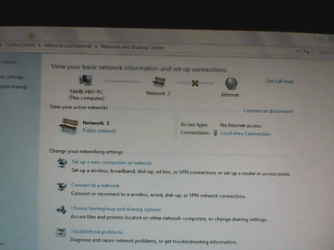
No Connection is available.When I open Network and Sharing Center,it will tell me;View your basic network information and set up connection.It will say Unknown;The dependency services or group failed to start.I tried to troubleshoot the problem but it will give me a error message of;
Package ID:Unknown
Path:C:\windows\diagnostic\system\networking
Error Code:0x800706BA
Source:Engine
User:Family467-PC\Family467
Context:Elevated
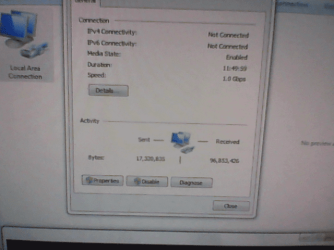
But the strangest thing in the change adapter settings it shows the Local Area Connection is enable,but not
Network and Sharing Center.
The beauty of this story when I'm off the Safe Mode and Networking and in Normal Windows,there
is no internet connection at all.When in the Normal Mode it will say the same from on top;View your basic network information and set up connections;Unknown,The dependency services or group
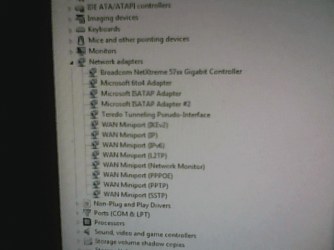
failed to start.In the adapter settings there is no Local Area Connection Icon at all.
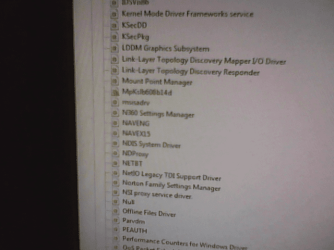
When I run the Services to start and stop programs I get error messages in all internet related commands,the error messages are 1079,1068,1038,etc...
So all this headache of a problem,what can I do to take care of it.It be nice to get my computer internet connection up and running again.Thank you so much Tony...
No Connection is available.When I open Network and Sharing Center,it will tell me;View your basic network information and set up connection.It will say Unknown;The dependency services or group failed to start.I tried to troubleshoot the problem but it will give me a error message of;
Package ID:Unknown
Path:C:\windows\diagnostic\system\networking
Error Code:0x800706BA
Source:Engine
User:Family467-PC\Family467
Context:Elevated
But the strangest thing in the change adapter settings it shows the Local Area Connection is enable,but not
Network and Sharing Center.
The beauty of this story when I'm off the Safe Mode and Networking and in Normal Windows,there
is no internet connection at all.When in the Normal Mode it will say the same from on top;View your basic network information and set up connections;Unknown,The dependency services or group
failed to start.In the adapter settings there is no Local Area Connection Icon at all.
When I run the Services to start and stop programs I get error messages in all internet related commands,the error messages are 1079,1068,1038,etc...
So all this headache of a problem,what can I do to take care of it.It be nice to get my computer internet connection up and running again.Thank you so much Tony...
My Computer
- Computer type
- PC/Desktop
- Computer Manufacturer/Model Number
- Dell
- OS
- Windows 7 Ultimate x32
- CPU
- Optiplex GX620
- Memory
- 2.00 GB
- Graphics Card(s)
- n/a
- Sound Card
- SoundMax Integrated Digital Audio
- Hard Drives
- n/a
- Keyboard
- Logitech k120
- Mouse
- Logitech USB
- Antivirus
- Norton 360
- Browser
- n/a