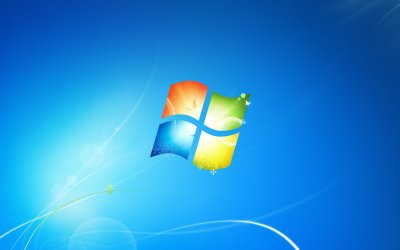
Logon Screen was desktop background, now blue, after DisplayFuison

gd420mj

New member
Local time
9:19 PM
Messages
4
I just started on new dell latitude windows 7 32b SP 1, enterprise edition at work. I was giving dual monitors. I tried the program DisplayFusion to play around with dual monitor wallpapers and logon screen. I didn;t like and unsintalled DisplayFusion and all saved settings with it. Afterwards, my logonscreen remained the custom one I used in DisplayFusion. I managed to get it back to the default blue.

Well, prior to isntalling and using DisplayFusion, when I would lock my computer, the logon screen was automatically the same as my desktop back ground. I beleive when I first received the computer, it may have been blue, but not sure. I set up my theme as I wanted, custom, just one built in windows background and custom window color.

But now, I cannot get my logon screen to go back to the being the same as my desktop. I've searched and searched but have not found this exact problem anywhere. Only found how to change logon to custom. And thats not what I want to do.

I know someone else in my office has the lockscreen same as desktop background. Prior to my use of this pc, there has been no attempt to make any custom logon screen background. And the other user that has this feature barely knows how to use a computer, so he just set a wall paper and that was it.

Can Any one help please?

Thanks,
~Steve
 

My Computer My Computer

At a glance

W7 32 Enterprise
Computer type
PC/Desktop
Computer Manufacturer/Model Number
Dell Latitude
OS
W7 32 Enterprise
Can't you just use a system restore to a point before you used this DisplayFusion thing?

Welcome to the forums by the way.
 

My Computer My Computer

At a glance

Windows 10x64 Build 1709Intel i7 7700HQ Kaby Lake16 GB DDR4 @2400Nvidia Geforce GTX 1060
Computer type
Laptop
Computer Manufacturer/Model Number
MSI GE72VR Apache Pro-416
OS
Windows 10x64 Build 1709
CPU
Intel i7 7700HQ Kaby Lake
Motherboard
Micro-Star Intl. MS-179B (U3C1)
Memory
16 GB DDR4 @2400
Graphics Card(s)
Nvidia Geforce GTX 1060
Screen Resolution
1920x1080 120Hz
Hard Drives
256 GB Nvme M.2 SSD

1TB HDD@7200
Cooling
Cooler Blast 4
Keyboard
Steel Series
Antivirus
Bit Defender Free
Browser
Edge
System Restore is disable by admin. THanks for the welcome. This is my frst W7 pc to use. Although this is a company computer and not mine, I do seem to have a lot of access to it. (Which is scary). As I was able to install softare like itunes, firefox, and this disaply software..

I'm just wondering if anyone is familiar with this windows 7 behavoir of logon/lock screen being same as desktop, without customization or third party software
 

My Computer My Computer

At a glance

W7 32 Enterprise
Computer type
PC/Desktop
Computer Manufacturer/Model Number
Dell Latitude
OS
W7 32 Enterprise
Not me personally. If its a company machine overseen by an IT department I would suggest taking it to them actually.
 

My Computer My Computer

At a glance

Windows 10x64 Build 1709Intel i7 7700HQ Kaby Lake16 GB DDR4 @2400Nvidia Geforce GTX 1060
Computer type
Laptop
Computer Manufacturer/Model Number
MSI GE72VR Apache Pro-416
OS
Windows 10x64 Build 1709
CPU
Intel i7 7700HQ Kaby Lake
Motherboard
Micro-Star Intl. MS-179B (U3C1)
Memory
16 GB DDR4 @2400
Graphics Card(s)
Nvidia Geforce GTX 1060
Screen Resolution
1920x1080 120Hz
Hard Drives
256 GB Nvme M.2 SSD

1TB HDD@7200
Cooling
Cooler Blast 4
Keyboard
Steel Series
Antivirus
Bit Defender Free
Browser
Edge
Welcome to the Seven Forums

Here is what the default Logon/Logoff and Wallpaper looks like

Logon(converted to .png from .bmp so I could upload the fullsize image)
background.png

Wallpaper
img0.jpg

Jerry
 

My Computer My Computer

At a glance

Win 7 Pro x64 / Win 10 ProIntel(R) Core(TM) i7-3630QM CPU @ 2.40GHz12 GB(1) Intel(R) HD Graphics 4000 (2) NVIDIA GeFo...
Computer type
Laptop
Computer Manufacturer/Model Number
Sager NP9170
OS
Win 7 Pro x64 / Win 10 Pro
CPU
Intel(R) Core(TM) i7-3630QM CPU @ 2.40GHz
Motherboard
CLEVO P170EM
Memory
12 GB
Graphics Card(s)
(1) Intel(R) HD Graphics 4000 (2) NVIDIA GeForce GTX 675M
Sound Card
(1) Realtek High Definition Audio (2) Intel(R) Display Aud
Monitor(s) Displays
17.3
Screen Resolution
1920x1080
Hard Drives
(1) Samsung 860 EVO 500GB(OS) (1) Samsung 860 EVO 500GB(Data)
Keyboard
Backlite
Antivirus
MSE, Malwarebytes Pro
Browser
Firefox
Other Info
DESKTOP: Custom-built.
OS: Win 10 Pro x64.
CASE: Rosewill R5.
CPU: Intel I5 4670K CPU @ 3.40GHz.
CPU COOLER: Cool Master Hyper 212 EVO.
MOTHERBOARD: Asus Z87-A.
MEMORY: Kingston HyperX 2x4 GB.
GPU: Nvidia Geforce 650 TI.
PSU: Corsair TX750.
DRIVES: (1) Samsung 840 120 GB SSD (2) Western Digital blue 500 GB 7200 RPM.
Hi. Yes, it is now the blue one without the logo. But prior to isntalling a third party program, my lock screen was the same as my desktop wallpaper. And I am just using a single wallpaper from windows desktop backgrounds.

Now its just blue everytime. As before, it followed my desktop. Any ideas? ANd there was no third party software installed to contorl lock screen image, when I recieved the computer.

Strange. Hoping there is an expert W7 user that might be familiar this. And going to i/t dep is not so much an option as this is really the least important thing any one should worry about. It just bothers me. AS I have to use the machine.
 

My Computer My Computer

At a glance

W7 32 Enterprise
Computer type
PC/Desktop
Computer Manufacturer/Model Number
Dell Latitude
OS
W7 32 Enterprise
If prior to installing DisplayFusion if your lock screen(which should be the same as the logon screen) was the same as your desktop wallpaper then I am going to say it must've been something that the IT department did before you got the computer because that is not the default or original way Windows does it.

Jerry
 

My Computer My Computer

At a glance

Win 7 Pro x64 / Win 10 ProIntel(R) Core(TM) i7-3630QM CPU @ 2.40GHz12 GB(1) Intel(R) HD Graphics 4000 (2) NVIDIA GeFo...
Computer type
Laptop
Computer Manufacturer/Model Number
Sager NP9170
OS
Win 7 Pro x64 / Win 10 Pro
CPU
Intel(R) Core(TM) i7-3630QM CPU @ 2.40GHz
Motherboard
CLEVO P170EM
Memory
12 GB
Graphics Card(s)
(1) Intel(R) HD Graphics 4000 (2) NVIDIA GeForce GTX 675M
Sound Card
(1) Realtek High Definition Audio (2) Intel(R) Display Aud
Monitor(s) Displays
17.3
Screen Resolution
1920x1080
Hard Drives
(1) Samsung 860 EVO 500GB(OS) (1) Samsung 860 EVO 500GB(Data)
Keyboard
Backlite
Antivirus
MSE, Malwarebytes Pro
Browser
Firefox
Other Info
DESKTOP: Custom-built.
OS: Win 10 Pro x64.
CASE: Rosewill R5.
CPU: Intel I5 4670K CPU @ 3.40GHz.
CPU COOLER: Cool Master Hyper 212 EVO.
MOTHERBOARD: Asus Z87-A.
MEMORY: Kingston HyperX 2x4 GB.
GPU: Nvidia Geforce 650 TI.
PSU: Corsair TX750.
DRIVES: (1) Samsung 840 120 GB SSD (2) Western Digital blue 500 GB 7200 RPM.
OK. If that is the case, that I/T set it, how can it be changed back? If there was some program on the computer to change the logon screen, it would still be on the computer, but there is nothing isntalled. I didn't uninstall anything and only I had the computer since.
 

My Computer My Computer

At a glance

W7 32 Enterprise
Computer type
PC/Desktop
Computer Manufacturer/Model Number
Dell Latitude
OS
W7 32 Enterprise

My Computer My Computer

At a glance

Win 7 Pro x64 / Win 10 ProIntel(R) Core(TM) i7-3630QM CPU @ 2.40GHz12 GB(1) Intel(R) HD Graphics 4000 (2) NVIDIA GeFo...
Computer type
Laptop
Computer Manufacturer/Model Number
Sager NP9170
OS
Win 7 Pro x64 / Win 10 Pro
CPU
Intel(R) Core(TM) i7-3630QM CPU @ 2.40GHz
Motherboard
CLEVO P170EM
Memory
12 GB
Graphics Card(s)
(1) Intel(R) HD Graphics 4000 (2) NVIDIA GeForce GTX 675M
Sound Card
(1) Realtek High Definition Audio (2) Intel(R) Display Aud
Monitor(s) Displays
17.3
Screen Resolution
1920x1080
Hard Drives
(1) Samsung 860 EVO 500GB(OS) (1) Samsung 860 EVO 500GB(Data)
Keyboard
Backlite
Antivirus
MSE, Malwarebytes Pro
Browser
Firefox
Other Info
DESKTOP: Custom-built.
OS: Win 10 Pro x64.
CASE: Rosewill R5.
CPU: Intel I5 4670K CPU @ 3.40GHz.
CPU COOLER: Cool Master Hyper 212 EVO.
MOTHERBOARD: Asus Z87-A.
MEMORY: Kingston HyperX 2x4 GB.
GPU: Nvidia Geforce 650 TI.
PSU: Corsair TX750.
DRIVES: (1) Samsung 840 120 GB SSD (2) Western Digital blue 500 GB 7200 RPM.
Back
Top