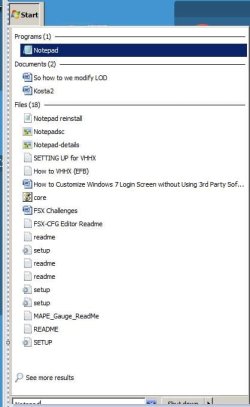
Download and double click this batch file attached here. After you run the batch file there should be a shortcut to Notepad on your desktop. If it doesn't let me know. For some reason the shortcut will add a clock image to the icon. But Notepad should function normally.
What this batch file does is retrieves the location of where Notepad is which in one location is the system32 folder. Then it makes it a shortcut to it in the all users desktop folder and so you should see the Notepad shortcut straight away on the desktop after running the batch file. If a Notepad shortcut doesn't appear on the desktop or the batch file throws an error, then you are missing Notepad. We can go on from there if necessary, but read below.
Something else you may want to try just in case the system is messed up due to the registry shenanigans is the following: Go to the start menu. In search enter cmd. Right click command prompt and run it as Administrator. Now in command prompt enter the following: sfc /scannow
That may or may not fix things that are broken. There's also the possibility of a whole repair install if you still have your Windows disk. You can read about that here:
Repair Install
Don't ever mess with those snake oil tools that claim to clean things and what have you, because they WILL in fact clean things, straight off your computer and gone forever is some cases. Especially critical stuff. Just use Ccleaner and System Ninja. And DON'T use Ccleaner's registry cleaner. You'd only, ONLY use that if you know what you're doing. For many it may not be an issue, but it can and will muck things up but good. Same goes for any of those other programs. You in large part don't even need them. I certainly don't run them and this system has been tip top for 2+ years straight. Would have been longer when I built this beast on May 5th 2018, but I was desperately trying to get a Reality XP gauge to install.
It was the GTN 750. I really, really wanted that baby to work and did EVERYTHING I could think of. Kept getting a path not found issue. Now I know my way around computers, but some things remain very elusive. I actually bought a new GPU and PSU and reinstalled Windows and a a fresh copy of FSX with no add-ons for testing and that gauge STILL would not work. Just kept saying a path issue. So naturally I got my $50 back. But now that I think of it, this issue may just have had been a permission issue with the GTN 750 trainer installed in the programs folder. That folder is emulated and protected by Windows so when FSX called the trainer Windows put up a fuss and thus the path issue. At least that's my theory. Why others have no issues is beyond me. I even chimed in on Reality XP support at Avsim. But it goes without saying all things FS related up to and including its installation directory should be outside of the programs folder and in the root of C drive. My FSX install folder is C:\FSX. My FS2004 folder currently resides on the secondary hard drive. I may change that, but I rarely use FS2004. Though, I made an awesome Area-51 in that sucker. You can see that
here. LOL!
And just messing around. I was blacking out due to Gs. LOL