Thanks Kari,
That gave the icon a 10-20% gradient fill, but I can still see it
thanks
goss
That gave the icon a 10-20% gradient fill, but I can still see it
thanks
goss
My Computer
- OS
- win 7
Thanks Kari,
That gave the icon a 10-20% gradient fill, but I can still see it
thanks
goss
This is quite simple. All you need are some blank icons, such as these: View attachment Blank Icons.zip Extract the contents, and save the resultant folder in the root of your HDD.Hi all,
Using Win 7 Home Premium 64 Bit
I added Notepad and Excel Icons to desktop and assigned shortcut keys
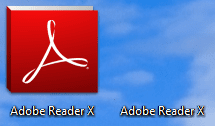
I would now like to make the icons invisible so as to clean up the desktop
I was able to make the text invisible with Alt + 0160
How can I make the icon invisible as well with the shortcut key still functioning
Thanks
goss
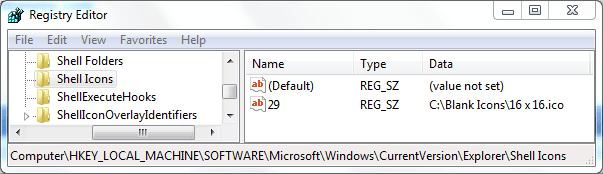
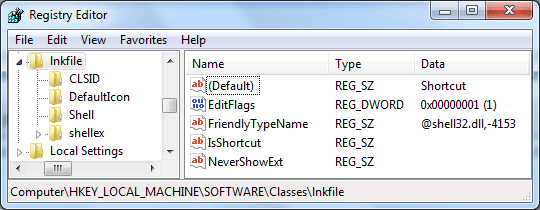
Windows Registry Editor Version 5.00
[HKEY_LOCAL_MACHINE\SOFTWARE\Microsoft\Windows\CurrentVersion\Explorer\Shell Icons]
"29"="C:\\Blank Icons\\16 x 16.ico"

I know where you're coming from, Kari, but he does state the following here:Dwarf, it might be English being a foreign language to me, but I read OP that he does not want the icon to stay clickable on desktop. He wants to hide (= "make invisible") the icon and use assigned keyboard shortcut to launch it.
For OP's question, hiding the icon is most elegant, easy to use and simplest solution. It also is the easiest to revert when / if needed.
Kari
Thanks Mike,
Sorry if I was clear
I want to make icons invisible on a one-on-one basis, not all icons
thanks
goss
Yes it is 2 clicks, but the advantage is that it is always available in the taskbar whilst your desktop is not. You have to also either click on something or Win+D to get to the desktop. And then your have to find your way back to where you were. But if you want really fast, get a dock and hide it. For the "fast ones", I use Rocket Dock.I like the Toolbar video and I used to clenaup my entire desktop
I love the minimalist look
However I hate point to Toolbar..point to subfolder..click on shortcut or document
I need to be faster than that
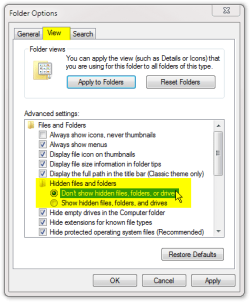
You are right Kari. But there are some traps as you have seen with my unhidden folders.Please geeks, allow me to say this and then I stay silent: I can not understand how a simple task like this is becoming so complicated. The easiest, simplest and fastest way is to use shortcut properties to hide the shortcut icon. No need for registry editing, blank icons and hidden characters in shortcut name.
You are right Kari. But there are some traps as you have seen with my unhidden folders.

LOL - what else does one have to remember. Even a non-average user forgets things. And an average user probably does not want to muck around with it in the first place.You are right Kari. But there are some traps as you have seen with my unhidden folders.
Yes, that does set you back, but the average user doesn't have hidden folders shown as they aren't shown by default.
It could be argued that if a user knows how to show hidden files and folders, then they would know how to turn them off again![]()
LOL - what else does one have to remember. Even a non-average user forgets things. And an average user probably does not want to muck around with it in the first place.


snip...