Hi Guys
Question for the GFX team really.
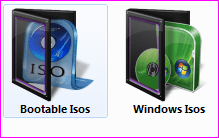
Ive been using These folder icons for a few years now (Purple Glass, Think its one of Mr Grims)
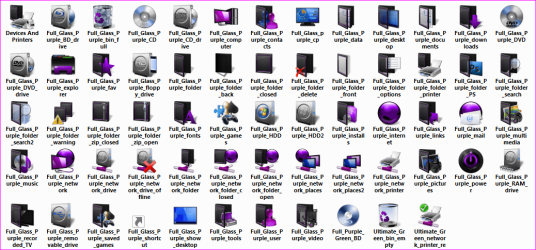
What I want to do is add to the folder icons to extend the choice a little. Now Im good with icons as in changing system files etc but making my own I have never attempted. What I want to do is add other downloaded icon pictures to the plain purple glass folder icon just to extend the range but how do I keep the see through front on the folder.
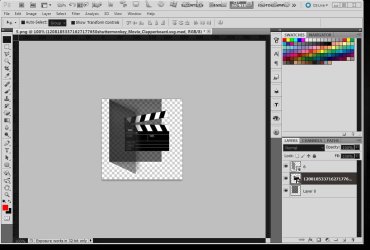
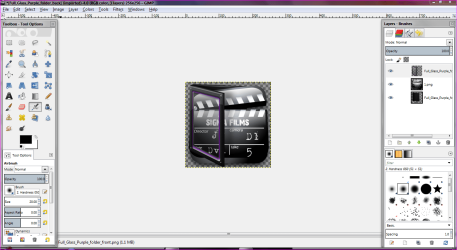
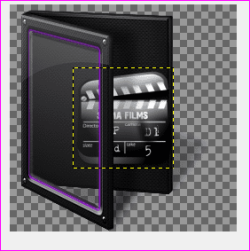
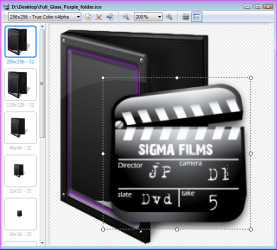
Below is an example of what I want to do but as you see the movie clapperboard is ontop of the folder rather than inside like the others. Any way to do this preferably in IcoFx as thats the only program I have used.
Many Thanks
Danny
Question for the GFX team really.
Ive been using These folder icons for a few years now (Purple Glass, Think its one of Mr Grims)
What I want to do is add to the folder icons to extend the choice a little. Now Im good with icons as in changing system files etc but making my own I have never attempted. What I want to do is add other downloaded icon pictures to the plain purple glass folder icon just to extend the range but how do I keep the see through front on the folder.
Below is an example of what I want to do but as you see the movie clapperboard is ontop of the folder rather than inside like the others. Any way to do this preferably in IcoFx as thats the only program I have used.
Many Thanks
Danny
My Computer
At a glance
Windows 7 Home Premium x64 SP1intel(R)core(TM)2 duo CPU T6600 @ 2.20GHz3 gb ddr3ati radeon hd4570/512mb
- Computer Manufacturer/Model Number
- acer aspire 5935g
- OS
- Windows 7 Home Premium x64 SP1
- CPU
- intel(R)core(TM)2 duo CPU T6600 @ 2.20GHz
- Motherboard
- intel gm45/gm47 revision 07
- Memory
- 3 gb ddr3
- Graphics Card(s)
- ati radeon hd4570/512mb
- Monitor(s) Displays
- lop156wh2-tle1 15.3 flat
- Screen Resolution
- 1366x768
- Hard Drives
- OCZ-Agility3 60gig ssd
320gig external hdd
500gig external hdd
- Mouse
- Optical
- Internet Speed
- 30Mbps Down/30Mbps Up