

- Local time
- 10:01 PM
- Messages
- 5,599
01-02-2012
As of this post I have only seen this problem arise when Mbam's upgrade is installed with a stand alone XP OS, and not with a Windows 7 - XP dual-boot system, but that is not to say it cannot happen.
There has already been one SevenForums member that has had problems, and that is what prompts me to post.
This is what happened to me:
LPT, this will not solve your current situation, but I wanted to relate what I went through.
I looked through your thread, and saw the reference to XP, and MBAM and the trouble your having with your XP OS, and updating MBAM.
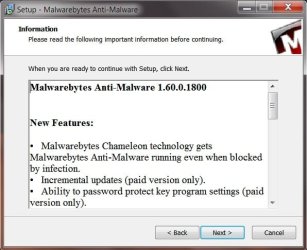
On my XP Pro SP3 machine I went to upgrade to the new version today (1.60.0.1800) through the program, and it generated a program crash report. Task manager could not end it because it was not listed.
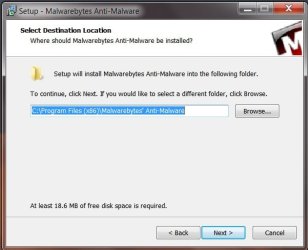
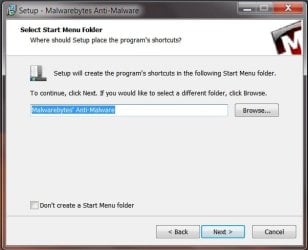
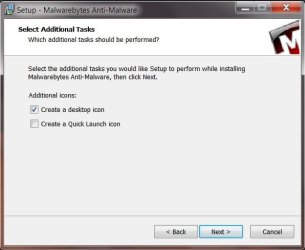
I then un-installed it, downloaded a fresh copy, re-installed, and it generated the same report.
Researched "Mbam xp crash" Found this: https://forums.malwarebytes.org/index.php?showtopic=103207
I finally just removed it, and will wait until MBAM figures it out.
In the meantime I saw this:
I had to dupilcate the problem because I did not check the process tab as per gr's instructions, and this is how it went.Interesting coincidence, Anak. LPT seems to be pretty sure Malwarebytes is connected to this hang. We only see good Malwarebytes performance in Win7 but since this is XP it may need to be rooted out.
See if you can kill the Malwarebytes Service in Task Manager Services tab first thing, then kill any running Processes related to MB.
Perhaps one of the Malwarebytes developers here will help with a line command to run from booted XP CD Repair console to kill it's processes altogether if this fails.
Since you refer to it being in your System Tray, do you have the paid Real Time Shield?
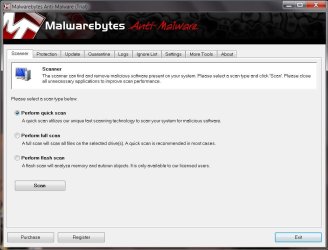
After the program upgrade Mbam updated itself, but did not open to the Scanner Tab, after a short delay I clicked on the shortcut, and I saw this:
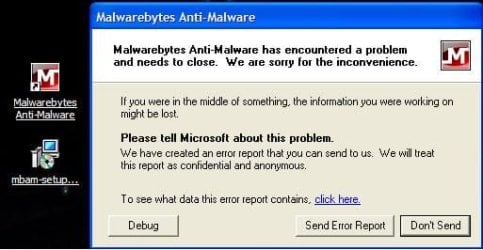
That is the shortcut icon with the setup File along side the error box.
I then clicked on "To see what data this error report contains"
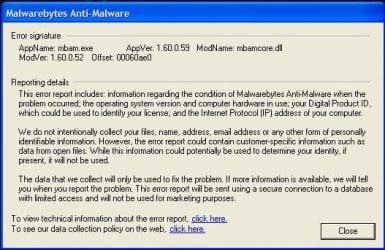
Then on "To view technical information about this report":
Our C & Dbg guys will like this:
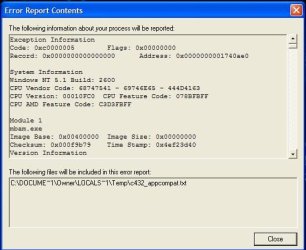
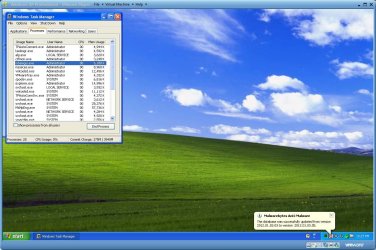
At this point I closed all that out, and preformed the "Three Finger Salute" to open the Task Manager, and this time Mbam was listed. I selected it, and clicked on "End Task".
This is what I saw:
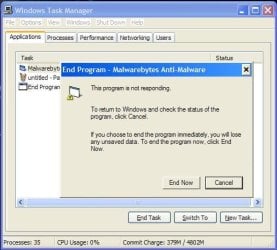
I then went to the Processes Tab, found Mbam.exe (sixth one down), selected it, and clicked on "End Process". Received a warning, and clicked on Yes.
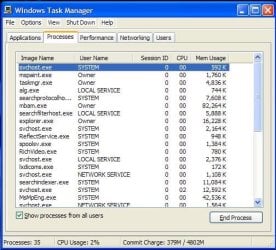
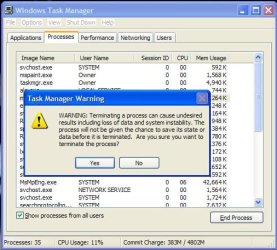
I closed Task Manager, and was back at the Desktop, and a little unsure of what to do next.
If you go to the Mbam Forum , and look for an XP tie-in you will see several threads.
I even tried the MSE Exclusions rules, then a re-install, and ran into the same problem I described above. If I didn't have to have exclusions before, why do I have to now?
Something is not right.
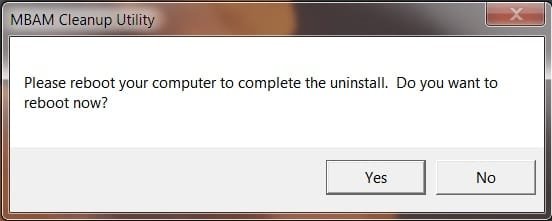
Then I saw in this post from the Mbam Forums about making sure that Mbam is completly removed. Here is the link for the Mbam Cleaner
I ran that.
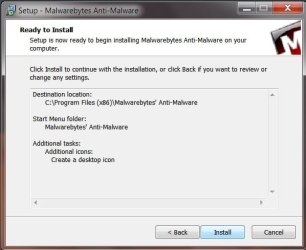
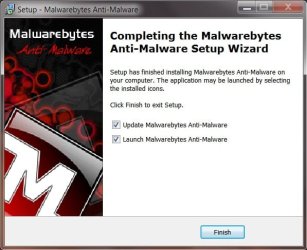
Re-installed Mbam.
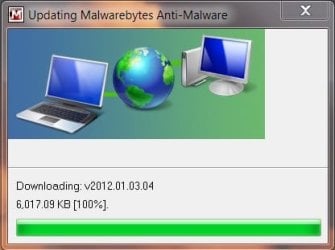
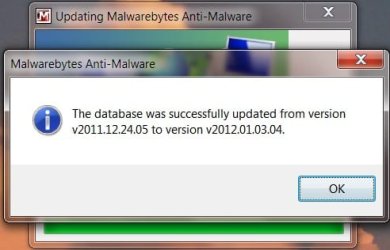
It updated itself, and went right to the Scanner Tab.
There was a pop-up that asked if I wanted to try the Pro version for a fortnight, and I clicked on Yes.
Ran a quick scan, and all is okay.
I know it is a little dangerous to have both Mbam, an MSE on Real-Time Protection, but for what I went through I thought, why not?
For the record, I have searched, and some users are affected by having both run, and some users are not. I will post back if they act up.
My Computer
- Computer type
- PC/Desktop
- Computer Manufacturer/Model Number
- Gateway DX4831-01e (Mid-Tower Desktop)
- OS
- Originally Win 7 Hm Prem x64 Ver 6.1.7600 Build 7601-SP1 | Upgraded to Windows 10 December 14, 2019
- CPU
- Intel i3 530 2.93GHz, 2933MHz 2 Cores 4 Logical Processors
- Motherboard
- Gateway H57M01 133 megahertz
- Memory
- 6GB of 1,333MHz DDR3 SDRAM
- Graphics Card(s)
- 32MB Intel Graphics Media Accelerator HD IGChip
- Sound Card
- Realtek High Definition Audio
- Monitor(s) Displays
- Gateway HX2000 20inch TFT active matrix TN
- Screen Resolution
- 1600 x 900 x 59 hertz
- Hard Drives
- WDC WD10EADS-00M2B0 [HDD] (1000.20 GB) -- drive 0,
HL-DT-ST DVDRAM GH41N [CD-ROM dr]
Four card readers, and Four USB 2.0
- PSU
- 300watts.
- Case
- Mid-Tower Desktop
- Cooling
- Stock from Gateway
- Keyboard
- Natural Ergonomic Keyboard 4000, see Other Info
- Mouse
- Orig. Gateway wore out now using Insignia USB wired optical
- Internet Speed
- Vz FIOS 10ms png 57.64Mbps down 65.53Mbps up Speedtest.org
- Antivirus
- Zamana Anti-logger with Anti-malware, MSE, Windows Firewall,
- Browser
- IE11.0.9600.19399-Upd ver11.0.135, Firefox 68.0.1 x64
- Other Info
- System Specs by Belarc.
BIOS: American Megatrends Inc. P01-A0 11/17/2009
Replaced the MS 'Natural' Standard PS/2 Enhanced 101-102 Keyboard with a new Natural Ergonomic Keyboard 4000 on August 1st 2014.
Canon Pixma MG3222 Printer.
Updated to IE11 on 12102015 | Fios Quantum Router g1100
Additional AV: SpywareBlaster, manual Mbam, SAS



 I will have to check with my brother.


