MediaBrowser

So Lets get some feed Back on Media Browser


  • Total voters
    137
ok I am making some progress with this new version of MB. I got the subtitle and play like this plugins to show up in the context menu. I had to install media center control so that the * could work. Now the trailer option is always grayed out on all my themes, and I know I have trailers in my folders. I checked the path in the xml to make sure it is correct. The trailer option worked in the prior version. I tried various themes to see if that helped, no luck. Some themes don't even give you the trailer option, but that is nothing new, it was like that in the other versions as well.
 

My Computer My Computer

Computer Manufacturer/Model Number
Gigabyte
OS
Windows 7 Ultimate
CPU
Intel Core(TM)2 Quad- Q9550, 2.83GHz
Motherboard
G31M-ES2L
Memory
4GB
Graphics Card(s)
ATI Radeon HD4600
Sound Card
On Board:
Monitor(s) Displays
Acer AL2223W, Acer AL1916
Screen Resolution
1680 x 1050, 1280 x 1024
Hard Drives
160GB
350GB
250GB
250GB
PSU
600W
Case
Cooler Master
Keyboard
Microsoft Laser 6000
Mouse
Logitech Optical Trackman
Internet Speed
1.5MB
Other Info
I am also running a quasar gamatron flux capacitor with twin pulse tronic phasers......jk, I have no such stuff.

My Computer My Computer

Computer Manufacturer/Model Number
Custom Built Rig BY ME "My Baby"
OS
7 Ultimate x64
CPU
AMD Athlon 64X2 4600+ 2.51Ghz
Motherboard
ASUS M2N-E SLI
Memory
6GB DDR2 900 Kingston
Graphics Card(s)
2x BFG Nvidia 9600 GT-OC
Sound Card
SoundBlaster XF-I
Monitor(s) Displays
19"acer, 22"acer, 19"acer, 48" HITACHI HDTV
Screen Resolution
1400x900, 1680x1050, 1400x900, 1920x1080
Hard Drives
Seagate 500GB Sata
Seagate 500GB Sata
Seagate 500GB Sata
Seagate 500GB Sata
Seagate 320 Sata (Primary)
Western Digital 500GB IDE
Western Digital 300GB IDE
Maxter 720 Sata (USB)
PSU
BFG 800 Watt SLI Power Supply
Case
Game Master
Cooling
Thermotake
Keyboard
Logitech (Bluetooth)
Mouse
Logitech (Bluetooth)
Internet Speed
Turbo Cable
Other Info
ATI 650HD TV Tuner X2,
Samsung (Light scribe) DVD-R,
Sony (Dual Layer) DVD-R
Oh ok I need to have a trailers folder inside my movie folder, and then the actual trailer. Man that means I have to move all my trailers to a trailer folder, I will have to write a script to do that.
edit: ok got it working now, man I have really out of the loop, so much has changed. Thanks Demon for keeping me in line.
 

My Computer My Computer

Computer Manufacturer/Model Number
Gigabyte
OS
Windows 7 Ultimate
CPU
Intel Core(TM)2 Quad- Q9550, 2.83GHz
Motherboard
G31M-ES2L
Memory
4GB
Graphics Card(s)
ATI Radeon HD4600
Sound Card
On Board:
Monitor(s) Displays
Acer AL2223W, Acer AL1916
Screen Resolution
1680 x 1050, 1280 x 1024
Hard Drives
160GB
350GB
250GB
250GB
PSU
600W
Case
Cooler Master
Keyboard
Microsoft Laser 6000
Mouse
Logitech Optical Trackman
Internet Speed
1.5MB
Other Info
I am also running a quasar gamatron flux capacitor with twin pulse tronic phasers......jk, I have no such stuff.
you get that script working, I could use it too :)
 

My Computer My Computer

Computer Manufacturer/Model Number
Custom Built Rig BY ME "My Baby"
OS
7 Ultimate x64
CPU
AMD Athlon 64X2 4600+ 2.51Ghz
Motherboard
ASUS M2N-E SLI
Memory
6GB DDR2 900 Kingston
Graphics Card(s)
2x BFG Nvidia 9600 GT-OC
Sound Card
SoundBlaster XF-I
Monitor(s) Displays
19"acer, 22"acer, 19"acer, 48" HITACHI HDTV
Screen Resolution
1400x900, 1680x1050, 1400x900, 1920x1080
Hard Drives
Seagate 500GB Sata
Seagate 500GB Sata
Seagate 500GB Sata
Seagate 500GB Sata
Seagate 320 Sata (Primary)
Western Digital 500GB IDE
Western Digital 300GB IDE
Maxter 720 Sata (USB)
PSU
BFG 800 Watt SLI Power Supply
Case
Game Master
Cooling
Thermotake
Keyboard
Logitech (Bluetooth)
Mouse
Logitech (Bluetooth)
Internet Speed
Turbo Cable
Other Info
ATI 650HD TV Tuner X2,
Samsung (Light scribe) DVD-R,
Sony (Dual Layer) DVD-R
Here is the script:
rem this script will look for a particular file, it exist, it will create a folder and move the file found to the
rem folder that was created
@echo off
set "Filter=trailer.mov"
set "BaseDir=this is the folder that you want the script to scan"
set "NewDir=Trailers"
for /f "tokens=*" %%A in ('dir /a-d /b /s "%BaseDir%\%Filter%"') do (
mkdir "%%~dpA%NewDir%"
move "%%~fA" "%%~dpA%NewDir%"
)
 

My Computer My Computer

Computer Manufacturer/Model Number
Gigabyte
OS
Windows 7 Ultimate
CPU
Intel Core(TM)2 Quad- Q9550, 2.83GHz
Motherboard
G31M-ES2L
Memory
4GB
Graphics Card(s)
ATI Radeon HD4600
Sound Card
On Board:
Monitor(s) Displays
Acer AL2223W, Acer AL1916
Screen Resolution
1680 x 1050, 1280 x 1024
Hard Drives
160GB
350GB
250GB
250GB
PSU
600W
Case
Cooler Master
Keyboard
Microsoft Laser 6000
Mouse
Logitech Optical Trackman
Internet Speed
1.5MB
Other Info
I am also running a quasar gamatron flux capacitor with twin pulse tronic phasers......jk, I have no such stuff.
Dumb question time: How do I run the script?
 

My Computer My Computer

Computer Manufacturer/Model Number
Custom
OS
Windows 7 (Ultimate) x64
CPU
AMD Phenom(tm) II X2 550
Motherboard
ASUSTeK - M4A78L-M
Memory
4 gb Kingston DDR2
Graphics Card(s)
AMD780G
Sound Card
On board - open to suggestions
Monitor(s) Displays
Sony XBR3 52"
Screen Resolution
1080P
Hard Drives
Seagate 1.5tb, Kingston 32gb SSD
PSU
500w
Case
ASUS
Cooling
3 case fans
Keyboard
nMediaPC
Mouse
on keyboard
Internet Speed
32mb dl - 1.25 ul
Other Info
LG 10X BD/DVD
My apologies, and welcome to the forum. Glad I have the honor of responding to your first post. Copy and paste the script into notepad, and save it as a batch file with whatever name you want. Note: make sure it had a .bat extension, and not bat.txt. Then put the script where you want it to run, and just run it. Let me know if you have any more questions. For simplicity, download the script the from here
 

My Computer My Computer

Computer Manufacturer/Model Number
Gigabyte
OS
Windows 7 Ultimate
CPU
Intel Core(TM)2 Quad- Q9550, 2.83GHz
Motherboard
G31M-ES2L
Memory
4GB
Graphics Card(s)
ATI Radeon HD4600
Sound Card
On Board:
Monitor(s) Displays
Acer AL2223W, Acer AL1916
Screen Resolution
1680 x 1050, 1280 x 1024
Hard Drives
160GB
350GB
250GB
250GB
PSU
600W
Case
Cooler Master
Keyboard
Microsoft Laser 6000
Mouse
Logitech Optical Trackman
Internet Speed
1.5MB
Other Info
I am also running a quasar gamatron flux capacitor with twin pulse tronic phasers......jk, I have no such stuff.
Thank you for the info, the script and the welcome.
 

My Computer My Computer

Computer Manufacturer/Model Number
Custom
OS
Windows 7 (Ultimate) x64
CPU
AMD Phenom(tm) II X2 550
Motherboard
ASUSTeK - M4A78L-M
Memory
4 gb Kingston DDR2
Graphics Card(s)
AMD780G
Sound Card
On board - open to suggestions
Monitor(s) Displays
Sony XBR3 52"
Screen Resolution
1080P
Hard Drives
Seagate 1.5tb, Kingston 32gb SSD
PSU
500w
Case
ASUS
Cooling
3 case fans
Keyboard
nMediaPC
Mouse
on keyboard
Internet Speed
32mb dl - 1.25 ul
Other Info
LG 10X BD/DVD
Does MB let media center do video playlists?

This is one thing that has always bothered me about media center.. We can't do playlists for movies so i use Media Player Classic home cinema
 

My Computer My Computer

OS
Windows 7
Kinda sorta but not like I think your talking about.
MB can generate it's own playlists that can, play all, play unwatched, play random.
But right now it still doesn't have the ability to let the user browse the collection and create their own playlist.

Media Center can read and play asx playlists. Those are not to hard to sit and make by hand. Then put in a place MC can see them.

I decided to look around before I submitted this and I found a nice little java script, that you can use to generate the info that go's inside the asx playlist. Then you just copy it from the web browser and paste it into a new txt document, rename .txt = .asx Done

ASX-O-Matic said:
Usage Notes


To create the ASX file, simply use the form. Pressing "Create" will result in your ASX file to be created in the textarea.
Simply copy and paste it into any texteditor and save with the ending .asx.
First enter a title for your asx file, this one will later be displayed in the titlebar of the mediaplayer. Then define the filepath to the folder containing the mediafiles you want to display. If you leave this one empty, you need to put the asx file in the same folder as the mediafiles.
Then you either define a series of files with the same name to be displayed or a series of mixed names.
The first option allows you then to create an ASX file with a series of the same name, such as film1.mpg,film2.mpg,film3.mpg and film4.mpg .
To do that, simply enter the name of the series and select it's filetype from the dropdown menu.
You can then enter the startnumber and endnumber of the series and select if the digits below 10 shall have a "0" in front or not.
After entering all your data, scroll down and press the "Create" button.
The second option allows you to create a playlist of totally different files, all you do is to enter all the filenames in the textfield, separated by a ",". Make sure not to enter any blanks.
So if you want to create a playlist for the files
movie1.mpg,splash3.avi and oops.mov, simply enter
"movie1.mpg,splash3.avi,oops.mov"
Then scroll down and press "Create!".


»Launch ASX-O-Matic.

If you need help with anything just yell :drool:
 

My Computer My Computer

Computer Manufacturer/Model Number
Custom Built Rig BY ME "My Baby"
OS
7 Ultimate x64
CPU
AMD Athlon 64X2 4600+ 2.51Ghz
Motherboard
ASUS M2N-E SLI
Memory
6GB DDR2 900 Kingston
Graphics Card(s)
2x BFG Nvidia 9600 GT-OC
Sound Card
SoundBlaster XF-I
Monitor(s) Displays
19"acer, 22"acer, 19"acer, 48" HITACHI HDTV
Screen Resolution
1400x900, 1680x1050, 1400x900, 1920x1080
Hard Drives
Seagate 500GB Sata
Seagate 500GB Sata
Seagate 500GB Sata
Seagate 500GB Sata
Seagate 320 Sata (Primary)
Western Digital 500GB IDE
Western Digital 300GB IDE
Maxter 720 Sata (USB)
PSU
BFG 800 Watt SLI Power Supply
Case
Game Master
Cooling
Thermotake
Keyboard
Logitech (Bluetooth)
Mouse
Logitech (Bluetooth)
Internet Speed
Turbo Cable
Other Info
ATI 650HD TV Tuner X2,
Samsung (Light scribe) DVD-R,
Sony (Dual Layer) DVD-R
I recently made a HTPC with 4x 2TB hard drives to hold about 900 DVD and Blue Ray movies. I wanted to find some way to catalog and launch all these movies for the entire family and found MediaBrowser. It is outstanding and has some nice features. There was a little bit of a learning curve to get it the way I wanted it to look and I'm sure I'll tweak it for a little while. I read all 99 pages of this thread and it's great to see so many people take an interest in MB.

All this said, I have a problem. I ripped all 900+ DVDs to my hard drives and have them showing up in one under one icon called "All Movies". Everything looks great and works great to include meta data being retrieved by Media Center Master. I utilize DVDFAB to rip my DVDs and BluRays at high quality and everything comes out nicely. I can't however, include a BluRay movie folder within my "Movies" folder on any of my drives as it seems to override all the dvd movies in that folder and only the BluRay movie shows up in MB. If I place multiple BluRay movie folders in the main movie folders with DVDs, it defaults to the 1 BluRay folder (alphabetically).

Thoughts... ideas? Are the BluRay files/folders overriding MB somehow? Again, I've read all 99 pages and haven't see anyone else with this problem.

I've also found that if I play the 1 default BluRay that shows up in MB, it plays them like a play list (1 after another.... aphabetically)

My BluRay files are ripped to .m2ts format and play fine on their own in WMC.

My DVDs are ripped to .vob files.
 
Last edited:

My Computer My Computer

Computer Manufacturer/Model Number
Home Built
OS
Windows 7 build 7600
CPU
AMD Quad 965
Motherboard
MSI
Memory
4 Gig
Graphics Card(s)
Nvidia 2G 9600GT
Sound Card
Onboard 7.1
Monitor(s) Displays
52" Samsung LCD
Hard Drives
4x 2TB WD
Your going to need I think 4 or more Blurays in the mix before it will stop that. I think you found the mixed file type bug. Adding more then 4 should fix it.
 

My Computer My Computer

Computer Manufacturer/Model Number
Custom Built Rig BY ME "My Baby"
OS
7 Ultimate x64
CPU
AMD Athlon 64X2 4600+ 2.51Ghz
Motherboard
ASUS M2N-E SLI
Memory
6GB DDR2 900 Kingston
Graphics Card(s)
2x BFG Nvidia 9600 GT-OC
Sound Card
SoundBlaster XF-I
Monitor(s) Displays
19"acer, 22"acer, 19"acer, 48" HITACHI HDTV
Screen Resolution
1400x900, 1680x1050, 1400x900, 1920x1080
Hard Drives
Seagate 500GB Sata
Seagate 500GB Sata
Seagate 500GB Sata
Seagate 500GB Sata
Seagate 320 Sata (Primary)
Western Digital 500GB IDE
Western Digital 300GB IDE
Maxter 720 Sata (USB)
PSU
BFG 800 Watt SLI Power Supply
Case
Game Master
Cooling
Thermotake
Keyboard
Logitech (Bluetooth)
Mouse
Logitech (Bluetooth)
Internet Speed
Turbo Cable
Other Info
ATI 650HD TV Tuner X2,
Samsung (Light scribe) DVD-R,
Sony (Dual Layer) DVD-R
4x .m2ts folders/files? I currently only have 2 ripped BluRays and am in the process of ripping more.

Thanks for the quick reply.
 

My Computer My Computer

Computer Manufacturer/Model Number
Home Built
OS
Windows 7 build 7600
CPU
AMD Quad 965
Motherboard
MSI
Memory
4 Gig
Graphics Card(s)
Nvidia 2G 9600GT
Sound Card
Onboard 7.1
Monitor(s) Displays
52" Samsung LCD
Hard Drives
4x 2TB WD
Exactly. Truthfully I think 3 will fix it. I just say 4 to be on the safe side.
 

My Computer My Computer

Computer Manufacturer/Model Number
Custom Built Rig BY ME "My Baby"
OS
7 Ultimate x64
CPU
AMD Athlon 64X2 4600+ 2.51Ghz
Motherboard
ASUS M2N-E SLI
Memory
6GB DDR2 900 Kingston
Graphics Card(s)
2x BFG Nvidia 9600 GT-OC
Sound Card
SoundBlaster XF-I
Monitor(s) Displays
19"acer, 22"acer, 19"acer, 48" HITACHI HDTV
Screen Resolution
1400x900, 1680x1050, 1400x900, 1920x1080
Hard Drives
Seagate 500GB Sata
Seagate 500GB Sata
Seagate 500GB Sata
Seagate 500GB Sata
Seagate 320 Sata (Primary)
Western Digital 500GB IDE
Western Digital 300GB IDE
Maxter 720 Sata (USB)
PSU
BFG 800 Watt SLI Power Supply
Case
Game Master
Cooling
Thermotake
Keyboard
Logitech (Bluetooth)
Mouse
Logitech (Bluetooth)
Internet Speed
Turbo Cable
Other Info
ATI 650HD TV Tuner X2,
Samsung (Light scribe) DVD-R,
Sony (Dual Layer) DVD-R
I finally got the mixed file issue squared away. It is written about in the forum over at mediabrowser.tv in At wits end about mixed file types .

I also had the Multiple File Handler checked (on). As soon as I unchecked it and dragged by BluRay files over and mixed them with my vob files, everythiing worked great.
 

My Computer My Computer

Computer Manufacturer/Model Number
Home Built
OS
Windows 7 build 7600
CPU
AMD Quad 965
Motherboard
MSI
Memory
4 Gig
Graphics Card(s)
Nvidia 2G 9600GT
Sound Card
Onboard 7.1
Monitor(s) Displays
52" Samsung LCD
Hard Drives
4x 2TB WD
Start Menu Icons

Hi

Please could someone tell me how to exchange the word "MOVIES" and "TV SERIES" for icons on my media browser start menu (The one that comes up after i click the media browser icon in windows media center).

I have downloaded alot of great icons, but not sure how to get them on to my front page of media browser.

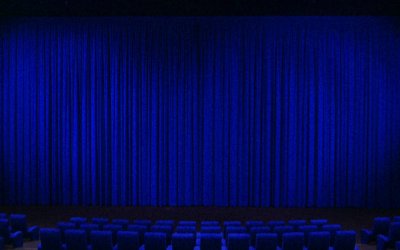
Also has anyone got a backdrop like the one i have attached, but in blue (With the curtain and chairs)

Any help would be appreciated :D

Thanks
 

Attachments

  • backdrop.jpg
    backdrop.jpg
    181.7 KB · Views: 8

My Computer My Computer

OS
windows 7
Here is the blue. I just color shifted the one you gave.

70833d1272899391-mediabrowser-backdrop.jpg


70833d1272899391-mediabrowser-backdrop.jpg

70833d1272899391-mediabrowser-backdrop.jpg


to put a icon in the start screen. Open the config tool. Click on your media tab on the left the click on change image on the right.
 

Attachments

  • 70833d1272899391-mediabrowser-backdrop.jpg
    70833d1272899391-mediabrowser-backdrop.jpg
    174.7 KB · Views: 5

My Computer My Computer

Computer Manufacturer/Model Number
Custom Built Rig BY ME "My Baby"
OS
7 Ultimate x64
CPU
AMD Athlon 64X2 4600+ 2.51Ghz
Motherboard
ASUS M2N-E SLI
Memory
6GB DDR2 900 Kingston
Graphics Card(s)
2x BFG Nvidia 9600 GT-OC
Sound Card
SoundBlaster XF-I
Monitor(s) Displays
19"acer, 22"acer, 19"acer, 48" HITACHI HDTV
Screen Resolution
1400x900, 1680x1050, 1400x900, 1920x1080
Hard Drives
Seagate 500GB Sata
Seagate 500GB Sata
Seagate 500GB Sata
Seagate 500GB Sata
Seagate 320 Sata (Primary)
Western Digital 500GB IDE
Western Digital 300GB IDE
Maxter 720 Sata (USB)
PSU
BFG 800 Watt SLI Power Supply
Case
Game Master
Cooling
Thermotake
Keyboard
Logitech (Bluetooth)
Mouse
Logitech (Bluetooth)
Internet Speed
Turbo Cable
Other Info
ATI 650HD TV Tuner X2,
Samsung (Light scribe) DVD-R,
Sony (Dual Layer) DVD-R
Hi DemonSeed

Thanks for the color change, and your help.

I got it to work by disabling EHS. Is there a way of having the best of both worlds, that is having the icons scroll at the bottom, and still have EHS, or the "watched", and "unwatched" displayed?

Also is there a way of making the icons static at the bottom of the screen, instead of scrolling, as i only have 3 icons at the bottom and scrolling is not needed?

Thanks again for your help
 
Last edited:

My Computer My Computer

OS
windows 7
Nope and Nope... You can only turn EHS on\off and you cant stop the scroll. Sorry
 

My Computer My Computer

Computer Manufacturer/Model Number
Custom Built Rig BY ME "My Baby"
OS
7 Ultimate x64
CPU
AMD Athlon 64X2 4600+ 2.51Ghz
Motherboard
ASUS M2N-E SLI
Memory
6GB DDR2 900 Kingston
Graphics Card(s)
2x BFG Nvidia 9600 GT-OC
Sound Card
SoundBlaster XF-I
Monitor(s) Displays
19"acer, 22"acer, 19"acer, 48" HITACHI HDTV
Screen Resolution
1400x900, 1680x1050, 1400x900, 1920x1080
Hard Drives
Seagate 500GB Sata
Seagate 500GB Sata
Seagate 500GB Sata
Seagate 500GB Sata
Seagate 320 Sata (Primary)
Western Digital 500GB IDE
Western Digital 300GB IDE
Maxter 720 Sata (USB)
PSU
BFG 800 Watt SLI Power Supply
Case
Game Master
Cooling
Thermotake
Keyboard
Logitech (Bluetooth)
Mouse
Logitech (Bluetooth)
Internet Speed
Turbo Cable
Other Info
ATI 650HD TV Tuner X2,
Samsung (Light scribe) DVD-R,
Sony (Dual Layer) DVD-R
Back
Top