

Metascan Firefox Add On released - Links fixed
For anyone who's interested in adding a little security:
Metascan Online Extension for Firefox has been released.
There is also a Chrome add on (not covered in this post) - you can get it here:
Metascan Online for Chrome
Features:
Download Metascan Online For Firefox
(Click "Download the plugin" under the section headed Metascan Online for Firefox)
Installation:
Note - I'm using Cyberfox 64bit and not Firefox so the method may be slightly different for Firefox.

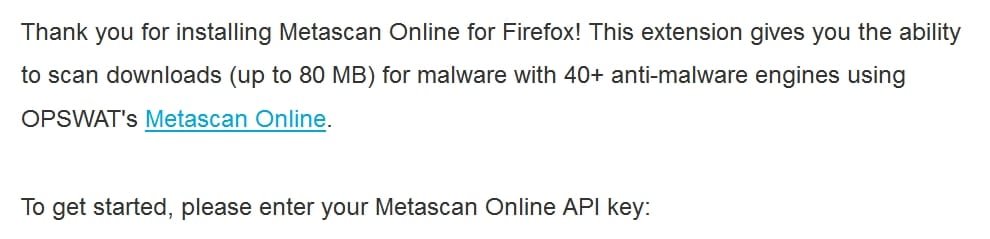
Click the Blue Icon in the toolbar to enter the API Key.
How to use Metascan Online Extension for Firefox:
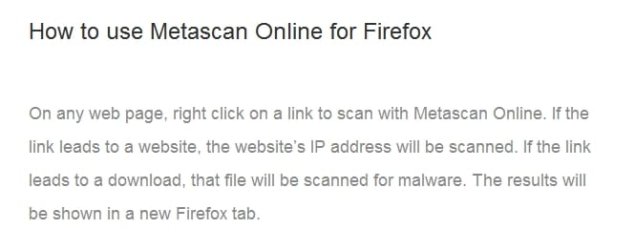
To scan a link - right click on the link:
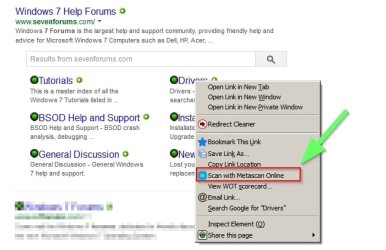
To scan the website's ip address use the icon on the toolbar:

Additionally use the same method to scan network connections:
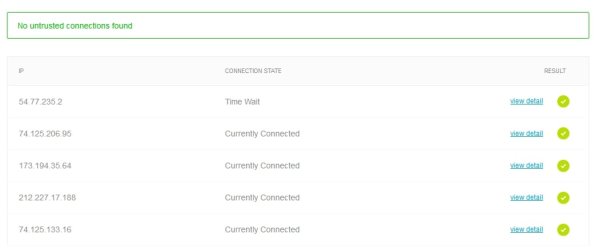
If you download a file you will see an extra option appear:
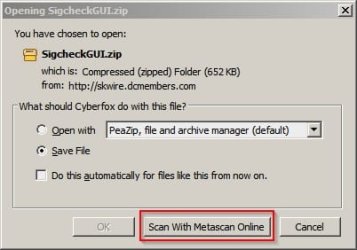
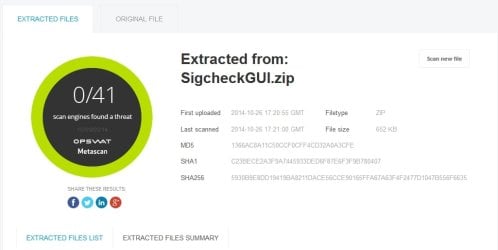
If you choose to scan the downloaded file it will be scanned with 40+ antivirus engines and the results will be displayed in a new window.
If the file is zipped - the file will be uploaded and files extracted before being scanned online.
For anyone who's interested in adding a little security:
Metascan Online Extension for Firefox has been released.
Requires sign-up via email to obtain an API Key
There is also a Chrome add on (not covered in this post) - you can get it here:
Metascan Online for Chrome
Features:
Scan any website, link or download for malware.
Scan network connections for untrusted ip addresses.
Download Metascan Online For Firefox
(Click "Download the plugin" under the section headed Metascan Online for Firefox)
Installation:
Note - I'm using Cyberfox 64bit and not Firefox so the method may be slightly different for Firefox.
Download the extension and save the file.
Start Firefox and open the Add Ons tab.
Click the Gear symbol next to "Search All Add Ons"
Choose "Install Add On From File"
Browse to your downloaded file and double click.
Restart Firefox
Start Firefox and open the Add Ons tab.
Click the Gear symbol next to "Search All Add Ons"
Choose "Install Add On From File"
Browse to your downloaded file and double click.
Restart Firefox
Note
Click the Blue Icon in the toolbar to enter the API Key.
How to use Metascan Online Extension for Firefox:
To scan a link - right click on the link:
To scan the website's ip address use the icon on the toolbar:
Additionally use the same method to scan network connections:
If you download a file you will see an extra option appear:
If you choose to scan the downloaded file it will be scanned with 40+ antivirus engines and the results will be displayed in a new window.
If the file is zipped - the file will be uploaded and files extracted before being scanned online.
Last edited:
My Computer
- Computer type
- Laptop
- Computer Manufacturer/Model Number
- ASUS
- OS
- Microsoft Windows 7 Home Premium 64-bit 7601 Multiprocessor Free Service Pack 1
- CPU
- AMD C-60 APU with Radeon(tm) HD Graphics
- Motherboard
- ASUSTeK COMPUTER INC. X501U
- Memory
- 4.00 GB
- Graphics Card(s)
- AMD Radeon HD 6290 Graphics
- Sound Card
- (1) AMD High Definition Audio Device (2) Realtek High Defi
- Screen Resolution
- 1366 x 768 x 32 bits (4294967296 colors) @ 60 Hz
- Hard Drives
- Hitachi HTS545050A7E380 SATA Disk Device
- Antivirus
- Comodo CIS & FW, SecureAplus App Whitelisting, Threatfire
- Browser
- Cyberfox 64bit, Opera 64bit, Airfox
- Other Info
- Spy-The-Spy, HitmanPro.Alert, Norton Connect Safe, MJRegWatcher, BitDefender TrafficLight, Voodoo Shield, Zemana AntiMalware


