Solved Minecraft Low FPS

Adafaka

New member
Member
Local time
7:08 PM
Messages
46
Location
Macedonia, Skopje
Hey,
I kinda have a FPS problem with Minecraft.
These are my gpu and cpu:
GPU : r9 280x Vapor-X /w boost
CPU : intel i7 - 4790 @3.60GHz
While on a server I get 150-250 fps, sometimes even under 150.
I have Optifine, 64-bit Java, have tried allocating memory and nothing works
Could anyone give me suggestions on how to get higher fps?
 

My Computer

Computer type
PC/Desktop
OS
Windows 7 Ultimate x64
CPU
Intel(R) Core(TM) i7-4790 CPU @ 3.60GHZ
Motherboard
Gigabyte Z97X-UD3H
Memory
16GB Kingston HyperX @ 2400MHz
Graphics Card(s)
Asus Gtx 980 Matrix Platinum
Monitor(s) Displays
BenQ GW2255 and BenQ G2000W
Screen Resolution
1920x1080 & 1680x1050
Hard Drives
250GB SSD - 2TB HDD - 232GB HDD
PSU
Chieftec 700W
Case
CoolerMaster Storm Trooper
Cooling
CoolerMaster & DeepCool
Keyboard
Keyboard A4 X7-G800V 3xFast Gaming USB
Mouse
Mouse A4 XL-747H Anti-vibrate Gaming USB Laser
Antivirus
Avast + Anti-MalwareBytes
Browser
Mozilla Firefox
Are you using Java from Oracle or the lighter/standalone version that comes with the Minecraft installer?

From here:
Minecraft Doesn?t Need Java Installed Anymore; It?s Time to Uninstall Java

The short version is that Minecraft is now bundling a standalone version of Java into their installation and it doesn’t have the security problems and annoyances that regular Java does. The really great thing is that Minecraft should actually run faster in our testing if you use their version instead of the version you already have installed.
Ignore the poor grammar in that last sentence.
 

My Computer

Computer type
Laptop
Computer Manufacturer/Model Number
Employer provided Dell Latitude
OS
W7 Pro SP1 64bit
CPU
i7
Memory
8GB
Graphics Card(s)
Intel HD Graphics
Hard Drives
crappy SSD
Antivirus
Employer mandated Symantec Endpoint Protection
Browser
Pale Moon 64bit, IE11 64bit & Chrome 64bit
Hey,
I kinda have a FPS problem with Minecraft.
These are my gpu and cpu:
GPU : r9 280x Vapor-X /w boost
CPU : intel i7 - 4790 @3.60GHz
While on a server I get 150-250 fps, sometimes even under 150.
I have Optifine, 64-bit Java, have tried allocating memory and nothing works
Could anyone give me suggestions on how to get higher fps?

I'd say that minecraft running at 150fps+ is brilliant, I barely get 60fps most of the time, try turning down the render chunks to 16 or lower (that seems to impact fps more than anything) and/or turn down antialiasing.
 

My Computer

Computer type
PC/Desktop
Computer Manufacturer/Model Number
Custom Build
OS
Windows 7 Ultimate x64 SP1
CPU
Intel Q6600 @ 2.6Ghz
Motherboard
Evga NF78-CK-132-A 3-Way SLI
Memory
4Gb DDR2 Corsair Dominator @ 800Mhz 5-5-5-15
Graphics Card(s)
EVGA 560 GTX SC FTW 1GB
Sound Card
Realtek HD 7.1 Audio, Plantronics GameCom780 7.1 Headset
Monitor(s) Displays
Dell S2409W
Screen Resolution
1920 x 1080
Hard Drives
SanDisk SDSSDHII-120G-G25 120GB SSD
Samsung 7200RPM 750Gb SATA
Samsung 850 EVO 120GB SSD
Western Digital Green 1TB 7200RPM
PSU
Xigmatek 750W Quad sli quad core 80% eff
Case
Antec 900 Gaming Case
Cooling
Zalman CNPS9700-NT NVIDIA Tritium
Keyboard
Logitech generic keyboard, MS wireless keyboard
Mouse
Razor Lachesis Banshee V2 Blue, 4000DPI, MS wireless mouse
Internet Speed
152Mb Virgin Media Fibre Optic
Antivirus
Microsoft Security Essentials
Browser
Google Chrome
Other Info
Wireless Gaming Receiver for Windows, Wireless Xbox 360 Pad
Are you using Java from Oracle or the lighter/standalone version that comes with the Minecraft installer?

From here:
Minecraft Doesn?t Need Java Installed Anymore; It?s Time to Uninstall Java

The short version is that Minecraft is now bundling a standalone version of Java into their installation and it doesn’t have the security problems and annoyances that regular Java does. The really great thing is that Minecraft should actually run faster in our testing if you use their version instead of the version you already have installed.
Ignore the poor grammar in that last sentence.
I did try it, it's the same.

I'd say that minecraft running at 150fps+ is brilliant, I barely get 60fps most of the time, try turning down the render chunks to 16 or lower (that seems to impact fps more than anything) and/or turn down antialiasing.
No, for my GPU it's not. You get barely 60fps because you have a GTX 560 (from what it says on your profile). I can run Witcher 3 on medium settings with higher FPS. And I have already tried all of the settings, doesn't matter how I put them, I always get around the same fps, just not higher.
 

My Computer

Computer type
PC/Desktop
OS
Windows 7 Ultimate x64
CPU
Intel(R) Core(TM) i7-4790 CPU @ 3.60GHZ
Motherboard
Gigabyte Z97X-UD3H
Memory
16GB Kingston HyperX @ 2400MHz
Graphics Card(s)
Asus Gtx 980 Matrix Platinum
Monitor(s) Displays
BenQ GW2255 and BenQ G2000W
Screen Resolution
1920x1080 & 1680x1050
Hard Drives
250GB SSD - 2TB HDD - 232GB HDD
PSU
Chieftec 700W
Case
CoolerMaster Storm Trooper
Cooling
CoolerMaster & DeepCool
Keyboard
Keyboard A4 X7-G800V 3xFast Gaming USB
Mouse
Mouse A4 XL-747H Anti-vibrate Gaming USB Laser
Antivirus
Avast + Anti-MalwareBytes
Browser
Mozilla Firefox
Try lowering the settings, and turning VBOs on.
 

My Computer

Computer type
PC/Desktop
Computer Manufacturer/Model Number
Custom Build
OS
OpenBSD 6.8
CPU
AMD A10-7850K APU @ 4300MHz
Motherboard
ASRock FM2A58M-VG3+ R2.0
Memory
8GB G-Skill Ripjaws @ 2133MHz
Graphics Card(s)
I have an APU
Monitor(s) Displays
LG 24M35
Screen Resolution
1920x1080@74Hz
Hard Drives
931GB Seagate ST31000524NS 45W8867 59Y1812IBM
PSU
Cooler Master 750W
Case
Bitfenix NOVA
Cooling
120mm fan
Keyboard
Microsoft Digital Media Keyboard 1.0A
Mouse
Logitech G403
Internet Speed
40Mbps
Browser
Firefox
Other Info
Headset: Audio-Technica M50X
lol you stress over 100 FPS when my average is 20
 

My Computer

Computer type
Laptop
Computer Manufacturer/Model Number
lenovo think pad x131e
OS
windows 10 professional 32bit
CPU
intel celeron dual
Motherboard
dunno: lenovo?
Memory
4gb
Graphics Card(s)
intel intergrated
Sound Card
intergrated
Monitor(s) Displays
laptop with secondary monitor: HPw1907
Screen Resolution
laptop: 1366x768, external: 1440x900
Case
lenovo
Cooling
intergrated
Keyboard
intergrated
Mouse
some cheap 7 button Chinese thing that looks expensive
Antivirus
malware bytes free
Browser
chrome
you could also try lowering the mipmaps to 2 or less, a lot of people seem to think that affects frame rate but personally, I don't.
 

My Computer

Computer type
PC/Desktop
Computer Manufacturer/Model Number
Custom Build
OS
Windows 7 Ultimate x64 SP1
CPU
Intel Q6600 @ 2.6Ghz
Motherboard
Evga NF78-CK-132-A 3-Way SLI
Memory
4Gb DDR2 Corsair Dominator @ 800Mhz 5-5-5-15
Graphics Card(s)
EVGA 560 GTX SC FTW 1GB
Sound Card
Realtek HD 7.1 Audio, Plantronics GameCom780 7.1 Headset
Monitor(s) Displays
Dell S2409W
Screen Resolution
1920 x 1080
Hard Drives
SanDisk SDSSDHII-120G-G25 120GB SSD
Samsung 7200RPM 750Gb SATA
Samsung 850 EVO 120GB SSD
Western Digital Green 1TB 7200RPM
PSU
Xigmatek 750W Quad sli quad core 80% eff
Case
Antec 900 Gaming Case
Cooling
Zalman CNPS9700-NT NVIDIA Tritium
Keyboard
Logitech generic keyboard, MS wireless keyboard
Mouse
Razor Lachesis Banshee V2 Blue, 4000DPI, MS wireless mouse
Internet Speed
152Mb Virgin Media Fibre Optic
Antivirus
Microsoft Security Essentials
Browser
Google Chrome
Other Info
Wireless Gaming Receiver for Windows, Wireless Xbox 360 Pad
You won't be able to tell any difference between 60fps and 150fps unless your monitor is over 60Hz
 

My Computer

Computer type
PC/Desktop
Computer Manufacturer/Model Number
Custom Build
OS
OpenBSD 6.8
CPU
AMD A10-7850K APU @ 4300MHz
Motherboard
ASRock FM2A58M-VG3+ R2.0
Memory
8GB G-Skill Ripjaws @ 2133MHz
Graphics Card(s)
I have an APU
Monitor(s) Displays
LG 24M35
Screen Resolution
1920x1080@74Hz
Hard Drives
931GB Seagate ST31000524NS 45W8867 59Y1812IBM
PSU
Cooler Master 750W
Case
Bitfenix NOVA
Cooling
120mm fan
Keyboard
Microsoft Digital Media Keyboard 1.0A
Mouse
Logitech G403
Internet Speed
40Mbps
Browser
Firefox
Other Info
Headset: Audio-Technica M50X
This is how I tell the difference
Image 1:
BTziPox.png

Image 2:
Z4B5wp5.png

Image 3:
wIfKmFn.png

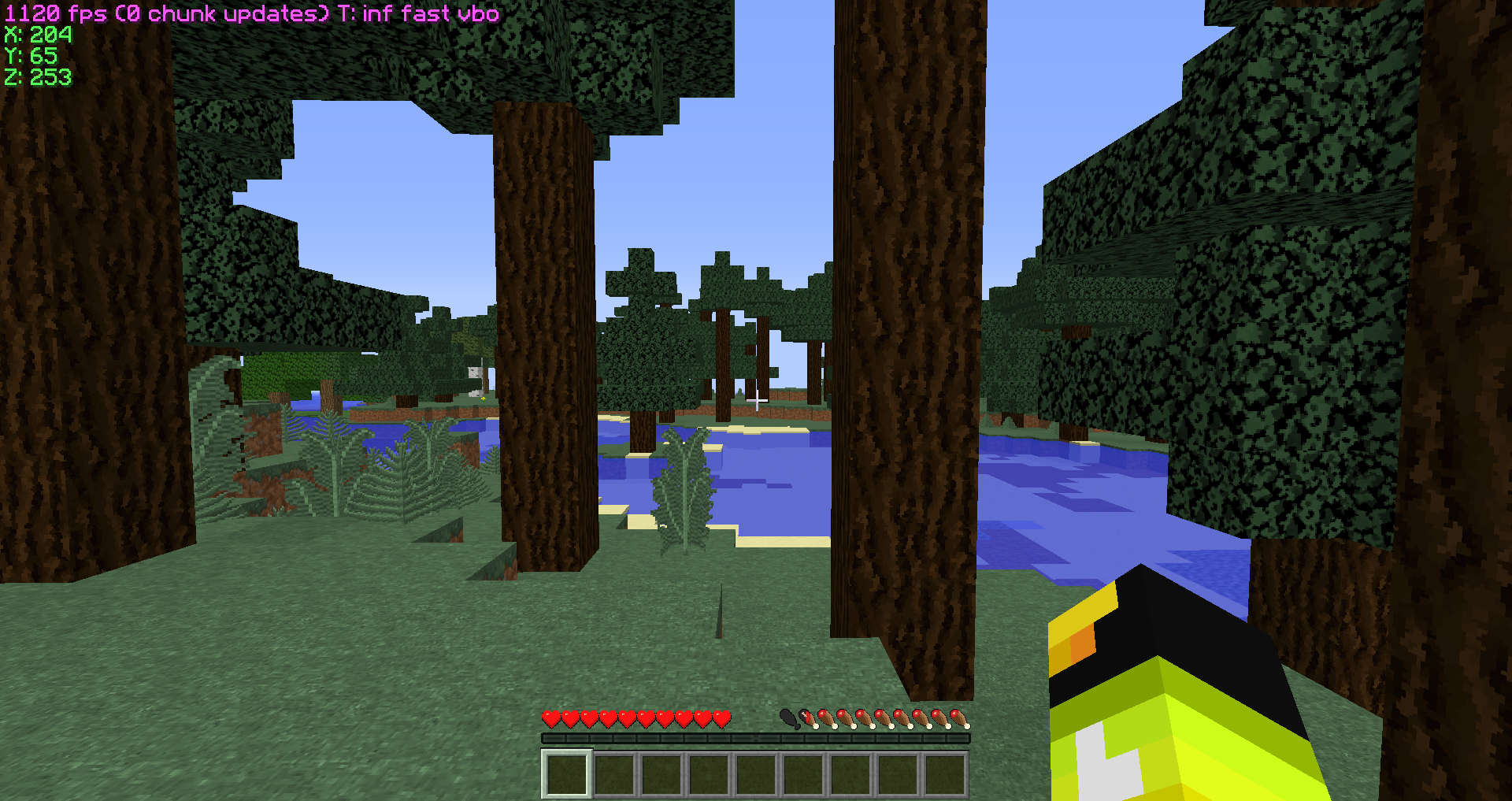
Looks like Windows 8.1 is the fix for the FPS.
800+ fps, this is what I wanted, lol
Thanks for trying to help tho.
 

My Computer

Computer type
PC/Desktop
OS
Windows 7 Ultimate x64
CPU
Intel(R) Core(TM) i7-4790 CPU @ 3.60GHZ
Motherboard
Gigabyte Z97X-UD3H
Memory
16GB Kingston HyperX @ 2400MHz
Graphics Card(s)
Asus Gtx 980 Matrix Platinum
Monitor(s) Displays
BenQ GW2255 and BenQ G2000W
Screen Resolution
1920x1080 & 1680x1050
Hard Drives
250GB SSD - 2TB HDD - 232GB HDD
PSU
Chieftec 700W
Case
CoolerMaster Storm Trooper
Cooling
CoolerMaster & DeepCool
Keyboard
Keyboard A4 X7-G800V 3xFast Gaming USB
Mouse
Mouse A4 XL-747H Anti-vibrate Gaming USB Laser
Antivirus
Avast + Anti-MalwareBytes
Browser
Mozilla Firefox
This is how I tell the difference
Image 1:
BTziPox.png

Image 2:
Z4B5wp5.png

Image 3:
wIfKmFn.png

Looks like Windows 8.1 is the fix for the FPS.
800+ fps, this is what I wanted, lol
Thanks for trying to help tho.

I really don't understand why you would need 1000+ framerates for any game, all it does is introduce screen tearing to your gaming experience unless you're using freesync, which defies the point anyway because it'll only sync with 75fps or lower, the only logical conclusion I can come to is that you want bragging rights...
 

My Computer

Computer type
PC/Desktop
Computer Manufacturer/Model Number
Custom Build
OS
Windows 7 Ultimate x64 SP1
CPU
Intel Q6600 @ 2.6Ghz
Motherboard
Evga NF78-CK-132-A 3-Way SLI
Memory
4Gb DDR2 Corsair Dominator @ 800Mhz 5-5-5-15
Graphics Card(s)
EVGA 560 GTX SC FTW 1GB
Sound Card
Realtek HD 7.1 Audio, Plantronics GameCom780 7.1 Headset
Monitor(s) Displays
Dell S2409W
Screen Resolution
1920 x 1080
Hard Drives
SanDisk SDSSDHII-120G-G25 120GB SSD
Samsung 7200RPM 750Gb SATA
Samsung 850 EVO 120GB SSD
Western Digital Green 1TB 7200RPM
PSU
Xigmatek 750W Quad sli quad core 80% eff
Case
Antec 900 Gaming Case
Cooling
Zalman CNPS9700-NT NVIDIA Tritium
Keyboard
Logitech generic keyboard, MS wireless keyboard
Mouse
Razor Lachesis Banshee V2 Blue, 4000DPI, MS wireless mouse
Internet Speed
152Mb Virgin Media Fibre Optic
Antivirus
Microsoft Security Essentials
Browser
Google Chrome
Other Info
Wireless Gaming Receiver for Windows, Wireless Xbox 360 Pad
Aren't the majority of those frames just going to be dropped/wasted?
refresh rate vs. fps
 

My Computer

Computer type
Laptop
Computer Manufacturer/Model Number
Employer provided Dell Latitude
OS
W7 Pro SP1 64bit
CPU
i7
Memory
8GB
Graphics Card(s)
Intel HD Graphics
Hard Drives
crappy SSD
Antivirus
Employer mandated Symantec Endpoint Protection
Browser
Pale Moon 64bit, IE11 64bit & Chrome 64bit
Enjoy gaming with teary graphics.
 

My Computer

Computer type
PC/Desktop
Computer Manufacturer/Model Number
ASUS X550ZE
OS
Windows 7 Home Premium 64-BIT
CPU
AMD A8 7200P
Motherboard
N/A
Memory
8GB 1600mhz
Graphics Card(s)
Radeon R5 (APU) + Radeon R5 M230 2GB Dual Graphics
Sound Card
Realtek ALC269 with SonicMaster
Monitor(s) Displays
Laptop Display
Screen Resolution
1920 x 1080 @60hz
Hard Drives
WDC WD50 00LPVX-80V0TT0 (500GB)
PSU
Laptop Charger
Mouse
ARMAGGEDON TEXTRON SCORPION 7
Internet Speed
100 mbps DOWN / 50 mbps UP
Antivirus
Windows Defender
Browser
Mozzila FireFox, Valve Steam in-game internet browser
Back
Top