Missing 8 CSI Payload Files, Cant update windows

Excalibird

New member
Local time
11:14 AM
Messages
7

My Computer

Computer type
PC/Desktop
Computer Manufacturer/Model Number
custom build
OS
Windows 7 Ultimate x54
CPU
AMD-FX-6300 Six-Core Processor
Motherboard
Asus m5a97 r2.0
Browser
Google Chrome
Here's the list...
Code:
Checking Component Store
(f) CSI Payload File Missing 0x00000000 packager.dll amd64_microsoft-windows-packager_31bf3856ad364e35_6.1.7601.17727_none_4c2e48b0e7630a9d 
(f) CSI Payload File Missing 0x00000000 packager.dll x86_microsoft-windows-packager_31bf3856ad364e35_6.1.7601.21863_none_f06a092048474399 
(f) CSI Payload File Missing 0x00000000 packager.dll x86_microsoft-windows-packager_31bf3856ad364e35_6.1.7601.17727_none_f00fad2d2f059967 
(f) CSI Payload File Missing 0x00000000 packager.dll amd64_microsoft-windows-packager_31bf3856ad364e35_6.1.7600.16917_none_4a52bb96ea3482c0 
(f) CSI Payload File Missing 0x00000000 packager.dll amd64_microsoft-windows-packager_31bf3856ad364e35_6.1.7600.21094_none_4a82ae600395ec28 
(f) CSI Payload File Missing 0x00000000 packager.dll x86_microsoft-windows-packager_31bf3856ad364e35_6.1.7600.16917_none_ee34201331d7118a 
(f) CSI Payload File Missing 0x00000000 packager.dll x86_microsoft-windows-packager_31bf3856ad364e35_6.1.7600.21094_none_ee6412dc4b387af2 
(f) CSI Payload File Missing 0x00000000 packager.dll amd64_microsoft-windows-packager_31bf3856ad364e35_6.1.7601.21863_none_4c88a4a400a4b4cf
These are all variants of the same file.

I'll post a fix protocol later.
 

My Computer

Computer type
Laptop
Computer Manufacturer/Model Number
Asus K52F or Lenovo B51-80
OS
Win 7 x64 Home Premium (and x86 VirtualBox VM)/Win10
CPU
i3 370M/i7 6500U
Motherboard
Asus/Lenovo
Memory
8GB - finally :)/8GB
Graphics Card(s)
it's an i3, dude!/dual Intel&nVidia
Sound Card
onboard
Monitor(s) Displays
15.6" built-in
Screen Resolution
1366x768/1920x1080
Hard Drives
750GB Seagate internal
Sundry external drives attached to other computers on the local network
1TB SSD on the Lenovo
PSU
n/a
Internet Speed
as much as I can get - usually on a dongle/phone, so <1MB/s
Antivirus
MSE/Defender
Browser
IE11/12/Edge/Chrome/FF(if I must)
i look forward to it! thank you for the help
 

My Computer

Computer type
PC/Desktop
Computer Manufacturer/Model Number
custom build
OS
Windows 7 Ultimate x54
CPU
AMD-FX-6300 Six-Core Processor
Motherboard
Asus m5a97 r2.0
Browser
Google Chrome
I've uploaded a file - elbaa.zip - to my OneDrive at Noel's OneDrive
Please download and save it.

Right-click on the saved file and select Extract all...
Change the target to C:\ and click on Extract
Close all windows (it would be a good idea to print these instructions!)

Now reboot to the Repair Environment - as soon as the machine restarts, start tapping F8 - this should bring up the Advanced Boot Menu, at the top of which should be the option 'Repair my Computer'
Pick that
You'll have to log in with your username and password.

Pick the option to use a Command Prompt
At the prompt type
DIR C:\elbaa
hit the enter key - if you get a 'Not Found' error try
DIR D:\elbaa
or
DIR E:\elbaa


The drive letter in use when you find the folder will need to be substituted (for<drive>) into the following command...


XCOPY <drive>:\elbaa <drive>:\windows\winsxs /y /i /s /v /h


(e.g. XCOPY P:\wfire P:\windows\winsxs /y /i /s /v /h )


run the command (it should take almost no time) and when the prompt returns, type
EXIT
and hit the Enter key to exit Command Prompt - reboot to Normal Mode Windows.

Now run SFC /SCANNOW in an Elevated Command Prompt
then reboot and upload the new CBS.log file to your reply
 

My Computer

Computer type
Laptop
Computer Manufacturer/Model Number
Asus K52F or Lenovo B51-80
OS
Win 7 x64 Home Premium (and x86 VirtualBox VM)/Win10
CPU
i3 370M/i7 6500U
Motherboard
Asus/Lenovo
Memory
8GB - finally :)/8GB
Graphics Card(s)
it's an i3, dude!/dual Intel&nVidia
Sound Card
onboard
Monitor(s) Displays
15.6" built-in
Screen Resolution
1366x768/1920x1080
Hard Drives
750GB Seagate internal
Sundry external drives attached to other computers on the local network
1TB SSD on the Lenovo
PSU
n/a
Internet Speed
as much as I can get - usually on a dongle/phone, so <1MB/s
Antivirus
MSE/Defender
Browser
IE11/12/Edge/Chrome/FF(if I must)

My Computer

Computer type
PC/Desktop
Computer Manufacturer/Model Number
custom build
OS
Windows 7 Ultimate x54
CPU
AMD-FX-6300 Six-Core Processor
Motherboard
Asus m5a97 r2.0
Browser
Google Chrome
Here's the remaining error...
Code:
 Line 27683: 2015-04-14 14:32:32, Info                  CSI    000002f8 [SR] Repairing 1 components
 Line 27684: 2015-04-14 14:32:32, Info                  CSI    000002f9 [SR] Beginning Verify and Repair transaction
 Line 27687: 2015-04-14 14:32:32, Info                  CSI    000002fb [SR] Cannot repair member file [l:28{14}]"iassdo.dll.mui" of Microsoft-Windows-Networking-Internet_Authentication_Service_Iassdo.Resources, Version = 6.1.7600.16385, pA = PROCESSOR_ARCHITECTURE_INTEL (0), Culture = [l:10{5}]"en-US", VersionScope = 1 nonSxS, PublicKeyToken = {l:8 b:31bf3856ad364e35}, Type neutral, TypeName neutral, PublicKey neutral in the store, hash mismatch
Unfortunately, this particular one is one that has me stumped - it's not an uncommon one, but it's a very difficult one to fix without a repair install, as it appears to involve hardlinks.

Please run CheckSUR again and post the new CheckSUR.log file just to check that it can't do anything, and we'll see what I can come up with.
 

My Computer

Computer type
Laptop
Computer Manufacturer/Model Number
Asus K52F or Lenovo B51-80
OS
Win 7 x64 Home Premium (and x86 VirtualBox VM)/Win10
CPU
i3 370M/i7 6500U
Motherboard
Asus/Lenovo
Memory
8GB - finally :)/8GB
Graphics Card(s)
it's an i3, dude!/dual Intel&nVidia
Sound Card
onboard
Monitor(s) Displays
15.6" built-in
Screen Resolution
1366x768/1920x1080
Hard Drives
750GB Seagate internal
Sundry external drives attached to other computers on the local network
1TB SSD on the Lenovo
PSU
n/a
Internet Speed
as much as I can get - usually on a dongle/phone, so <1MB/s
Antivirus
MSE/Defender
Browser
IE11/12/Edge/Chrome/FF(if I must)
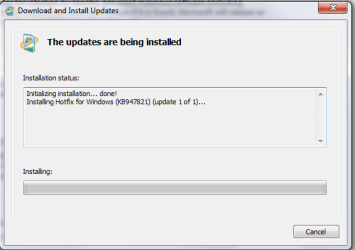
im attempting to use the windows update readiness tool, but it remains at this screen for a long period of time. Should i wait for a response, or assume that it is failing? Pic.png
 

My Computer

Computer type
PC/Desktop
Computer Manufacturer/Model Number
custom build
OS
Windows 7 Ultimate x54
CPU
AMD-FX-6300 Six-Core Processor
Motherboard
Asus m5a97 r2.0
Browser
Google Chrome
CheckSUR can take a few hours to run - just leave it to do its thing. It has a LOT of files to extract and search before it even really starts to function.
 

My Computer

Computer type
Laptop
Computer Manufacturer/Model Number
Asus K52F or Lenovo B51-80
OS
Win 7 x64 Home Premium (and x86 VirtualBox VM)/Win10
CPU
i3 370M/i7 6500U
Motherboard
Asus/Lenovo
Memory
8GB - finally :)/8GB
Graphics Card(s)
it's an i3, dude!/dual Intel&nVidia
Sound Card
onboard
Monitor(s) Displays
15.6" built-in
Screen Resolution
1366x768/1920x1080
Hard Drives
750GB Seagate internal
Sundry external drives attached to other computers on the local network
1TB SSD on the Lenovo
PSU
n/a
Internet Speed
as much as I can get - usually on a dongle/phone, so <1MB/s
Antivirus
MSE/Defender
Browser
IE11/12/Edge/Chrome/FF(if I must)

My Computer

Computer type
PC/Desktop
Computer Manufacturer/Model Number
custom build
OS
Windows 7 Ultimate x54
CPU
AMD-FX-6300 Six-Core Processor
Motherboard
Asus m5a97 r2.0
Browser
Google Chrome
Good - CheckSUR is happy, at least!

I'll see what I can dream up by way of a fix for the other file later - in the meantime, you could try WIndows Update again, first doing a new Check for Updates.
 

My Computer

Computer type
Laptop
Computer Manufacturer/Model Number
Asus K52F or Lenovo B51-80
OS
Win 7 x64 Home Premium (and x86 VirtualBox VM)/Win10
CPU
i3 370M/i7 6500U
Motherboard
Asus/Lenovo
Memory
8GB - finally :)/8GB
Graphics Card(s)
it's an i3, dude!/dual Intel&nVidia
Sound Card
onboard
Monitor(s) Displays
15.6" built-in
Screen Resolution
1366x768/1920x1080
Hard Drives
750GB Seagate internal
Sundry external drives attached to other computers on the local network
1TB SSD on the Lenovo
PSU
n/a
Internet Speed
as much as I can get - usually on a dongle/phone, so <1MB/s
Antivirus
MSE/Defender
Browser
IE11/12/Edge/Chrome/FF(if I must)
i have attempted the update, and it installs smoothly, up until the computer restarts, it aborts the installation and reverts back.

thank you for the help so far, it is much appreciated.
EDIT: also, i have an option to download a new update, one containing a malicious software removal tool. i havent decided to download it, because it might have to do with the files you sent me? for now its on hold until you say other wise.
 

My Computer

Computer type
PC/Desktop
Computer Manufacturer/Model Number
custom build
OS
Windows 7 Ultimate x54
CPU
AMD-FX-6300 Six-Core Processor
Motherboard
Asus m5a97 r2.0
Browser
Google Chrome
The MSRT should run fine - and not create any problems unless it actually finds something amiss.
Go for it ;)
 

My Computer

Computer type
Laptop
Computer Manufacturer/Model Number
Asus K52F or Lenovo B51-80
OS
Win 7 x64 Home Premium (and x86 VirtualBox VM)/Win10
CPU
i3 370M/i7 6500U
Motherboard
Asus/Lenovo
Memory
8GB - finally :)/8GB
Graphics Card(s)
it's an i3, dude!/dual Intel&nVidia
Sound Card
onboard
Monitor(s) Displays
15.6" built-in
Screen Resolution
1366x768/1920x1080
Hard Drives
750GB Seagate internal
Sundry external drives attached to other computers on the local network
1TB SSD on the Lenovo
PSU
n/a
Internet Speed
as much as I can get - usually on a dongle/phone, so <1MB/s
Antivirus
MSE/Defender
Browser
IE11/12/Edge/Chrome/FF(if I must)
Hmmm - please post the new CBS folder, and the C:\Windows\windowsupdate.log - I'd like to try and work out why the update is failing.
 

My Computer

Computer type
Laptop
Computer Manufacturer/Model Number
Asus K52F or Lenovo B51-80
OS
Win 7 x64 Home Premium (and x86 VirtualBox VM)/Win10
CPU
i3 370M/i7 6500U
Motherboard
Asus/Lenovo
Memory
8GB - finally :)/8GB
Graphics Card(s)
it's an i3, dude!/dual Intel&nVidia
Sound Card
onboard
Monitor(s) Displays
15.6" built-in
Screen Resolution
1366x768/1920x1080
Hard Drives
750GB Seagate internal
Sundry external drives attached to other computers on the local network
1TB SSD on the Lenovo
PSU
n/a
Internet Speed
as much as I can get - usually on a dongle/phone, so <1MB/s
Antivirus
MSE/Defender
Browser
IE11/12/Edge/Chrome/FF(if I must)
Back
Top