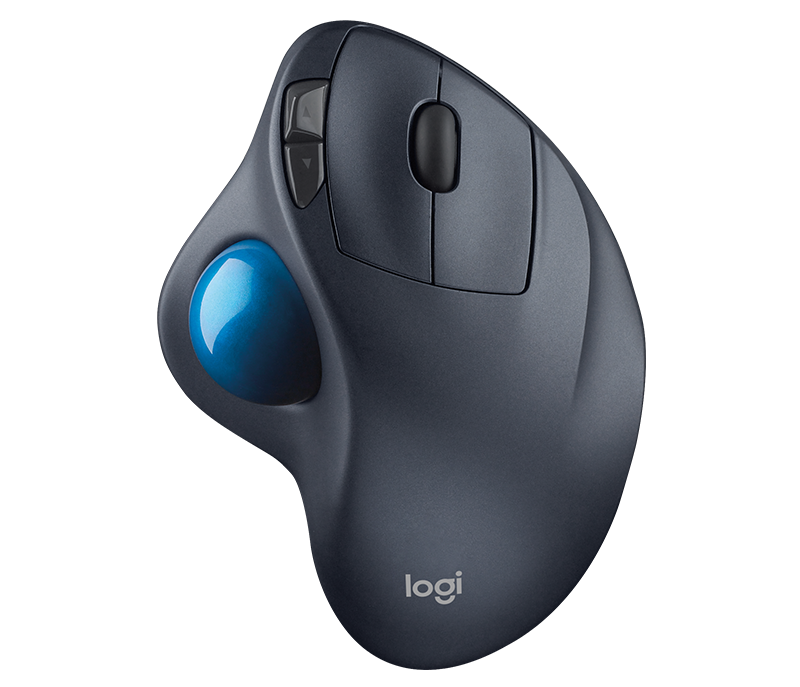
My mouse is exactly the same as yours & it works perfectly. Do you use the Logitech Set Point software for this mouse?. Have you tried putting the mouse radio receiver in a different USB port to see if that changes anything.
My Computer
At a glance
Windows 7 Home Premium 64 bit sp1Intel i5 3570 3.4Ghz Ivy Bridge SKT 1155 quad...G-Skill Rip Jaws 16Gb (8x2) DDR3 -1600 PC3 12...Gigabyte NVIDIA GT610 1Gb DDR3 810/1200 PCI-E...
My mouse is exactly the same as yours & it works perfectly. Do you use the Logitech Set Point software for this mouse?. Have you tried putting the mouse radio receiver in a different USB port to see if that changes anything.
I tried swapping the usb reciever into a different port...... so far it seems to have done the trick. I don't remember the mouse cursor stuttering.
I also was never aware of the logitech set point software for this mouse? Hmmm can't remember if i got any software cd with this mouse. I can find it online if i try looking for it i suppose. Im thinking if i should try this set point software?
But my mouse seems to be working fine now.
I will keep ya updated on this
My Computer
At a glance
Windows 7 Home Premium 64biti7 4790k processorPatriot 16gbEVGA GeForce GTX 980 Ti FTW
Computer type
PC/Desktop
Computer Manufacturer/Model Number
Custom Build (First built from scratch in 2010 by someone else.. then I rebuilt it in 2015).
OS
Windows 7 Home Premium 64bit
CPU
i7 4790k processor
Motherboard
Z97 Sabertooth Mark 1
Memory
Patriot 16gb
Graphics Card(s)
EVGA GeForce GTX 980 Ti FTW
Monitor(s) Displays
19" Monitor
Screen Resolution
1920 x 1080
Hard Drives
Samsung 850 Evo 120gb ssd
PSU
Corsair Cx600
Case
Haf 922
Cooling
Hydro Series H60 High Performance 120 mm
Keyboard
Microsoft
Mouse
Logitech
Browser
Firefox 37.0.4
Other Info
*Computer Manufacturer/Model Number: HP 15-d002tx Notebook* /
OS: Windows 7 Home Premium 64-bit / CPU: Intel Core i3-3110M / Memory: DDR3 4GB / Graphics Card: Intel HD Graphics 4000, GeForce 820M / Keyboard: Microsoft / Browser: Firefox 37.0
I have an USB extension cable for the receiver so it is very close to the mouse. This allows a good communication between mouse and receiver, even with mouse low battery.
This Logitech website should be the right one for the M570 mouse, if you decide to install the Set Point software. Some people seem to have problems with it, but it works well on my system.
When the site opens just check that Windows 7 is selected & just above the Download Now button there is a drop down menu that says Smart Installer, click that & select Full Installer 64 bit. According to your system info you have the 64 bit version of Windows 7 so I assume that is the one you should use.
Apparently the Smart Installer installs it while it is downloading. After the installation you can tailor the mouse to your preferences.
My Computer
At a glance
Windows 7 Home Premium 64 bit sp1Intel i5 3570 3.4Ghz Ivy Bridge SKT 1155 quad...G-Skill Rip Jaws 16Gb (8x2) DDR3 -1600 PC3 12...Gigabyte NVIDIA GT610 1Gb DDR3 810/1200 PCI-E...