Solved Mouse won't work...

DragonPoet

New member
Power User
Local time
12:06 PM
Messages
142
Location
North Eastern Kansas
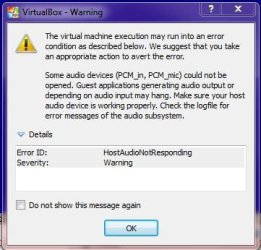
OK, I am very very new to the whole virutlaization thing. And by new, I mean litterally with in the hour of me posting this. I installed XP 32 bit Professional, SP3 through the setup on the VM (I am using VirtualBox on Windows 7 64 bit Home Premium, SP1). Well, I can click on the mouse to enable it and when I use it it acts like there's walls blocking it where I am wanting it to go. I am sorry if I am being very unclear, but this is the best way to describe this and like I said, very new. I managed to run it through the set up until it asks you to configure the automatic updates. I got tired of messing with it so I closed VirtualBox as if the computer shut down and reopened it. This did not fix it. I also managed to set the screen resolution to that of the monitor that I was using and installed the driver for the keyboard and mouse combo. I am using the Logitech Wireless Wave combo MK550 (it consists of the Logitech K350 for the keyboard and the Logitech M510 for the mouse). Can anyone please help? I don't know if any of these screen shots will help, but here you go.
 

Attachments
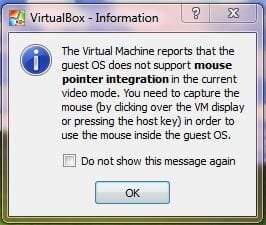
  • VirtualBox Startup Popup.JPG
    VirtualBox Startup Popup.JPG
    22.3 KB · Views: 1,769
  • VM Error during Setup.JPG
    VM Error during Setup.JPG
    30.1 KB · Views: 9

My Computer

Computer Manufacturer/Model Number
Gateway DX4600-15e
OS
Windows 7 Home Premium 64-bit SP1 Build 7601
CPU
AMD Phenom II X4 810 Deneb 45mm Technology
Motherboard
Gateway RS780 (AM2)
Memory
8GB Dual-Channel DDR2 @ 399MHz
Graphics Card(s)
ATI Radeon HD 3200 Graphics, GeForce GT 220
Sound Card
Realteck High Definition Audio
Hard Drives
1TB Western Digital SATA
Keyboard
Logitech Wave Keyboard K350
Mouse
Logitech Mouse M510
Internet Speed
3Mb/s
*UPDATE*
I am running a tri-monitor setup on 2 different graphics cards (see specs). The mouse does work when I move it to Virual Machine window to the middle screen, but not on the screen to the right or left.
 

My Computer

Computer Manufacturer/Model Number
Gateway DX4600-15e
OS
Windows 7 Home Premium 64-bit SP1 Build 7601
CPU
AMD Phenom II X4 810 Deneb 45mm Technology
Motherboard
Gateway RS780 (AM2)
Memory
8GB Dual-Channel DDR2 @ 399MHz
Graphics Card(s)
ATI Radeon HD 3200 Graphics, GeForce GT 220
Sound Card
Realteck High Definition Audio
Hard Drives
1TB Western Digital SATA
Keyboard
Logitech Wave Keyboard K350
Mouse
Logitech Mouse M510
Internet Speed
3Mb/s
Never mind, figured it out. I somehow managed to load the drivers for it. Thanks for reading, Lol.
 

My Computer

Computer Manufacturer/Model Number
Gateway DX4600-15e
OS
Windows 7 Home Premium 64-bit SP1 Build 7601
CPU
AMD Phenom II X4 810 Deneb 45mm Technology
Motherboard
Gateway RS780 (AM2)
Memory
8GB Dual-Channel DDR2 @ 399MHz
Graphics Card(s)
ATI Radeon HD 3200 Graphics, GeForce GT 220
Sound Card
Realteck High Definition Audio
Hard Drives
1TB Western Digital SATA
Keyboard
Logitech Wave Keyboard K350
Mouse
Logitech Mouse M510
Internet Speed
3Mb/s
Hi there
with vmware / vbox virtual machine software ALWAYS LOAD / INSTALL the "Tools" or "Additions" software after initially powering up a newly installed VM the first time.

This will update the graphics, moise and other drivers and give the user a far better Virtul Machine" user experience.

You need to have powered on the VM first and then you cn install the Additions / Tools depending on whether you are using vbox or vmware.

Cheers
jimbo
 

My Computer

Computer type
PC/Desktop
Computer Manufacturer/Model Number
Custom built, several laptops HP/ASUS
OS
Linux CENTOS 7 / various Windows OS'es and servers
CPU
Intel i7 Intel i5
Memory
8GB, 16GB
Graphics Card(s)
On Motherboard
Sound Card
Realtek HD audio
Monitor(s) Displays
Apple Cinema display, Samsung LCD
Screen Resolution
1920 X 1080
Hard Drives
4 X 1TB SATA
Mouse
Toshiba wireless laser
Internet Speed
> 20MB up
Back
Top