Phone Man: After some thought, I think yours is the correct method. All of the other issues arise when a user wants to do something the app wasn't designed to do.
It's not a bug, it's a feature!
roncerr: I see what you mean. I too don't like the separate accounts, wish I could hide them. I use a different approach to work around that. Using filters, the msgs go into my storage folders (periodicals, friends, family, tech, etc) and then I rely heavily on the quick views (unread, all msgs, flagged msgs, etc). I
never rarely, go into the folders for each account. That's why I wish I could just hide them, I think it confuses things.
So here's THE, er MY, solution to Jerbear's quandary:
Accept Storage Folder as the OneMain folder - using Storage Folders as your OneMain is really how WLM was designed anyway, plus you don't have to move anything, except the way you think about WLM.
1) Alternatively, create a OneMain folder under Storage Folders
2) Inside WLM, move category folders to OneMain
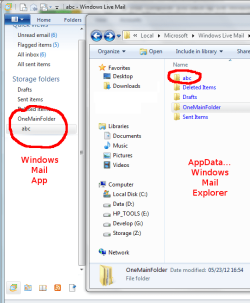
3) Don't use Explorer to organize WLM folders
4) check filters, modify if necessary to match new folder structure. I think if you use WLM to create OneMain and move folders into it, that the filters follow the move. If I'm wrong, then the old filters might recreate old folders when new mail arrives.
5) create filters to move incoming msgs to the user folders
6) use Quickviews (Unread, All inbox, All Sent) - there are others, but these meet my needs.
All inbox shows new msgs that might need a new filter, or you can move them manually to the OneMail folders - your choice.
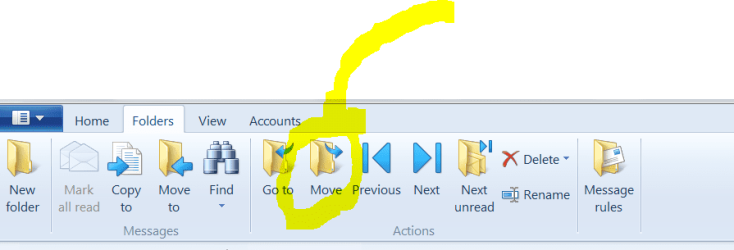
I got it, eventually. Here's the rub-Don't use Explorer to organize WLM folders. This approach creates an out-of-sync condition for WLM. Use the folder options New, Move, Rename, etc in WLM itself. This will save a lot of work if you use Filters - the folders operations in WLM update the index, so you shouldn't have to modify the filters - it follows the move, rename, delete operation.
Using WLM and I have created a number of folders to help sort out my e-mails.
I now want to move theses folders into one folder, which I can do, but only using explorer.
However, when I restart WLM, it recreates the moved folders again in their original locations.
You can, but within the constraints of the application. You can't create OneMain above Storage Folders and you shouldn't confuse WLM by using Explorer to create the folder tree - do everything inside WLM so it's index stays in sync.
Jerbear said:
WHY? How can I relocate my folders where ever I want without WLM recreating them again.
I didn't like WLM at first either (I've only had this machine and Win7 for 2 months). I reinstated WinMail (I even updated the tutorial in the process) and then, due to supprt issues, decided to accept WLM as my eMail client.
I do like the new features of WLM, but didn't like the structure
and or the limited user control
(options are limited). Most of my "complaints" are presentation oriented. Some complaints are about backward compatibility (Contacts). There are a few however that have been in the Ms eMail client for a while - I really dislike import msgs. The whole imported folder drives me crazy, but I understand the reasoning.
edit: I'm sure that Exchange users like the way Ms helped them with WLM integration - but I'm not in the Exchange user camp.
Recap: The ghost folders are created when WLM is used not as intended.
You can do what you want with the caveat that Storage Folders must be the top level folder for user created folders.
Storage Folders <--- as Main Folder
subCat01
subCat02
--or--
Storage Folders
> MainOne <--- Main folder
> subCat01
> subCat02
Sorry it took me so long to understand, but it was fun breaking and fixing WLMail, even if it turned out not to be necessary.