
OK, so I have the problem with BSODs. I've searched for solutions around the net, but the problem seems to get worse. What happens is this:
- computer starts, Windows load but very soon I got the BSOD message, or a restart, or a black screen
(sometimes the screen is white).
- I've cleaned the computer from dust, I've re-checked the cables
- I did the memtest and it says everything is okay (multiple test overnight). I tried to work with 1st memory kit, and then the second kit and then with both. The problem stays the same.
- I've moved from old hard drive to SSD disk - the problem is the same.
- I've updated the drivers for my motherboard/graphics - that didn't help either.
So, what is causing the BSOD?
There are, of course, times when computer works normally.
If I am on the internet, it doesn't matter if I use Firefox, Chrome, Opera or some other browser - I still get the BSOD.
I don't do overclocking.
I'm adding the zip file of DM Log Collector and a screnshot from BlueScreenView.
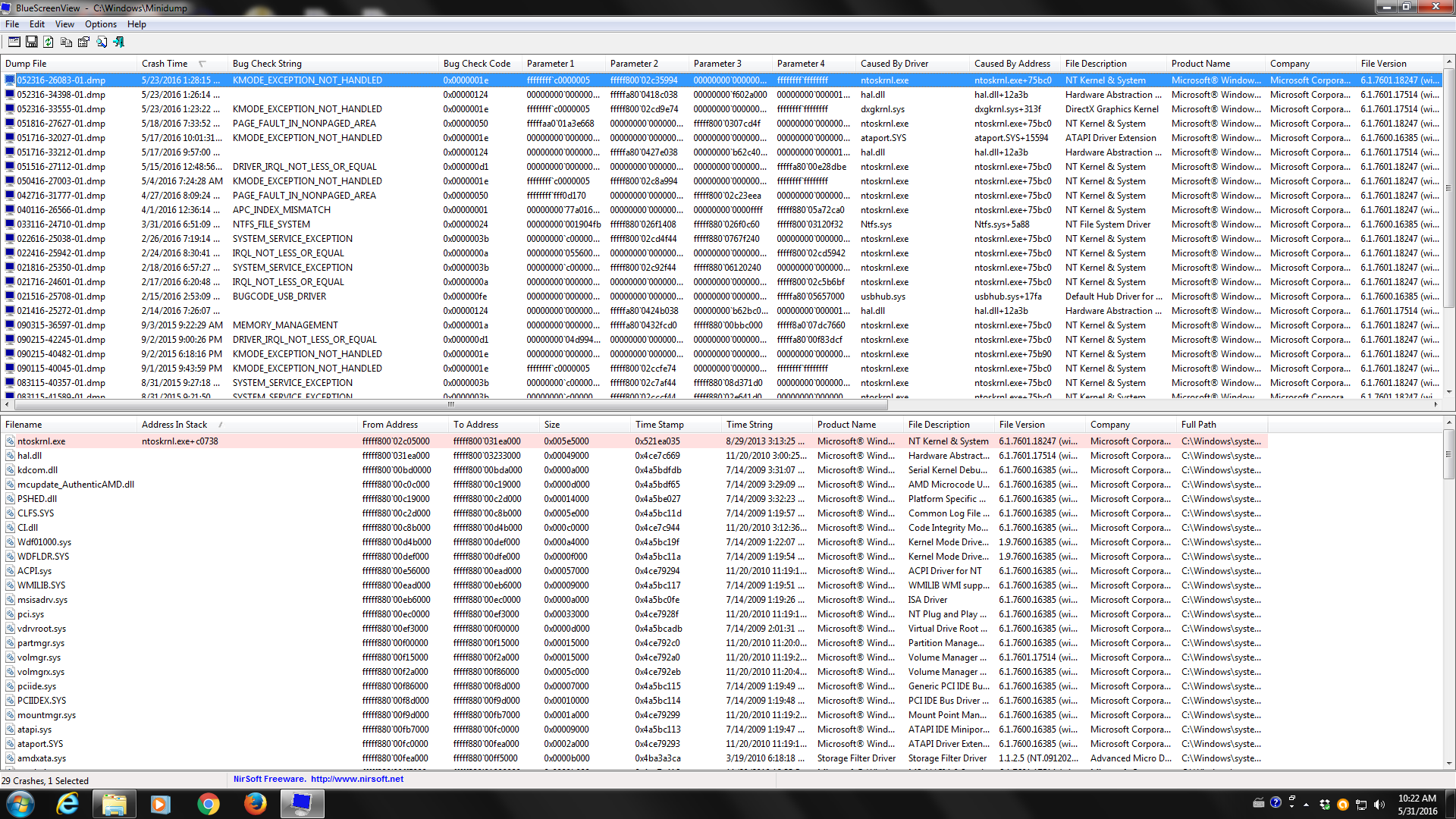
I would appreciate any help. Thank you in advance!
- computer starts, Windows load but very soon I got the BSOD message, or a restart, or a black screen
(sometimes the screen is white).
- I've cleaned the computer from dust, I've re-checked the cables
- I did the memtest and it says everything is okay (multiple test overnight). I tried to work with 1st memory kit, and then the second kit and then with both. The problem stays the same.
- I've moved from old hard drive to SSD disk - the problem is the same.
- I've updated the drivers for my motherboard/graphics - that didn't help either.
So, what is causing the BSOD?
There are, of course, times when computer works normally.
If I am on the internet, it doesn't matter if I use Firefox, Chrome, Opera or some other browser - I still get the BSOD.
I don't do overclocking.
I'm adding the zip file of DM Log Collector and a screnshot from BlueScreenView.
I would appreciate any help. Thank you in advance!
My Computer
At a glance
Windows Ultimate x64AMD Athlon Dual CoreOCZ PlatinumIntegrated
- Computer type
- PC/Desktop
- Computer Manufacturer/Model Number
- Gigabyte
- OS
- Windows Ultimate x64
- CPU
- AMD Athlon Dual Core
- Motherboard
- MA78G-DS3H
- Memory
- OCZ Platinum
- Graphics Card(s)
- Integrated
- Hard Drives
- WD
Kingston
- Antivirus
- Avast
- Browser
- Firefox


