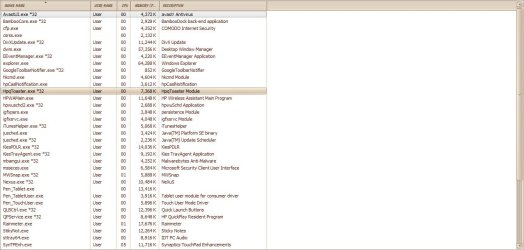
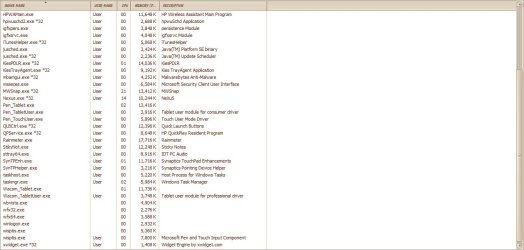
Had to post it in 2 photo's. I did a quick check through the process list for anything that looked out of place but couldn't find anything.
When you take screen shots, make sure your not copying doubles. You have so many doubles in the screen shots, I had to print it out to make sense of it. LOL
In comparision, I have 24 processes running on my HP desktop, to your 23 processes on your HP Tablet PC.
When I use selective statup in Msconfig, I can reduce that number to only 8 processes.
Reboot your computer and go direstly to Task manager and count the total number of processes. Should be a few less.
So far, nothing in there to really be concerned about. And the amount of resources being used is almost nothing.
Let's take a look at Msconfig. Post a screen shot of the Startup Tab entries, if you have to take two shots, please avoid doubles.
Next, open the Services tab and tick the box to, Hide all Microsoft Services. Now post a screen shot of these entries, please avoid doubles.
Below are the msconfig screen shots from my PC.
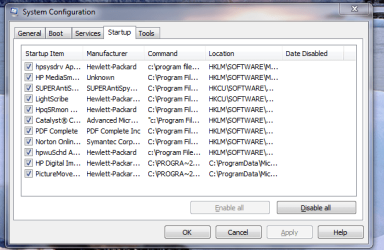
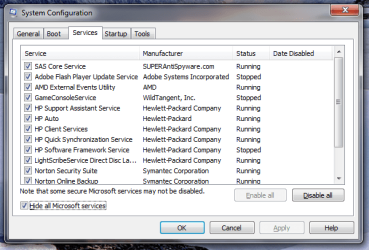
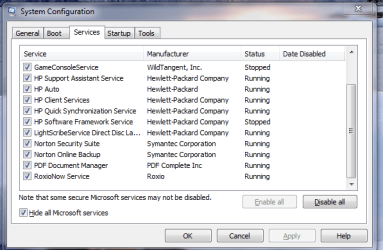
As you can see I have several unnecessary services running. And a few startups which can be stopped.
QuickDraw