- Local time
- 4:25 PM
- Messages
- 50,634
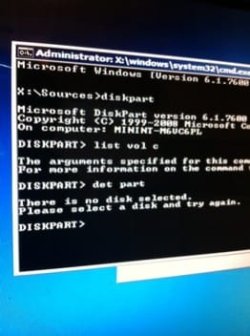
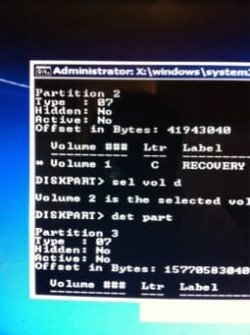
Sel Disk first, then sel each Vol to see which is marked Active.
Continue the commands Kaktussoft gave you to determine which partition is marked Active then run 3 Startup Repairs no matter what it reports.
If you didn't save a Win7 backup image that option is not available to you. But REcovery may run from its hotkey or by marking it Active. But work through the steps I gave you earlier first to do everything possiblee to rescue your install unless you're ready to rescue your files and skip to running Recovery or Reinstall.
Continue the commands Kaktussoft gave you to determine which partition is marked Active then run 3 Startup Repairs no matter what it reports.
If you didn't save a Win7 backup image that option is not available to you. But REcovery may run from its hotkey or by marking it Active. But work through the steps I gave you earlier first to do everything possiblee to rescue your install unless you're ready to rescue your files and skip to running Recovery or Reinstall.