
Solved My Devices & Printers Won't Show Up

Flava0ne

New member
Local time
2:30 AM
Messages
27
Location
Scarborough, ON
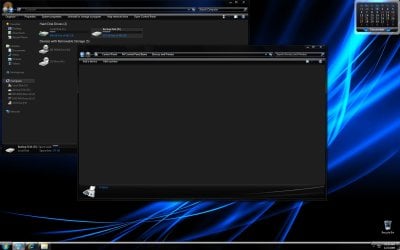
When I click on Devices and Printers in Control Panel, it takes forever to load so I just click on it again and now when I get into it, nothing shows up at all. Is there a way to fix this problem?
 

Attachments

  • Devices&Printers.jpg
    Devices&Printers.jpg
    153.6 KB · Views: 720

My Computer My Computer

At a glance

Microsoft Windows 7 Ultimate 64-bit Edition w...Intel Core i7-6950X Extreme Edition OC 4.20GH...Corsair Dominator Platinum 128GB (8×16GB) DDR...EVGA GTX 980 Ti Classified Video Cards in 2-W...
Computer type
PC/Desktop
Computer Manufacturer/Model Number
X-Class MKII
OS
Microsoft Windows 7 Ultimate 64-bit Edition w/ SP1 RTM build 7601.17514
CPU
Intel Core i7-6950X Extreme Edition OC 4.20GHz 10-Core CPU
Motherboard
EVGA X99 Classified E-ATX Motherboard
Memory
Corsair Dominator Platinum 128GB (8×16GB) DDR4 Memory Kit
Graphics Card(s)
EVGA GTX 980 Ti Classified Video Cards in 2-Way SLI
Sound Card
Creative Sound Core3D On-Board Audio Processor
Monitor(s) Displays
Sony KDL32EX400 Bravia EX400 32" Full HD 1080p LCD TV
Screen Resolution
1920×1200
Hard Drives
×1 Samsung 950 PRO M.2 512GB SSD
×2 Intel 540s Series 240GB SSD in RAID0
×1 WD Black 2TB Storage HDD
×1 WD Black 4TB Storage HDD
PSU
Corsair Pro Series AX1500i Digital Power Supply
Case
Corsair Obsidian Series 800D Black Full-Tower with Window
Cooling
Full Custom Liquid Cooling Loop
Keyboard
Logitech G19 Gaming Keyboard
Mouse
Logitech G502 Laser Gaming Mouse
When I click on Devices and Printers in Control Panel, it takes forever to load so I just click on it again and now when I get into it, nothing shows up at all. Is there a way to fix this problem?

There can be many reasons, but one can be due to bluetooth.
Do this.


Click Start button, type services into the search program and files box. This brings up a list in the menu, select Services. This should open a list of local services on your system.., Find 'Bluetooth Service" and make sure it has started, right click and set to 'automatic' , Select "Bluetooth Support Service" and start, set to automatic ) This has been found to work in more than a few situations with your problem
 

My Computer My Computer

At a glance

Windows 10, Home Clean InstallIntel Core2 processsor Q8200(2.33Ghz 1333FSB)...6 gbATI Radeon 256MB HD3650
Computer type
PC/Desktop
Computer Manufacturer/Model Number
Dell XPS 420
OS
Windows 10, Home Clean Install
CPU
Intel Core2 processsor Q8200(2.33Ghz 1333FSB) Quad Core Tech
Motherboard
Dell
Memory
6 gb
Graphics Card(s)
ATI Radeon 256MB HD3650
Sound Card
Intergrated 7.1 Channel Audio
Monitor(s) Displays
Dell SP2009W 20"
Hard Drives
640 GB Serial ATA Hard drive
Cooling
Fan
Keyboard
Dell USB Keyboard
Mouse
Dell Premium Optical USB
Internet Speed
DSL 2.85
I was able to only find "Bluetooth Support Service" and not "Bluetooth Service" and started it and set it to Automatic, and now my Devices and Printers are showing up! :D

Thanks for the help richc46 I really appreciate it very much!!!
 
Last edited by a moderator:

My Computer My Computer

At a glance

Microsoft Windows 7 Ultimate 64-bit Edition w...Intel Core i7-6950X Extreme Edition OC 4.20GH...Corsair Dominator Platinum 128GB (8×16GB) DDR...EVGA GTX 980 Ti Classified Video Cards in 2-W...
Computer type
PC/Desktop
Computer Manufacturer/Model Number
X-Class MKII
OS
Microsoft Windows 7 Ultimate 64-bit Edition w/ SP1 RTM build 7601.17514
CPU
Intel Core i7-6950X Extreme Edition OC 4.20GHz 10-Core CPU
Motherboard
EVGA X99 Classified E-ATX Motherboard
Memory
Corsair Dominator Platinum 128GB (8×16GB) DDR4 Memory Kit
Graphics Card(s)
EVGA GTX 980 Ti Classified Video Cards in 2-Way SLI
Sound Card
Creative Sound Core3D On-Board Audio Processor
Monitor(s) Displays
Sony KDL32EX400 Bravia EX400 32" Full HD 1080p LCD TV
Screen Resolution
1920×1200
Hard Drives
×1 Samsung 950 PRO M.2 512GB SSD
×2 Intel 540s Series 240GB SSD in RAID0
×1 WD Black 2TB Storage HDD
×1 WD Black 4TB Storage HDD
PSU
Corsair Pro Series AX1500i Digital Power Supply
Case
Corsair Obsidian Series 800D Black Full-Tower with Window
Cooling
Full Custom Liquid Cooling Loop
Keyboard
Logitech G19 Gaming Keyboard
Mouse
Logitech G502 Laser Gaming Mouse
I was able to only find "Bluetooth Support Service" and not "Bluetooth Service" and started it and set it to Automatic, and now my Devices and Printers are showing up! :D

Thanks for the help richc46 I really appreciate it very much!!!
Just glad that I could help
 
Last edited by a moderator:

My Computer My Computer

At a glance

Windows 10, Home Clean InstallIntel Core2 processsor Q8200(2.33Ghz 1333FSB)...6 gbATI Radeon 256MB HD3650
Computer type
PC/Desktop
Computer Manufacturer/Model Number
Dell XPS 420
OS
Windows 10, Home Clean Install
CPU
Intel Core2 processsor Q8200(2.33Ghz 1333FSB) Quad Core Tech
Motherboard
Dell
Memory
6 gb
Graphics Card(s)
ATI Radeon 256MB HD3650
Sound Card
Intergrated 7.1 Channel Audio
Monitor(s) Displays
Dell SP2009W 20"
Hard Drives
640 GB Serial ATA Hard drive
Cooling
Fan
Keyboard
Dell USB Keyboard
Mouse
Dell Premium Optical USB
Internet Speed
DSL 2.85
It was very helpfull many thanks
 

My Computer My Computer

At a glance

windows 7
OS
windows 7
Thank you...

This fixed mine too. I had forgotten I had turned this service off earlier as a suggested system resource tweak.
 

My Computer My Computer

At a glance

Windows 7 Home PremiumIntel Core i5-430M processor 2.26GHz with Tur...4GBIntel Graphics Media Accelerator HD Up to 1696MB
Computer Manufacturer/Model Number
HP/Pavilion DV6-2170/WA778&A#ABA
OS
Windows 7 Home Premium
CPU
Intel Core i5-430M processor 2.26GHz with Turbo Boost Techno
Motherboard
3658 32.24
Memory
4GB
Graphics Card(s)
Intel Graphics Media Accelerator HD Up to 1696MB
Sound Card
•Altec Lansing with SRS Premium Sound
Monitor(s) Displays
15.6" Diagonal High-Definition LED HP BrightView Display (13
Hard Drives
500GB (7200RPM)
About the Bluetooth Service start...

I followed your instructions now and mine still aren't showing up just constantly loads like trying to load it, the devices but doesn't, it's an endless loading time, I've left it on for hours and still nothing. Was wondering if you or anyone had any other ideas as to how to fix the problem...
 

My Computer My Computer

At a glance

CA
OS
CA
When I click on Devices and Printers in Control Panel, it takes forever to load so I just click on it again and now when I get into it, nothing shows up at all. Is there a way to fix this problem?

There can be many reasons, but one can be due to bluetooth.
Do this.

Genius. fixed my problem entirely. but now my bluetooth drivers are corrupted.. >_> i havent used the bluetooth in months. figures... seems windows "forgot" about them.
 

My Computer My Computer

At a glance

Windows 7 Professional 32-bit / Ubuntu 10.04AMD Turion(tm) 64 Mobile Technology ML-37, 2....1.00GB RAM;DDR PC3100nVidia GeForce 7900 Go GS
Computer Manufacturer/Model Number
Alienware / Aurora m9700
OS
Windows 7 Professional 32-bit / Ubuntu 10.04
CPU
AMD Turion(tm) 64 Mobile Technology ML-37, 2.1Ghz
Motherboard
nForce 440 SLi AMD
Memory
1.00GB RAM;DDR PC3100
Graphics Card(s)
nVidia GeForce 7900 Go GS
Sound Card
SoundMax Digital Integrated Audio (HD)
Monitor(s) Displays
Internal(17");External 17" Non-Widescreen CRT (Dell m782)
Hard Drives
Hitatchi 80GB (up to 113MB/s (megabytes, not bits)

Seagate 120GB (up to 89MB/s)
PSU
Original PSU / Charger
Case
original?? duh. its a laptop.
Cooling
Modified OEM Cooling Devices; Using Arctic Silver 5.
Thanks a lot Richard. You helped me, too.
 

My Computer My Computer

At a glance

Windows 7 Enterprise x86 SP1
Computer Manufacturer/Model Number
HP dv6000
OS
Windows 7 Enterprise x86 SP1
This issue has bugged me for a long time. I spent a lot of time searching for solutions on the net, many are given (Bluetooth service, Print spooler, ...), none of them worked for me.

The solution for me turned out to be:

Boot ONE TIME in Safe Mode, then boot normally, problem solved!

infosmall.png
This action also solved my issue "Safely Remove Hardware icon does not show devices"
 

My Computer My Computer

At a glance

Windows 7 Enterprise x64 SP1
OS
Windows 7 Enterprise x64 SP1
richc46 Devices and Printers No Showing

Rich,

Thanks does not do justice here. I cannot be happier. Use WIN 7 64 bit O/S. Somehow lost this capability. Every time I would do a Devices and Printers I got a slow green creeping line starting from the left. Only to show NOTHING!! I found this wonderful site thru Google and your recommendation. Tried it and it works! 1 year of misery FIXED. Your the best. Million Thanks.

Christoph
 

My Computer My Computer

At a glance

Windows Home Premium X64Intel Quad 840016 GIGXFX RADEON HD 5770
Computer Manufacturer/Model Number
Custome Desktop
OS
Windows Home Premium X64
CPU
Intel Quad 8400
Motherboard
GIGABYTE
Memory
16 GIG
Graphics Card(s)
XFX RADEON HD 5770
Sound Card
part of GPU
Monitor(s) Displays
HP 22"
Hard Drives
1 500 SSD - 1 - 2 - Seagate 2TB drives
PSU
ANTEC 850
Case
ThermalTake Saprano
Cooling
Cooler Master V6GT
Hi Rich,

Man thanks a million, this has been bugging me for weeks, same issue as the other guys. I remember disabling BT cause I hate it but didn't realise it killed the "Devices & Printer". Re-enabled BT Support Service and all all working fine. Will look for another way of getting rid of it.

This also disabled the taskbar icon for ejecting drives with the BT service disabled.

W7 64b...

Thanks again for the advice... huge help & fixed the problem,

Norm.....
 

My Computer My Computer

At a glance

W7 Professional 64Bit Version 6.1.7600 Build ...Intel i7 860 - OC 3800 MHzCorsair CMD8GX3M4A1600C8 (8GB of heaven)Galaxy GXY-GTX295-1792-V2 - OC'd
Computer Manufacturer/Model Number
Home Made with TLC - Main Rig
OS
W7 Professional 64Bit Version 6.1.7600 Build 7600
CPU
Intel i7 860 - OC 3800 MHz
Motherboard
Gigabyte GA-P55A-UD6
Memory
Corsair CMD8GX3M4A1600C8 (8GB of heaven)
Graphics Card(s)
Galaxy GXY-GTX295-1792-V2 - OC'd
Sound Card
On-Board (5.1) + Soundblaster Live 24Bit USB External (2ch)
Monitor(s) Displays
Dell 3008WFP & Dell 2407WFP
Screen Resolution
2560x1600 & 1920x1200
Hard Drives
WDC WD10EAVS-00D7B1 x 2 & ST31000528AS = 3TB (bit of an overkill)
PSU
Antec CP-1000
Case
Antec Twelve-Hundred
Cooling
Noctua NH-U12P SE2
Keyboard
Logitech G110
Mouse
Old but faithfull
Internet Speed
ADSL 2+
Other Info
LG GH22NS40 & GGW-H20L (this sucker does BD & HD) ---- other rigs running Vista Business, XP Pro & XP Home (hacked to think it's Pro)
first solution when i googled and it worked....idk how it got turned off
 

My Computer My Computer

At a glance

windows 7 premium x64
OS
windows 7 premium x64
Brilliant solution, yet so simple

Many thanks for providing the perfect solution that I have been looking for since yesterday, rebooting the PC, re-installing bluetooth, updating drivers etc, and searching microsoft website and trying one of their 'hotfixes', and searching windows help. I knew it was a bluetooth problem but had no idea that the blue tooth support service existed, let alone that it had been disabled. Why doesn't windows help say to check this when searching for bluetooth.

Anyway - Thanks heaps, much appreciated. Now my computer shows devices - AND will find my Jabra blue tooth headphones and Belkin bluetooth receiver hooked up to the home stereo - so can now stream music :)
 

My Computer My Computer

At a glance

Windows 7 Home Premium 32bit
OS
Windows 7 Home Premium 32bit
Well, it didn't work for me -.-'

Already tried that, some solution I found to go on safe mode and set large icons, sort by name and group by classification, already disabled all bluetooth services, nothing works...
And I have 3 Bluetooth related services:
Bluetooth Device Monitor
Bluetooth Media Service
Bluetooth OBEX Service
Bu I can only start the 1st, the other 2 give an "1068 error".

Funny thing is, I boot in Safe Mode, and Printers and Devices opens and shows like charm!

Any tips?
 

My Computer My Computer

At a glance

Windows 7 Home Premium 64bit
OS
Windows 7 Home Premium 64bit
The only thing that helped mine was booting to safe mode, as suggested. All is now well...Thanks
 

My Computer My Computer

At a glance

Win 7 64 bit build 7601AMD FX8350 8 core
Computer type
PC/Desktop
Computer Manufacturer/Model Number
Self-built
OS
Win 7 64 bit build 7601
CPU
AMD FX8350 8 core
Motherboard
gigabyte
When I click on Devices and Printers in Control Panel, it takes forever to load so I just click on it again and now when I get into it, nothing shows up at all. Is there a way to fix this problem?

There can be many reasons, but one can be due to bluetooth.
Do this.


Click Start button, type services into the search program and files box. This brings up a list in the menu, select Services. This should open a list of local services on your system.., Find 'Bluetooth Service" and make sure it has started, right click and set to 'automatic' , Select "Bluetooth Support Service" and start, set to automatic ) This has been found to work in more than a few situations with your problem

Thanks richc46 this solved my problem also.
 

My Computer My Computer

At a glance

7-32,-64
OS
7-32,-64
I can atest that modifying the Bluetooth Support Services, although previously set to Manual and not started, did not fix my problem.
Restarting in Safe mode, opening the Devices and Printers worked. Then after another restart (not in safe mode) the Devices and Printers works. Thanks for everyones input.
 

My Computer My Computer

At a glance

Win7 Ultimate x64, Win 8Dev
OS
Win7 Ultimate x64, Win 8Dev
This worked

Like a charm!!!
 

My Computer My Computer

At a glance

Win 7 Pro 64bit
OS
Win 7 Pro 64bit
Back
Top