Do you have the latest Hitachi drivers? (
https://www2.hgst.com/hdd/support/drivers.htm)
Have you tried plugging the SATA cable into a different slot. (could be a dead connector, try a different lead)
Also, have a look in device manager and see if there are any "Yellow Error Marks"
another good way to check would be to boot in to the bios, and see if it is registering anything plugged into the sata ports.
Thanks for this. Let me discuss how did it all began..
Im using a Toshiba Laptop Satellite L640. After repaired my cpu fan, and keyboard, the hard disk went wrong. Boot error logo 0xc000000f. I managed to fix this with a bootable windows 7 installer I learned from this site.
However after a few minutes, it went to a BSOD. And when I restarted my laptop, all I can see is a BLACK SCREEN after the BIOS, sometimes, some lucky times, after several restarts, it is able to continue to the windows logo but then, will restart again.
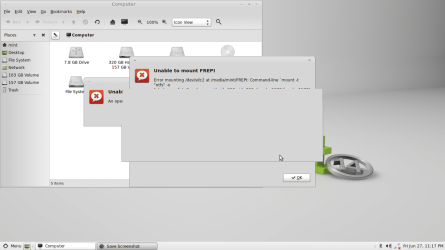
I bought an external hard disk enclosure, hoping I can recover my files inside. I was assuming my hdd only needs formatting. But when I plugged it in, everything hangs. Even the device manager can detect it and the disk management, but I really hangs. sometimes yes I can open it, but after a short period of time, the pc will hang again and will be unable to detec my hdd.
So, to test and confirm if my hdd is really dead, I plugged it in my TV and in my surprise, I can open my files! I can play movies SMOOTHLY! Without any lags or whatever.
I think I have a similar problem as what this thread is discussing.
http://www.sevenforums.com/hardware...ve-not-responding-stops-programs-working.html
Will be starting to create a bootable linux later and see if I can recover my files.
I need some of your suggestions. If recovering thru linux fails. Thanks!