Hey guys, I woke up this morning with quite the problem. I had a powerpoint that I was supposed to give on my laptop this morning for school.. Unless I can get that fixed in 45 minutes then I won't be...
I'll start with this, I have an HP Pavilion dv7. 8GB RAM, 1TB Hard drive, i7 [email protected].
Anyways, here's my issue. Normally I don't shut down my computer, I either just leave it in sleep mode or I put it into hibernate. I noticed everytime that I would click my start bar there was the little yellow triangle on my Shutdown button. (signifying the windows updates obviously) I'm normally one to stay away from any sort of Windows updates because I've heard of horror stories in the past, so, normally I just leave them there or check the reliabibility of the update first.
So, I decided to shut down my computer. It took a long time to shut down, longer than normal. The updates took their normal time to install but that wasn't the issue after they had installed it took another 10 minutes for the laptop to power down.
This worried me, I immediately started it back up after this happened..
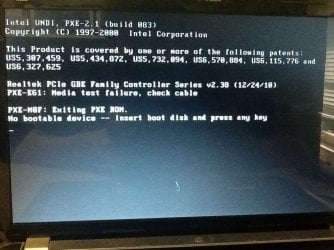
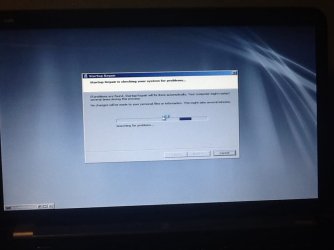
Here's where it starts, my computer starts up with the Windows Repair loop. But unlike a normal simple fix, this one is a bit more unique. When I enter the recovery stages I notice that it shows "D:" drive. My main drive is my C:, which holds all my data. I enter the BIOS and still no luck with finding the C: drive. I went ahead and opened my computer up to see if I had a loose connection between the motherboard and the hard drive, but everything was fine.
Does anyone have any clue how to fix this? Is there a way that I can locate my C: drive?
Did I somehow get a virus, if so how can I find my C: drive to clean it?
Also, I apologize for any grammar and spelling errors that may be on this post - I am writing this from my iPhone due to not curretly having a computer.
I'll start with this, I have an HP Pavilion dv7. 8GB RAM, 1TB Hard drive, i7 [email protected].
Anyways, here's my issue. Normally I don't shut down my computer, I either just leave it in sleep mode or I put it into hibernate. I noticed everytime that I would click my start bar there was the little yellow triangle on my Shutdown button. (signifying the windows updates obviously) I'm normally one to stay away from any sort of Windows updates because I've heard of horror stories in the past, so, normally I just leave them there or check the reliabibility of the update first.
So, I decided to shut down my computer. It took a long time to shut down, longer than normal. The updates took their normal time to install but that wasn't the issue after they had installed it took another 10 minutes for the laptop to power down.
This worried me, I immediately started it back up after this happened..
Here's where it starts, my computer starts up with the Windows Repair loop. But unlike a normal simple fix, this one is a bit more unique. When I enter the recovery stages I notice that it shows "D:" drive. My main drive is my C:, which holds all my data. I enter the BIOS and still no luck with finding the C: drive. I went ahead and opened my computer up to see if I had a loose connection between the motherboard and the hard drive, but everything was fine.
Does anyone have any clue how to fix this? Is there a way that I can locate my C: drive?
Did I somehow get a virus, if so how can I find my C: drive to clean it?
Also, I apologize for any grammar and spelling errors that may be on this post - I am writing this from my iPhone due to not curretly having a computer.
Attachments
My Computer
At a glance
Windows 7 Ultimate x648GB RAM
- Computer type
- Laptop
- Computer Manufacturer/Model Number
- HP
- OS
- Windows 7 Ultimate x64
- Memory
- 8GB RAM
- Browser
- Google Chrome