- Local time
- 9:54 AM
- Messages
- 11
Hi all,
I've got a Dell Precision M6400 laptop running 64 bit Win7 SP1. Hardware wise, it has a Intel Core 2 Quad CPU Q9100 running a 2.26 Mhz, 6 gB RAM, 350 gB main drive and a 500 gB secondary drive.
Rounding out the goodies is a Nvidia Quadro FX 2700 M graphics card. I've updated the video driver last week to the latest available on Nvidia's site.
This machine was bought primarily as a semi-portable SolidWorks workstation. Until recently it has done a great job at that.
In the last couple of weeks (hard to pinpoint exactly when this started) at a regular time of day (approximately 7:30 p.m.) this machine slows to a crawl. Pulling up task manager indicates all four processors at 80%-90% utilization. Even simple tasks, like typing text into a web text box lags incredibly. Trying to use SolidWorks is futile. Make a click, wait 20-30 seconds, make a click wait 20-30 seconds.
I'd accrued a lot of crap on the machine so I went on a binge and uninstalled (using Revo Uninstaller) everything that wasn't absolutely necessary and that I had installed in the last month or two.
Running the performance tool from Control Panel-> Performance Information and Tools yields a 6+ score when whatever isn't running and a 1.3 when it is running.
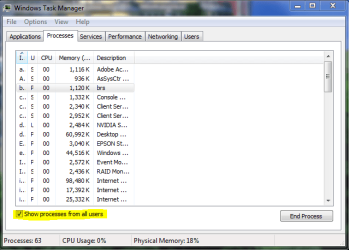
Spelunking through the processes tab on task manager indicates nothing hogging significant cycles, but the graphs show all being heavily utilized. I downloaded process hacker and ran that and tells me pretty much what Task Manager does as well.
I've run Crap Cleaner several times, AntiMalwarebytes a couple of times, done a complete virus scan (I use MSE) all coming up negative. I opened a command window and ran the system file checker (sfc /scannow) and it found nothing.
I think there is a zombie running because if I disconnect my Ethernet cord the and run the performance thing, the cpu scores return to normal.
Any hints on finding out what's stealing cpu cycles? At this point I'm thinking a scorched earth solution with a drive format and Windows reinistall, but that is not a trivial process and I would like to exhaust all other.
Thanks in advance.
chris
I've got a Dell Precision M6400 laptop running 64 bit Win7 SP1. Hardware wise, it has a Intel Core 2 Quad CPU Q9100 running a 2.26 Mhz, 6 gB RAM, 350 gB main drive and a 500 gB secondary drive.
Rounding out the goodies is a Nvidia Quadro FX 2700 M graphics card. I've updated the video driver last week to the latest available on Nvidia's site.
This machine was bought primarily as a semi-portable SolidWorks workstation. Until recently it has done a great job at that.
In the last couple of weeks (hard to pinpoint exactly when this started) at a regular time of day (approximately 7:30 p.m.) this machine slows to a crawl. Pulling up task manager indicates all four processors at 80%-90% utilization. Even simple tasks, like typing text into a web text box lags incredibly. Trying to use SolidWorks is futile. Make a click, wait 20-30 seconds, make a click wait 20-30 seconds.
I'd accrued a lot of crap on the machine so I went on a binge and uninstalled (using Revo Uninstaller) everything that wasn't absolutely necessary and that I had installed in the last month or two.
Running the performance tool from Control Panel-> Performance Information and Tools yields a 6+ score when whatever isn't running and a 1.3 when it is running.
Spelunking through the processes tab on task manager indicates nothing hogging significant cycles, but the graphs show all being heavily utilized. I downloaded process hacker and ran that and tells me pretty much what Task Manager does as well.
I've run Crap Cleaner several times, AntiMalwarebytes a couple of times, done a complete virus scan (I use MSE) all coming up negative. I opened a command window and ran the system file checker (sfc /scannow) and it found nothing.
I think there is a zombie running because if I disconnect my Ethernet cord the and run the performance thing, the cpu scores return to normal.
Any hints on finding out what's stealing cpu cycles? At this point I'm thinking a scorched earth solution with a drive format and Windows reinistall, but that is not a trivial process and I would like to exhaust all other.
Thanks in advance.
chris
My Computer
- Computer Manufacturer/Model Number
- Dell M6400
- OS
- Windows 7 Professional 64bit
- CPU
- Intel Core2 Quad CPU Q9100
- Motherboard
- Laptop
- Memory
- 4 gb
- Graphics Card(s)
- Nvidia Quattro FX 2700M
- Monitor(s) Displays
- 1900x1200
- Hard Drives
- 300gb 7,200 rpm laptop