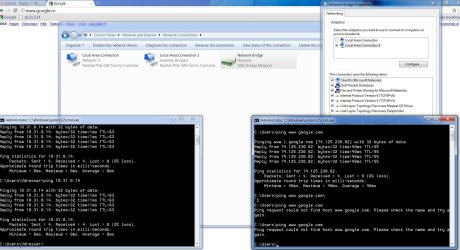
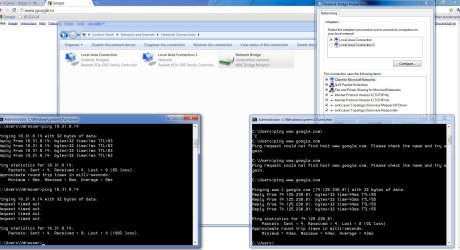
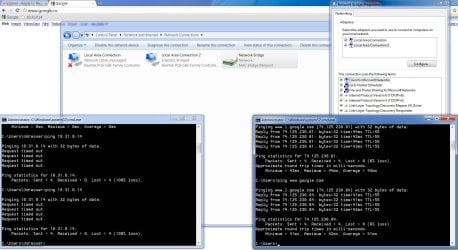
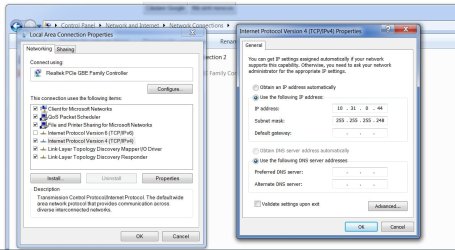
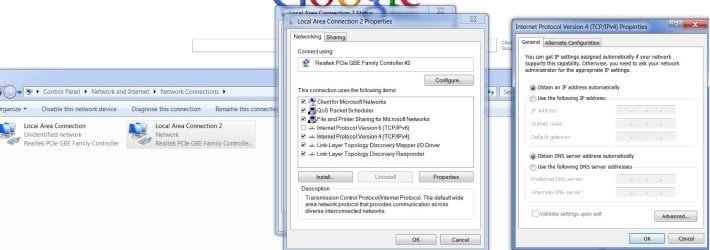
Hello. I'm finding this very difficult and frustrating at the same time. I have a LAN, and in this network there is a computer offering web services on port 8443 for example. Now, this LAN isn't connected on internet and the ip of the computer offering the services is something like lets say 10.31.0.14. If I connect my computer on this LAN I use the IP 10.31.0.44 (on one of my NICs) to access those web services. Now the tricky part. I need to also connect my computer to internet via the other NIC on my motherboard. This way I can remote on my computer via Internet and use those web services in the no-internet LAN (10.31.0.xxx)
Now, I have tried bridging the connections together but I get "cable disconnected" on the LAN NIC. If I remove the network bridge everything comes back to normal, but with both cables into my computer I can only access the internal LAN (with no network bridge). If I make the network bridge then I can connect to internet but not the LAN (the LAN NIC says no cable connected even thou there is a cable connected). The NIC with the internet connection has DHCP and it gets and address like 192.168.3.xxx. What can I do so I have my computer connected to the internet, as well as at the other LAN (that doesn't and shouldn't have internet) ? I am only interested in the web services offered by one of the computers in that network (10.31.0.xxx).
I presume it is possible if I have 2 NICs on my motherboard, shouldn't be difficult for one to access the internet and the other to access the other LAN at the same time. Basically I want to access http://www.example.com and https://10.31.0.14:8443 from a browser.
I use Windows 7 Home Premium 64 bit and my motherboard has 2 identical NICs.
Now, I have tried bridging the connections together but I get "cable disconnected" on the LAN NIC. If I remove the network bridge everything comes back to normal, but with both cables into my computer I can only access the internal LAN (with no network bridge). If I make the network bridge then I can connect to internet but not the LAN (the LAN NIC says no cable connected even thou there is a cable connected). The NIC with the internet connection has DHCP and it gets and address like 192.168.3.xxx. What can I do so I have my computer connected to the internet, as well as at the other LAN (that doesn't and shouldn't have internet) ? I am only interested in the web services offered by one of the computers in that network (10.31.0.xxx).
I presume it is possible if I have 2 NICs on my motherboard, shouldn't be difficult for one to access the internet and the other to access the other LAN at the same time. Basically I want to access http://www.example.com and https://10.31.0.14:8443 from a browser.
I use Windows 7 Home Premium 64 bit and my motherboard has 2 identical NICs.
My Computer
At a glance
Windows 7 Home Premium x64Inte Core i7 940
- OS
- Windows 7 Home Premium x64
- CPU
- Inte Core i7 940