Solved Need to fix 3 errors shown in "CheckSur.log"

force99

New member
Local time
9:35 AM
Messages
5
Location
Jacksonville, Florida
All Window 7 updates installed, except IE11, which won't install. Rebuild "SoftwareDistribution" file, but no change. Downloaded , installed, and ran System Update Readiness Tool KB947821, which gives the following CheckSug.log below. The log show 3 corrupt update files need to be replaced. this is beyond my comfort level. Help.


=================================
Checking System Update Readiness.
Binary Version 6.1.7601.22471
Package Version 26.0
2019-04-06 16:00

Checking Windows Servicing Packages

Checking Package Manifests and Catalogs
(f) CBS MUM Corrupt 0x800F0900 servicing\Packages\Package_104_for_KB4015549~31bf3856ad364e35~x86~~6.1.1.3.mum Line 1:
(f) CBS Catalog Corrupt 0x800B0100 servicing\Packages\Package_104_for_KB4015549~31bf3856ad364e35~x86~~6.1.1.3.cat
(f) CBS Catalog Corrupt 0x800B0100 servicing\Packages\Package_for_KB4015549_SP1~31bf3856ad364e35~x86~~6.1.1.3.cat

Checking Package Watchlist

Checking Component Watchlist

Checking Packages

Checking Component Store
(f) CSI C Mark Deployment Not Marked 0x00000000 c!policy.14.0..t.vc140.mfc_fcc99ee6193ebbca_14.0.27012.0_9c229ed3ddb17764 x86_policy.14.0.avast.vc140.mfc_fcc99ee6193ebbca_14.0.27012.0_none_9c229ed3ddb17764
(f) CSI C Mark Deployment Not Marked 0x00000000 c!avast.vc140.mfc_fcc99ee6193ebbca_14.0.27012.0_a93423e024c3902a x86_avast.vc140.mfc_fcc99ee6193ebbca_14.0.27012.0_none_a93423e024c3902a
(f) CSI C Mark Deployment Not Marked 0x00000000 c!avast.vc140.crt_fcc99ee6193ebbca_14.0.27012.0_a45421ee27ef60f7 x86_avast.vc140.crt_fcc99ee6193ebbca_14.0.27012.0_none_a45421ee27ef60f7
(f) CSI C Mark Deployment Not Marked 0x00000000 c!policy.14.0..t.vc140.crt_fcc99ee6193ebbca_14.0.27012.0_97429ce1e0dd4831 x86_policy.14.0.avast.vc140.crt_fcc99ee6193ebbca_14.0.27012.0_none_97429ce1e0dd4831

Summary:
Seconds executed: 179
Found 7 errors
CSI C Mark Deployment Not Marked Total count: 4
CBS MUM Corrupt Total count: 1
CBS Catalog Corrupt Total count: 2

Unavailable repair files:
servicing\packages\Package_104_for_KB4015549~31bf3856ad364e35~x86~~6.1.1.3.mum
servicing\packages\Package_for_KB4015549_SP1~31bf3856ad364e35~x86~~6.1.1.3.mum
servicing\packages\Package_104_for_KB4015549~31bf3856ad364e35~x86~~6.1.1.3.cat
servicing\packages\Package_for_KB4015549_SP1~31bf3856ad364e35~x86~~6.1.1.3.cat
 
Last edited by a moderator:

My Computer

Computer type
PC/Desktop
Computer Manufacturer/Model Number
12v native custom AOpen Digital Engine DEX4501
OS
Windows 7 pro, 32 bit
CPU
Intel Core 2 Duo Mobile T5550- 1.83 Ghz, 667 Mhz, 2MB
Memory
1GB DDR2-800Mhz SODIMM
Hard Drives
160GB 5400 SATA2 8MB Notebook Hard Drive
Antivirus
Avast
Browser
Chrome, Firefox, IE10
You can't hire tech support here. All of our help is free.
 

My Computers

System One System Two

  • Computer type
    PC/Desktop
    Computer Manufacturer/Model Number
    ALWAYS UNDER CONSTRUCTION
    OS
    Windows 11 Pro
    CPU
    Ryzen 9 5900X
    Motherboard
    Asus X570 Crosshair Viii Hero
    Memory
    32GB G Skill DDR4-3600
    Graphics Card(s)
    EVGA RTX 3080 FTW 3 Ultra
    Sound Card
    On Board/Sennheiser PC37X Headset
    Monitor(s) Displays
    3 X Asus 27"
    Screen Resolution
    2560x1440
    Hard Drives
    2 X 1 TB NVME drives
    PSU
    EVGA 850
    Case
    Phanteks Eclipse P400A
    Cooling
    EVGA 280 AIO
    Keyboard
    Logitech G510s/ Logitech G13
    Mouse
    Logitech G502
    Internet Speed
    24/1
    Antivirus
    ESET/MBAM Pro/SAS Pro
    Browser
    Chrome/ Firefox/ Edge
  • Computer type
    Laptop
    System Manufacturer/Model Number
    Dell 16 Plus
    OS
    Windows 11 Pro
    CPU
    Intel Ultra 9 288V
    Memory
    32 GB LPDDR5X 8533
    Monitor(s) Displays
    16" Mini-LED HDR600 Touch 90 Hz
    Screen Resolution
    2560X1600
    Hard Drives
    1 TB NVME
Hi force99,
Welcome to SevenForums!

The Component Store errors are all Avast, prior version errors, so they say, however, the appear after a fresh/clean install after running revo and avast clear in safe mode. I have them too! :rolleyes:

I have the cat/mum pairs for you.
Unzip View attachment CheckSUR.zip and place CheckSUR folder into C:\Windows\Temp
Run SURT again and post CheckSUR and CBS logs please

The other errors are Avast! Would you like to try to correct those as well?
 
Last edited:

My Computer

Computer type
PC/Desktop
Computer Manufacturer/Model Number
HP Desktop & Compaq Laptop
OS
Win 10 x64, Linux Lite, Win 7 x64, BlackArch, & Kali
Hard Drives
Samsung 850 Pro 256Gb,
Hitachi HDD 1Tb,
Crucial MX SSD 250Gb
Segate 3Tb USB 3.0 Ext. Backup HDD
Internet Speed
150Mbps dn, 20Mbps up
Antivirus
Avast Free, Malwarebytes Anti-Exploit & Anti-Ransomware
Browser
Firefox, Chrome, Opera, & VPN
Esteemed Mr. Snick,
Thank you for your reply.

Yes, I had removed Avast and did a a new Avast reinstall after booting, but these still appear.
This is all really above my experience, but I did not think that the Avast errors were causing the problem of not being able to install the IE11; that the cause was the "Unavailable repair files:".
I don't know what "revo" or "Avast clear" means, but I certainly can make a new clean installation of Avast in Safe Mode, if I am understanding you correctly.

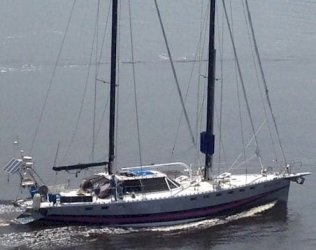
I will run your Attachment 407701 and rename the CheckSUR folder, and run the update tool again, posting the CheckSUR and CBS logs. I won't be able to do this until tomorrow and post the results, as this computer is a built-in dedicated navigational computer aboard a 64' aluminum sailboat I designed and built some 20 years ago (not my home computer). Photo attached. I need the IE11 in particular installed, as files from this are required to install and run the weather routing app PREDICT WIND. As it is now, I have to run my Iridium sat phone to download the grib weather files from Predict Wind, then transfer them over to my personal laptop and run the app there, thus losing the interfacing convenience with my chart plotter. It's a work around, but still inconvenient.

They slapped my hands for trying to hire assistance on this forum, but I don't think anyone would be offended by my sending a bottle of whatever their preferred poison is for helping me fix the problem, which is beyond my experience as a non-techie.

Thanks.
Chuck
 

Attachments

  • Resplandor above.jpg
    Resplandor above.jpg
    50.6 KB · Views: 28

My Computer

Computer type
PC/Desktop
Computer Manufacturer/Model Number
12v native custom AOpen Digital Engine DEX4501
OS
Windows 7 pro, 32 bit
CPU
Intel Core 2 Duo Mobile T5550- 1.83 Ghz, 667 Mhz, 2MB
Memory
1GB DDR2-800Mhz SODIMM
Hard Drives
160GB 5400 SATA2 8MB Notebook Hard Drive
Antivirus
Avast
Browser
Chrome, Firefox, IE10
Hello Sir Snick,
Here is the new CheckSUR.log, below.

I will send the new CBS log in the next post.
Thanks.


=================================
Checking System Update Readiness.
Binary Version 6.1.7601.22471
Package Version 26.0
2019-04-08 11:56

Checking Windows Servicing Packages

Checking Package Manifests and Catalogs
(f) CBS MUM Corrupt 0x800F0900 servicing\Packages\Package_104_for_KB4015549~31bf3856ad364e35~x86~~6.1.1.3.mum Line 1:
(fix) CBS MUM Corrupt CBS File Replaced Package_104_for_KB4015549~31bf3856ad364e35~x86~~6.1.1.3.mum from Cabinet: C:\Windows\CheckSur\v1.0\windows6.1-7601-x86-cab4.cab.
(fix) CBS Paired File CBS File also Replaced Package_104_for_KB4015549~31bf3856ad364e35~x86~~6.1.1.3.cat from Cabinet: C:\Windows\CheckSur\v1.0\windows6.1-7601-x86-cab4.cab.
(f) CBS Catalog Corrupt 0x800B0100 servicing\Packages\Package_for_KB4015549_SP1~31bf3856ad364e35~x86~~6.1.1.3.cat
(fix) CBS Catalog Corrupt CBS File Replaced Package_for_KB4015549_SP1~31bf3856ad364e35~x86~~6.1.1.3.cat from Cabinet: C:\Windows\CheckSur\v1.0\windows6.1-7601-x86-cab4.cab.
(fix) CBS Paired File CBS File also Replaced Package_for_KB4015549_SP1~31bf3856ad364e35~x86~~6.1.1.3.mum from Cabinet: C:\Windows\CheckSur\v1.0\windows6.1-7601-x86-cab4.cab.

Checking Package Watchlist

Checking Component Watchlist

Checking Packages

Checking Component Store
(f) CSI C Mark Deployment Not Marked 0x00000000 c!policy.14.0..t.vc140.mfc_fcc99ee6193ebbca_14.0.27012.0_9c229ed3ddb17764 x86_policy.14.0.avast.vc140.mfc_fcc99ee6193ebbca_14.0.27012.0_none_9c229ed3ddb17764
(f) CSI C Mark Deployment Not Marked 0x00000000 c!avast.vc140.mfc_fcc99ee6193ebbca_14.0.27012.0_a93423e024c3902a x86_avast.vc140.mfc_fcc99ee6193ebbca_14.0.27012.0_none_a93423e024c3902a
(f) CSI C Mark Deployment Not Marked 0x00000000 c!avast.vc140.crt_fcc99ee6193ebbca_14.0.27012.0_a45421ee27ef60f7 x86_avast.vc140.crt_fcc99ee6193ebbca_14.0.27012.0_none_a45421ee27ef60f7
(f) CSI C Mark Deployment Not Marked 0x00000000 c!policy.14.0..t.vc140.crt_fcc99ee6193ebbca_14.0.27012.0_97429ce1e0dd4831 x86_policy.14.0.avast.vc140.crt_fcc99ee6193ebbca_14.0.27012.0_none_97429ce1e0dd4831

Summary:
Seconds executed: 130
Found 6 errors
Fixed 2 errors
CSI C Mark Deployment Not Marked Total count: 4
CBS MUM Corrupt Total count: 1
Fixed: CBS MUM Corrupt. Total count: 1
CBS Catalog Corrupt Total count: 1
Fixed: CBS Catalog Corrupt. Total count: 1
Fixed: CBS Paired File. Total count: 2
//////////////////////////////////////////////////////////////////////////////////////
 
Last edited:

My Computer

Computer type
PC/Desktop
Computer Manufacturer/Model Number
12v native custom AOpen Digital Engine DEX4501
OS
Windows 7 pro, 32 bit
CPU
Intel Core 2 Duo Mobile T5550- 1.83 Ghz, 667 Mhz, 2MB
Memory
1GB DDR2-800Mhz SODIMM
Hard Drives
160GB 5400 SATA2 8MB Notebook Hard Drive
Antivirus
Avast
Browser
Chrome, Firefox, IE10
CBS file below.
I looked up REVO to see what you were talking about.
I installed the pro version, but it was not capable of locating the remaining uninstalled Avast files, found with the SURT. Interesting. I chatted with their tech support, who would not address the problem directly. His only solution was to use his FORCED UNINSTALL "tool" to remove the files that REVO was incapable of locating, typing in the full location of these errant filers into the REVO so-called "tool". I told him that I can do that better from the command line, and that I see not point in keeping REVO installed if it cannot find errant undeleted files to begin with. All the bells and whistles aside, I see no particular use for it, as the windows uninstaller and SURT tool can actually to the job that REVO cannot.


2019-04-08 11:55:52, Info CBS Starting TrustedInstaller initialization.
2019-04-08 11:55:52, Info CBS Loaded Servicing Stack v6.1.7601.23505 with Core: C:\Windows\winsxs\x86_microsoft-windows-servicingstack_31bf3856ad364e35_6.1.7601.23505_none_0bfc08bf3ea166ba\cbscore.dll
2019-04-08 11:55:52, Info CSI 00000001@2019/4/8:15:55:52.554 WcpInitialize (wcp.dll version 0.0.0.6) called (stack @0x5f2ed999 @0x6a3b5f2b @0x6a39210b @0xf1c99 @0xf1236 @0x752575a8)
2019-04-08 11:55:52, Info CSI 00000002@2019/4/8:15:55:52.564 WcpInitialize (wcp.dll version 0.0.0.6) called (stack @0x5f2ed999 @0x6a3f73c3 @0x6a3f4253 @0xf1c99 @0xf1236 @0x752575a8)
2019-04-08 11:55:52, Info CSI 00000003@2019/4/8:15:55:52.566 WcpInitialize (wcp.dll version 0.0.0.6) called (stack @0x5f2ed999 @0x729c4bb0 @0x729c548e @0xf1327 @0xf1245 @0x752575a8)
2019-04-08 11:55:52, Info CBS Ending TrustedInstaller initialization.
2019-04-08 11:55:52, Info CBS Starting the TrustedInstaller main loop.
2019-04-08 11:55:52, Info CBS TrustedInstaller service starts successfully.
2019-04-08 11:55:52, Info CBS SQM: Initializing online with Windows opt-in: False
2019-04-08 11:55:52, Info CBS SQM: Cleaning up report files older than 10 days.
2019-04-08 11:55:52, Info CBS SQM: Requesting upload of all unsent reports.
2019-04-08 11:55:52, Info CBS SQM: Failed to start upload with file pattern: C:\Windows\servicing\sqm\*_std.sqm, flags: 0x2 [HRESULT = 0x80004005 - E_FAIL]
2019-04-08 11:55:52, Info CBS SQM: Failed to start standard sample upload. [HRESULT = 0x80004005 - E_FAIL]
2019-04-08 11:55:52, Info CBS SQM: Queued 0 file(s) for upload with pattern: C:\Windows\servicing\sqm\*_all.sqm, flags: 0x6
2019-04-08 11:55:52, Info CBS SQM: Warning: Failed to upload all unsent reports. [HRESULT = 0x80004005 - E_FAIL]
2019-04-08 11:55:52, Info CBS No startup processing required, TrustedInstaller service was not set as autostart, or else a reboot is still pending.
2019-04-08 11:55:52, Info CBS NonStart: Checking to ensure startup processing was not required.
2019-04-08 11:55:52, Info CSI 00000004 IAdvancedInstallerAwareStore_ResolvePendingTransactions (call 1) (flags = 00000004, progress = NULL, phase = 0, pdwDisposition = @0x8efa04
2019-04-08 11:55:52, Info CSI 00000005 Creating NT transaction (seq 1), objectname [6]"(null)"
2019-04-08 11:55:52, Info CSI 00000006 Created NT transaction (seq 1) result 0x00000000, handle @0x1e0
2019-04-08 11:55:52, Info CSI 00000007@2019/4/8:15:55:52.586 CSI perf trace:
CSIPERF:TXCOMMIT;464
2019-04-08 11:55:52, Info CBS NonStart: Success, startup processing not required as expected.
2019-04-08 11:55:52, Info CBS Startup processing thread terminated normally
2019-04-08 11:55:52, Info CSI 00000008 CSI Store 2685624 (0x0028fab8) initialized
2019-04-08 11:55:52, Info CBS Session: 30731811_2334172803 initialized by client WindowsUpdateAgent.
2019-04-08 11:55:52, Info CBS Read out cached package applicability for package: Package_for_KB947821~31bf3856ad364e35~x86~~6.1.34.0, ApplicableState: 112, CurrentState:0
2019-04-08 11:55:58, Info CBS Session: 30731811_2397706437 initialized by client WindowsUpdateAgent.
2019-04-08 11:55:58, Info CBS Read out cached package applicability for package: Package_for_KB947821~31bf3856ad364e35~x86~~6.1.34.0, ApplicableState: 112, CurrentState:0
2019-04-08 11:56:00, Info CBS Archived backup log: C:\Windows\Logs\CBS\CbsPersist_20190408155552.cab.
2019-04-08 12:05:58, Info CBS Reboot mark refs incremented to: 1
2019-04-08 12:05:58, Info CBS Scavenge: Starts
2019-04-08 12:05:58, Info CSI 00000009@2019/4/8:16:05:58.969 CSI Transaction @0x2d74c8 initialized for deployment engine {d16d444c-56d8-11d5-882d-0080c847b195} with flags 00000002 and client id [10]"TI6.0_0:0/"

2019-04-08 12:05:58, Info CBS Scavenge: Begin CSI Store
2019-04-08 12:05:58, Info CSI 0000000a Performing 1 operations; 1 are not lock/unlock and follow:
Scavenge (8): flags: 00000017
2019-04-08 12:05:58, Info CSI 0000000b Store coherency cookie matches last scavenge cookie, skipping scavenge.
2019-04-08 12:05:58, Info CSI 0000000c ICSITransaction::Commit calling IStorePendingTransaction::Apply - coldpatching=FALSE applyflags=7
2019-04-08 12:05:58, Info CSI 0000000d Creating NT transaction (seq 2), objectname [6]"(null)"
2019-04-08 12:05:58, Info CSI 0000000e Created NT transaction (seq 2) result 0x00000000, handle @0xcc
2019-04-08 12:05:58, Info CSI 0000000f@2019/4/8:16:05:58.982 CSI perf trace:
CSIPERF:TXCOMMIT;12223
2019-04-08 12:05:58, Info CBS Scavenge: Completed, disposition: 0X1
2019-04-08 12:05:58, Info CSI 00000010@2019/4/8:16:05:58.982 CSI Transaction @0x2d74c8 destroyed
2019-04-08 12:05:58, Info CBS Reboot mark refs: 0
2019-04-08 12:05:58, Info CBS Idle processing thread terminated normally
2019-04-08 12:05:58, Info CBS Ending the TrustedInstaller main loop.
2019-04-08 12:05:58, Info CBS Starting TrustedInstaller finalization.
2019-04-08 12:05:59, Info CBS Ending TrustedInstaller finalization.
 
Last edited:

My Computer

Computer type
PC/Desktop
Computer Manufacturer/Model Number
12v native custom AOpen Digital Engine DEX4501
OS
Windows 7 pro, 32 bit
CPU
Intel Core 2 Duo Mobile T5550- 1.83 Ghz, 667 Mhz, 2MB
Memory
1GB DDR2-800Mhz SODIMM
Hard Drives
160GB 5400 SATA2 8MB Notebook Hard Drive
Antivirus
Avast
Browser
Chrome, Firefox, IE10
You need to download Avast Clear

Download avastclear.exe on your desktop
Run it and select option to reopen in safe mode follow prompts!.
 

My Computer

Computer type
PC/Desktop
Computer Manufacturer/Model Number
HP Desktop & Compaq Laptop
OS
Win 10 x64, Linux Lite, Win 7 x64, BlackArch, & Kali
Hard Drives
Samsung 850 Pro 256Gb,
Hitachi HDD 1Tb,
Crucial MX SSD 250Gb
Segate 3Tb USB 3.0 Ext. Backup HDD
Internet Speed
150Mbps dn, 20Mbps up
Antivirus
Avast Free, Malwarebytes Anti-Exploit & Anti-Ransomware
Browser
Firefox, Chrome, Opera, & VPN
All fixed

Esteemed Nic, (a/k/a Mr. SNICK)

You are a magician!
I had never heard of Avast clear, but it certainly did the trick. After removing those residual avast files, the updates worked just fine, all installed.
THANK YOU. :D:D:D

Please send me a direct message and tell me where I can send you a bottle of your favorite.
Thanks again.

Chuck
 

My Computer

Computer type
PC/Desktop
Computer Manufacturer/Model Number
12v native custom AOpen Digital Engine DEX4501
OS
Windows 7 pro, 32 bit
CPU
Intel Core 2 Duo Mobile T5550- 1.83 Ghz, 667 Mhz, 2MB
Memory
1GB DDR2-800Mhz SODIMM
Hard Drives
160GB 5400 SATA2 8MB Notebook Hard Drive
Antivirus
Avast
Browser
Chrome, Firefox, IE10
Back
Top