Hello Everyone,
I'm using Toshiba Satellite laptop with Windows 7 Ultimate SP1 (32-bit) at home and at work, I'm mean the same Toshiba laptop I'm using it at home and at work. At my work I can access the network, but when I take the laptop back to my home, the network connection is not working. Because at work, my laptop is configured with my work network connection with Gateway and server DNS IPs.
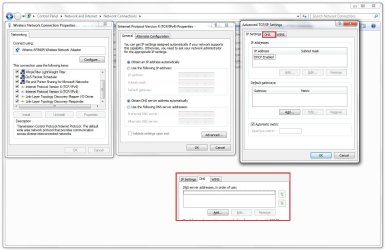
And when I go home, I have to remove the IP address from the Network Connection: (Obtain IP adress Automatically) from the Wireless Network Connection Properties, after this steps, I can connect to my home network. And when I'm at work I have to give my laptop to the IT person, so he will put the IPs again so that I can connect to my work connection. This is very difficult for me I have to add the IP address in the work and I have to remove them when I'm at home if I want to access the network connection.
Is there a solution so that my laptop can connect to my home and work without changing the IP?
I'm using Toshiba Satellite laptop with Windows 7 Ultimate SP1 (32-bit) at home and at work, I'm mean the same Toshiba laptop I'm using it at home and at work. At my work I can access the network, but when I take the laptop back to my home, the network connection is not working. Because at work, my laptop is configured with my work network connection with Gateway and server DNS IPs.
And when I go home, I have to remove the IP address from the Network Connection: (Obtain IP adress Automatically) from the Wireless Network Connection Properties, after this steps, I can connect to my home network. And when I'm at work I have to give my laptop to the IT person, so he will put the IPs again so that I can connect to my work connection. This is very difficult for me I have to add the IP address in the work and I have to remove them when I'm at home if I want to access the network connection.
Is there a solution so that my laptop can connect to my home and work without changing the IP?
My Computer
- Computer type
- PC/Desktop
- Computer Manufacturer/Model Number
- Toshiba
- OS
- Windows 7 Ultimate x32
- CPU
- Intel
- Motherboard
- Intel