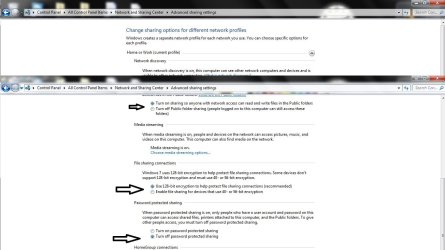
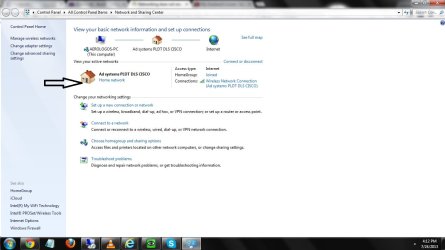
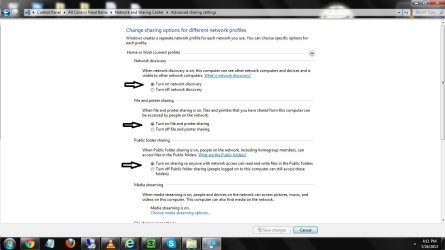
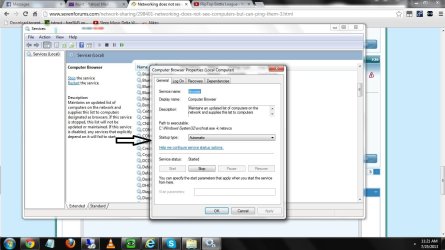
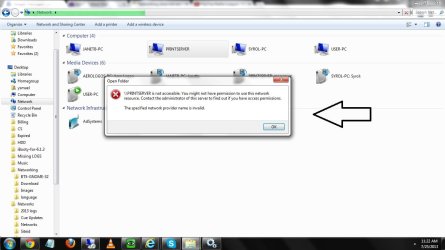
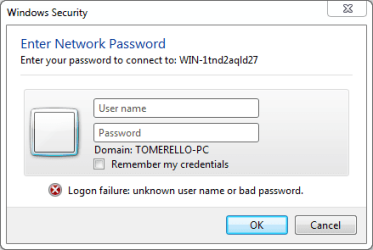
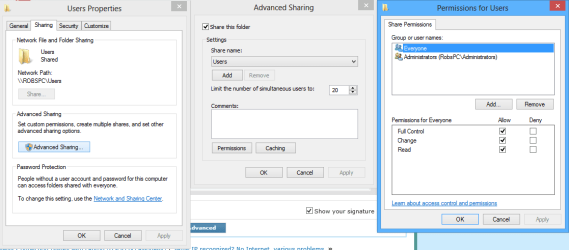
No sharing is possible without first setting up the Sharing tab's Advanced permissions on the C:>Users folder.
You don't want to mess with the Security tab unless you are having problems accessing network drives on other machines. And yes you can see machines on the network even if the shares are locked down.
If Network Discovery won't stay on then there are other problems with this system but the Network Discovery not staying on problem is fixable by repairing the base filtering engine.
Of course there is always the possibility that the Op is using a secondary router or a router/modem and may not have them set up correctly.
You don't want to mess with the Security tab unless you are having problems accessing network drives on other machines. And yes you can see machines on the network even if the shares are locked down.
If Network Discovery won't stay on then there are other problems with this system but the Network Discovery not staying on problem is fixable by repairing the base filtering engine.
Of course there is always the possibility that the Op is using a secondary router or a router/modem and may not have them set up correctly.
Attachments
My Computer
- Computer type
- PC/Desktop
- Computer Manufacturer/Model Number
- Home built
- OS
- Windows 7 Ult, Windows 8.1 Pro,
- CPU
- Q9650-4.275GHz, E8600 4.5GHz, E6750-3.8GHz
- Motherboard
- Evga 780i FTW
- Memory
- G.Skill PC2 9600 1200Mhz 5 5 5 15 2T
- Graphics Card(s)
- GTX480
- Sound Card
- Asus Xonar D2
- Monitor(s) Displays
- HannsG
- Screen Resolution
- 1680X1050
- Hard Drives
- GSkill Phoenix Pro 120GB SSD
- PSU
- ThermalTake Toughpower 1000Watt modular
- Case
- ThermalTake XaserV
- Cooling
- Xigmatek S1283
- Keyboard
- Logitech G15
- Mouse
- Logitech G9
- Internet Speed
- T1