New Computer Startup Programs

kevdog

New member
Local time
3:57 PM
Messages
2
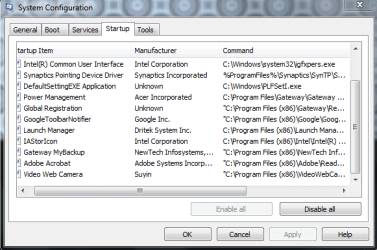
Just unboxed an inexpensive Gateway Laptop. I'm looking to get rid of any unnecessary startup programs. Heres a screenshot of what I think I'm supposed to be looking at:
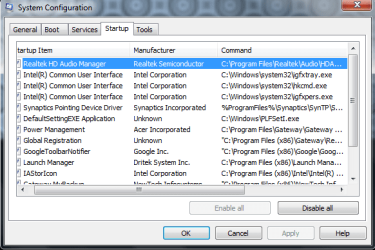
StartUp Brown Gateway 1.PNG

StartUp Brown Gateway 2.PNG

While I'm at it, heres the startup programs from my sisters laptop:
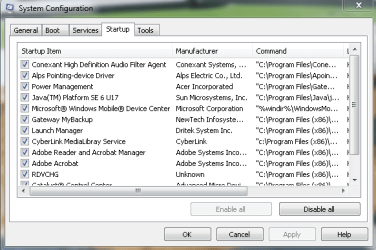
StartUp Black Gateway 1.PNG
StartUp Black Gateway 2.PNG

Thanks,
kevdog
 

My Computer

OS
w7 home premium x32
Some easy ones you can disable are.

GoogleToolbarNotifier.
Adobe
Java
Cyberlink
Microsoft Office Onenote
 

My Computer

Computer type
PC/Desktop
Computer Manufacturer/Model Number
Custom Build
OS
Windows 7 Home Premium 64 bit
CPU
Intel Core i7-4790
Motherboard
GA-Z87X-D3H
Memory
G.SKILL 8GB (2 x 4GB) DDR3 F3-10666CL9D-8GBNT
Graphics Card(s)
AMD Radeon R7 250
Sound Card
Realtek ALC892
Monitor(s) Displays
Samsung UN32EH5000, Dell 1703FPT
Screen Resolution
1920 x 1080, 1280 x 1024
Hard Drives
WD5003AZEX
WD10EZEX
Samsung HD103SJ
Samsung 128 GB 840 PRO
PSU
SeaSonic M12II SS-500GM
Case
Fractal Design Define R4
Cooling
Zalman CNPS9900ALED
Keyboard
Logitech K800
Mouse
Logitech M705
Internet Speed
16 Mbps
Antivirus
Avast
Browser
Firefox
Other Info
Bose Companion 2 Multimedia Speakers
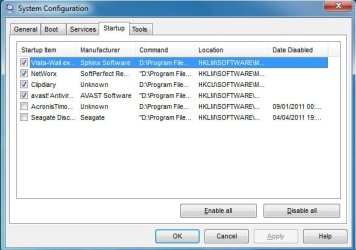
Mine looks like this if it's any help:

msconfig.jpg
 

My Computers

System One System Two

  • Computer type
    PC/Desktop
    OS
    7 X64
    CPU
    i5 8400
    Motherboard
    gigabyte b365m ds3h
    Memory
    2x8gb 3200mhz
    Hard Drives
    various
    PSU
    pure power 11 400w cm
    Case
    Coolermaster
    Cooling
    cryorig m9i
  • Computer type
    PC/Desktop
    OS
    7x64
    CPU
    g5400
    Motherboard
    ga b365m ds3h
    Memory
    8gb ddr4 2400
    PSU
    xfx pro 450w
You don't have to have any Startups with Win7 except your AV and maybe gadgets/stickies if you use them.

All others are freeloaders on startup, RAM, CPU and can spy on you.

After unchecking them in msconfig>Startup, restart several times to see what writes itself back into list. Then find their Program Preferences to turn them off at startup.

Next in msconfig>Services check Hide All MS Services to see what is starting up without your knowledge. Turn them off in Preferences or by uninstalling.

If you really want (for example) SevenForums and Live Messenger starting up with your desktop, then drag the URL into All Programs>Startup and set Live Messenger Prefs to start with Windows. Now you are in control of these choices.

Other tips to Clean up factory bloatware
 
Back
Top