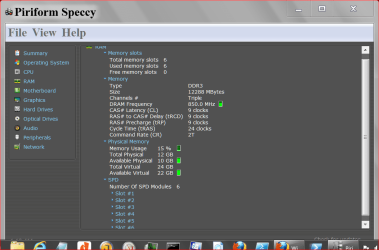
I had 4GB of RAM previously in my notebook (2 sticks of 2GB) and wanted to upgrade to 8GB (2 sticks of 4GB). I checked for compatible RAM on crucial.com and bought a Kingston 8GB memory kit (KHX1600C9S3P1K2/8G). I removed the old RAM, installed the new into my computer, and then started up my pc. Only 4GB of the RAM is currently being detected even though my motherboard should be able to handle 8GB. I tried memory remapping by my motherboard doesn't have that option in the BIOS menus. Is there anything else I can try to get this new RAM detected?
My Computer
At a glance
Windows 7 Home Premium 64-bitIntel Core i3 330UM @ 1.20GHz4.00 GB Dual-Channel DDR3 @ 531MHz (7-7-7-20)1024Mb Nvidia GeForce 310m
- Computer Manufacturer/Model Number
- Asus UL80Jt Notebook
- OS
- Windows 7 Home Premium 64-bit
- CPU
- Intel Core i3 330UM @ 1.20GHz
- Motherboard
- ASUSTeK Computer Inc. UL80Jt (Socket 989)
- Memory
- 4.00 GB Dual-Channel DDR3 @ 531MHz (7-7-7-20)
- Graphics Card(s)
- 1024Mb Nvidia GeForce 310m
- Sound Card
- Realtek High Definition Audio
- Hard Drives
- 466GB Seagate ST9500325AS (SATA)