- Local time
- 3:56 PM
- Messages
- 44
Ann,
general word of advice [since its been 5 yrs since your last new PC] on obtaining "free" software. There are MANY sites that have programs like AVG, Avast and other such free [versions of] software available to install... for a FEE !!! That may be where some of your confusion is coming from.
Make sure that when you obtain these install packages, that you get them from the original vendors web site. They should be safe and virus free.. after all their reputation depends on it being so
This may have been your issue with Thunderbird ... only get it from Mozilla site.
for example.. the free version of AVG is here..
AVG Free - Upgrade Free Antivirus
but strangely enough NOT here !!
http://www.avg.com
Apologies if this is old news to you, but the internet world is now fraught with traps for the unwary.. like the popup window that says your machine is infected with everything under the sun [its really not] and and click here to clean.. That actually installs what we call malware... REALLY ANNOYING software that essentially forces you to their website to buy a key which will turn off those annoyances - like being unable to browse.. 'cus the site your are going to is "infected" and you are blocked for your own safety. Yeah, like microsoft.com has viruses.!!???? These programs re very difficult to remove, and the average person will NOT be successful in doing so.. requires a level of tech skill available to those who work in the industry ["geeks"]

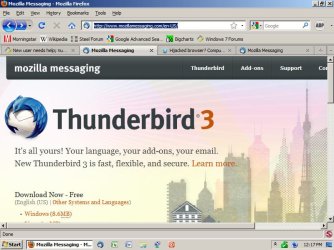
I never said Microsoft had viruses. It was Mozilla. Attempting to DL Thunderbird from the Mozilla site caused virus warning pop-ups, apparently from the site itself, as I had not DLed any security software yet. And no, these pop-ups did not have any visible links that said "click here to clean," they appeared to actual legitimate warnings since the second time I went back to Mozilla, I got the warning, and then another window opened an started to DL Thunderbird all by itself, without me having selected run or save. Until I can get some clearer information on which A/V is the most advanced with the most comprehensive virus database in comparison to the normally paid CA Internet Security Suite that my broadband monopoly was supposed to provide free as part of the contract, unless you have W7, then you're screwed and left on your own, and Mediacom did not tell me until after the installation that they are not technically compatible with W7.
According to the info video for MS Security Essencials, all other A/V programs must be removed, giving the impression that MSE is not compatible with any other A/Vs; implying to me that you can only run one A/V at a time. If anyone can please tell me which *one* of the free A/Vs is the most advanced and comprehensive, I'd really appreciate it.

I am scared to go back to Mozilla, or to attempt to DL any other email clients and try to figure out which, if any, email client is compatible with W7 and Mediacom, until l I know for sure that I have an A/V that will stop Thunderbird's virus, as well as any others that might be hiding in other email clients.
I had to turn the TV off last night for a while when half of the commercials on nearly every channel were advertising either Mediacom Internet or W7, so I wouldn't end up losing my temper and end up throwing something at the TV. Mediacom kept claiming how advanced their [monopoly] service is, and how all Mediacom internet customers could log into their website to download the free security software, CA Internet Security Suite, which is not compatible with Windows 7.

W7 commercials: "I'm a PC and Windows 7 was my idea." Really? After all these problems, I wouldn't think that is something that they would actually want to brag about.

Over 62 hours now, and without my Blackberry, the only way to check email on the Thinkpad is to keep a seperate WIE window open to one of my email providers and keep refreshing the page over and over to see if I have any new emails. I guess I got "spoiled" by AOL (1996-2005) and my Blackberry actually having an audio-visual notification every time an email came into my inbox, so I knew right when it got there, and could respond in a timely manner.

Seriously, does anyone know if the scaled down Windows 7 on a mini-netbook is capable of downloading and running Flash Media on websites? Since Flash is the ONLY significant feature that my Thinkpad has over my Blackberry, I just can't justify to myself allowing my mom to spend 20+ times the cost of the BB, for one feature.
Thanks
My Computer
- Computer Manufacturer/Model Number
- Lenovo T400 Thinkpad
- OS
- Windows 7 Home Premium
- CPU
- no idea _
- Memory
- 2GBPC#-8500 1067MHzMem QTY - 2
- Monitor(s) Displays
- 14.1WXGA TFT,w/LD Bcklt,Cm QTY - 1
- Hard Drives
- 320GbHardDiskDrive,7200rpm QTY - 1