

UPDATE
After locating a BIOS update from HP's website and applying it, the option now properly shows in the Boot Manager. Up until this afternoon I was unable to figure out what exact model numer of this laptop was. I know this fix was the very first thing I should have checked. Just wanted to say I'm not inept, just limited in what I could achieve/find up to this point. Glad this is done with!
Original Post
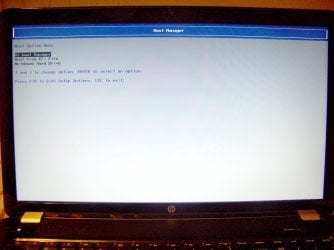
My mom purchased an HP Pavilion (17-e049wm) with Windows 8. She wants me to get rid of it and install Windows 7. The problem I am encountering is that there is no CD/DVD Drive or USB boot option in the Boot Manager. I have searched for days and am unable to find anybody else with this problem. Any advice or feedback is greatly appreciated!
Facts

After locating a BIOS update from HP's website and applying it, the option now properly shows in the Boot Manager. Up until this afternoon I was unable to figure out what exact model numer of this laptop was. I know this fix was the very first thing I should have checked. Just wanted to say I'm not inept, just limited in what I could achieve/find up to this point. Glad this is done with!
Original Post
My mom purchased an HP Pavilion (17-e049wm) with Windows 8. She wants me to get rid of it and install Windows 7. The problem I am encountering is that there is no CD/DVD Drive or USB boot option in the Boot Manager. I have searched for days and am unable to find anybody else with this problem. Any advice or feedback is greatly appreciated!
Facts
- The BIOS is something called InsydeH20 Setup Utility
- I have disabled UEFI Secure Boot and enabled Legacy Support (following HP's instructions).
- Both the UEFI and Legacy boot lists show the CD/DVD Drive and USB Drive booting options.
- I have saved BIOS settings and hit F9 when restarting the laptop to be taken to the Boot Manager
- There are no USB Drive or CD/DVD Drive option listed on the Boot Manager
- There is no doubt my official Windows 7 HP 64-bit DVD is bootable.
- Inside Windows 8 the DVD drive can read, rip, and burn with no problems.
Attachments
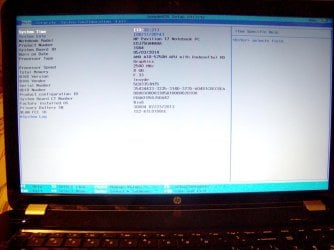
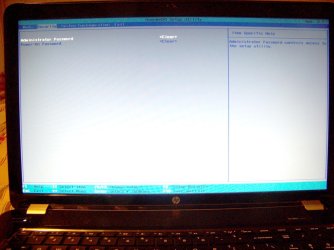

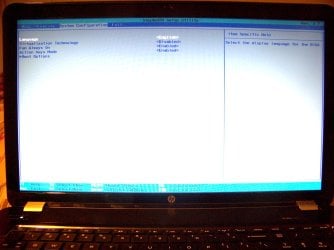
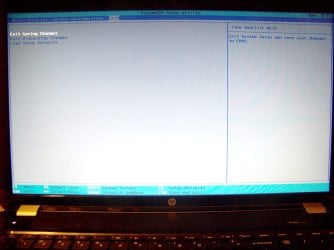
Last edited:
My Computer
At a glance
Windows 7 Home PremiumCore 2 Duo E4300 @ 3.15GHz3GB GeIL DDR2-800MhzNvidia GeForce 260
- OS
- Windows 7 Home Premium
- CPU
- Core 2 Duo E4300 @ 3.15GHz
- Motherboard
- MSI P6N 650i SLI Platinum
- Memory
- 3GB GeIL DDR2-800Mhz
- Graphics Card(s)
- Nvidia GeForce 260
- Sound Card
- Creative X-Fi XtremeGamer / Logitech X-540
- Monitor(s) Displays
- Samsung 226BW
- Hard Drives
- 500GB Samsung
320GB Seagate
1TB Hitachi
80GB Hitachi
- PSU
- Thermaltake Toughpower 750W
- Case
- Antec 900 Advanced Gaming Case
- Cooling
- Tuniq Tower 120


