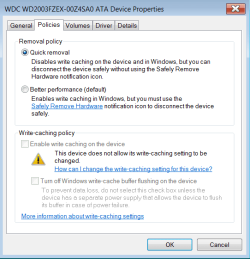
My old Vista machine has an icon in the system try when I plug in a USB devise like my card reader, that tells you if/when it's ok to remove the reader after uploading pictures.
My 6 month old Windows 7 doesn't have that icon and I can't find it anywhere. I tried clicking on the task bar/Customize, scrolled down the list and it's not there. Ideas as how I can add it? On the Vista it says "Safely Remove Hardware".
My 6 month old Windows 7 doesn't have that icon and I can't find it anywhere. I tried clicking on the task bar/Customize, scrolled down the list and it's not there. Ideas as how I can add it? On the Vista it says "Safely Remove Hardware".
My Computer
- Computer type
- PC/Desktop
- Computer Manufacturer/Model Number
- Dell XPS 8700
- OS
- Windows 7(64) Home Premium
- Memory
- 8GB
- Graphics Card(s)
- NVIDIA GeForce GT 720 1GB DDR3
- Monitor(s) Displays
- Dell U2412M
- Screen Resolution
- 1920x1200
- Hard Drives
- 1TB 7200 RPM SATA Hard Drive 6.0 Gb/s
- Keyboard
- Wireless
- Mouse
- Wireless
- Antivirus
- avast
- Browser
- Firefox
- Other Info
- Logitech Z323 Speakers