
When I go to
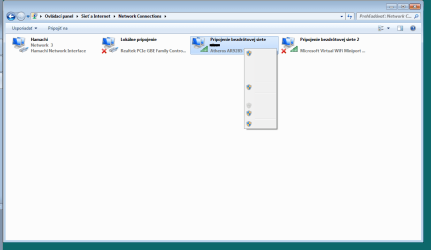
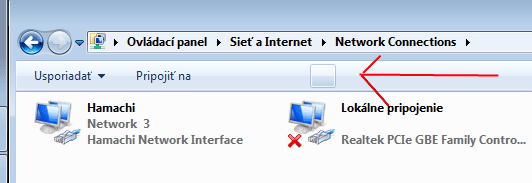
Control Panel>Network and Internet>Network and Sharing Center>Change adapter settings
all texts appear to be missing (see screenshots), and none of them (except the last one) do anything. The last option opens this warning:

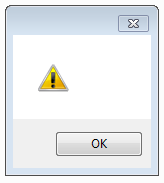
To me, this seems like a broken translation of windows (Windows 7 Home - SK).
How can I change the adapter settings (static IP)?
I've tried Portforward Static IP Address (Free Help Forwarding Ports - PortForward.com), but it sets weird values instead of the ones I enter.
Control Panel>Network and Internet>Network and Sharing Center>Change adapter settings
all texts appear to be missing (see screenshots), and none of them (except the last one) do anything. The last option opens this warning:
To me, this seems like a broken translation of windows (Windows 7 Home - SK).
How can I change the adapter settings (static IP)?
I've tried Portforward Static IP Address (Free Help Forwarding Ports - PortForward.com), but it sets weird values instead of the ones I enter.
Attachments
My Computer
- Computer type
- PC/Desktop
- Computer Manufacturer/Model Number
- custom
- OS
- Windows 7 Home Premium x64
- CPU
- Intel Core i5 4670K (not overclocked)
- Motherboard
- ASUS Maximus VI Hero
- Memory
- Crucial Ballistix Sport 2x8GB DDR3 1600MHz CL9
- Graphics Card(s)
- ASUS DirectCU II OC nVidia GeForce GTX 650 Ti Boost
- Monitor(s) Displays
- ASUS VE247H, Old Samsung TV
- Screen Resolution
- 1920x1080, 1360x768
- Hard Drives
- Samsung SSD 840 EVO 250GB, 2x Seagate 2TB in RAID 1
- PSU
- Seasonic X-750
- Antivirus
- avast! Free Antivirus
- Browser
- Opera,Firefox

