
Hi
I went to my Word 2013 file and when I pressed on it - I got an error message that word document would not open.
I tried other word documents and they all do not open and work. I tried also Excel files and they too do not work and open up.
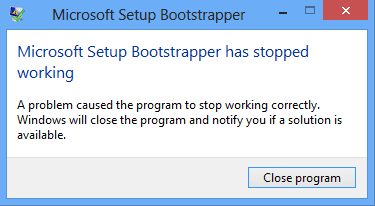
I then tried to do a repair on Office 2013 by going to computer and pressed on Office 2013 program list and I got an error message that Bootstrapper error message of "Microsoft Setup Bootstrapper has stopped working
A problem caused the program to stop working correctly. Windows will close this program and notify you if a solution is available."
I tried repair several times without much success. I then found on line at https://support.office.com/en-us/ar...77a-8fcc-2fdf5dbf61d8?ui=en-US&rs=en-US&ad=US the idea to run the Microsoft Fix it tool and it successfully uninstalled the entire Office 2013
Yet after trying to reinstall the office from setup.exe file - I continue to get the Bootstrapper error message
I found on line - Microsoft Setup Bootstrapper has stopped working
that to delete - HKEY_LOCAL_MACHINE\SOFTWARE\Microsoft\Windows NT\CurrentVersion\AppCompatFlags key would work and be able to reinstall the office suite since this would take care of the boostrapper issues.
I backup up the key and tried to delete the key but it would not let me and I got an error message.
I checked all the permissions on the key and everything looked good. I also made a new admin account and this also did not work. I also tried safe mode and this too did not work.
I need to delete the key and reinstall office 2013
Any advice and assistance would be super.
Attachments
My Computer
At a glance
WIndows 7 x64
- Computer type
- PC/Desktop
- OS
- WIndows 7 x64

