Not all Music Library appears on WMP12

krypnik

New member
Local time
4:11 PM
Messages
6
Hi everybody, I'm having a small problem with my Music Library and WMP12.

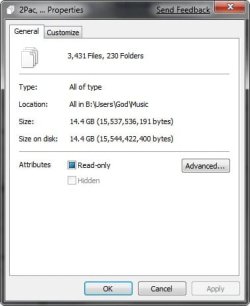
I added all my music to My Music folder, and set the Library to check that folder. The problem is that only about 5% of my music appears on WMP12.
I tried to manually drag 'n drop the files into WMP but after I restart my computer only the same 5% are there.

A workaround I found, is to remove all Library Locations and manually drag 'n drop the music files into WMP, but that's obviously not the best solution since new files aren't updated into WMP.
Can someone help me?


Thanks in advance!
 

My Computer My Computer

At a glance

Windows 7
OS
Windows 7
You need to add your music folder to the music Library and set WMP12 to use that folder and give it a bit of time and it should update itself.
 

My Computer My Computer

At a glance

Windows 7 Ultimate Vista Ultimate x64Core 2 Duo E8500 3.16Ghz @ 3.8Ghz2x2Gigs Patriot PC2-6400 LLInno3D GeForce GTX260 216 SP
Computer Manufacturer/Model Number
Home Brew
OS
Windows 7 Ultimate Vista Ultimate x64
CPU
Core 2 Duo E8500 3.16Ghz @ 3.8Ghz
Motherboard
eVGA 750i FTW
Memory
2x2Gigs Patriot PC2-6400 LL
Graphics Card(s)
Inno3D GeForce GTX260 216 SP
Monitor(s) Displays
ASUS VW222U 22" 2ms Response time
Screen Resolution
1680x1050
Hard Drives
SATA 150GB
SATA II 250GB
USB IDE 750GB Ext.
PSU
HYTEC 600W & Thermaltake 650W Toughpower Power Exp
Case
Thermaltake Armor LCS (Liquid Cooling System)
Cooling
Liquid Cooling System
Keyboard
Logitech G15 Gaming Keyboard
Mouse
Logitech G9 Gaming Mouse
If you have a big mp3 folder, it'll literally takes days and your cpu load is almost max out the whole time too.
That sucks... BIG TIME, I know. Vista took five minutes for the same folder.
 

My Computer My Computer

At a glance

Windows 7
OS
Windows 7
It seems to take a thew restarts before it reads your library but once it found it mine only took a minute or so to update and I have almost 15GB of music so that's not bad but it's a shame you cant tell it to do a manual search from the start.

2009-01-12_214132.jpg
 

My Computer My Computer

At a glance

Windows 7 Ultimate Vista Ultimate x64Core 2 Duo E8500 3.16Ghz @ 3.8Ghz2x2Gigs Patriot PC2-6400 LLInno3D GeForce GTX260 216 SP
Computer Manufacturer/Model Number
Home Brew
OS
Windows 7 Ultimate Vista Ultimate x64
CPU
Core 2 Duo E8500 3.16Ghz @ 3.8Ghz
Motherboard
eVGA 750i FTW
Memory
2x2Gigs Patriot PC2-6400 LL
Graphics Card(s)
Inno3D GeForce GTX260 216 SP
Monitor(s) Displays
ASUS VW222U 22" 2ms Response time
Screen Resolution
1680x1050
Hard Drives
SATA 150GB
SATA II 250GB
USB IDE 750GB Ext.
PSU
HYTEC 600W & Thermaltake 650W Toughpower Power Exp
Case
Thermaltake Armor LCS (Liquid Cooling System)
Cooling
Liquid Cooling System
Keyboard
Logitech G15 Gaming Keyboard
Mouse
Logitech G9 Gaming Mouse
Thanks for your answers!

I don't know if the size of the music library is a problem. Mine is about 40Gb.

I tried experimenting a little bit.
As soon as I removed the My Music folder from Music Library, WMP cleared all it's contents. Once again, as soon as I added the My Music folder into the Library (explorer), WMP started to add the files to it's Music Library. The problem is, that it always adds the same 20 Artists (29 Albums). And every time it's the same Artists.

I also tried manually adding the music folders to WMP. Once it was done, I could close and open WMP and the songs were still there, but as soon as I restarted my computer, my whole library went back to same 20 Artists...
It's very annoying!

As I mentioned before, the workaround I found, is to completely remove the My Music folder from Music Library, and manually dragging the music folders into WMP.
But that's not that great, since WMP doesn't update it's Library once I add new files to My Music.


Any thoughts?
 

My Computer My Computer

At a glance

Windows 7
OS
Windows 7
I'm having issues as well. I have windows 7 on my laptop and on my desktop. WMP 12 works fine on my laptop but I've had nothing but issues on my desktop. My library keeps getting corrupted somehow. It takes forever to scan all my music ( I have 65GB) and when it's finally done it only gets like 450 out of the 590 albums I have. Then when I shut down WMP and start it up again all the music is gone.
I've tried deleting the database file and having it scan again but to no avail. Oddly enough, when I restart WMP and nothing shows up the database file is still the same size as it was before I closed WMP; so the information is there but WMP is not seeing it.
Any thoughts?
 

My Computer My Computer

At a glance

Windows 7 Build 7000 x64DualCore AMD Athlon 64 X2, 2000 MHz (10 x 200...4096 MB (DDR2-800 DDR2 SDRAM)ATI Radeon X800 XL (R430)
Computer Manufacturer/Model Number
Custom Built
OS
Windows 7 Build 7000 x64
CPU
DualCore AMD Athlon 64 X2, 2000 MHz (10 x 200) 3800
Motherboard
Asus M2N-E
Memory
4096 MB (DDR2-800 DDR2 SDRAM)
Graphics Card(s)
ATI Radeon X800 XL (R430)
Monitor(s) Displays
LG L194WTX(Digital), LG L1952T (Analog)
Hard Drives
NVIDIA STRIPE 596.18G (596 GB)
Same problem as przmekach and krypnik. Has anyone found a solution? Thanks
 

My Computer My Computer

At a glance

Windows 7
OS
Windows 7
Hey I think I had the same problem except I coundn't add any music at all or videos. First I took the folder where my music/videos are stored off the library then I followed this guide (click here) and then readded the folder. It worked for me so give it a try.
 

My Computer My Computer

At a glance

Vista
OS
Vista
Thanks for your reply, Dutch but that didn't work out for me.

I'm still having the same problem.


Thanks anyway,
 

My Computer My Computer

At a glance

Windows 7
OS
Windows 7
I started another thread for the same issue and I got a good solution that worked for me so it might be worth a shot for you http://www.sevenforums.com/sound-audio/2135-windows-media-payer-wont-find-any-music.html

I have win7 on my laptop and desktop. I have no problem with wmp on my laptop but my desktop suffers from the same problem as yours. There are two ways that I have found around this but they are not solutions since the problem doesn't go away.

You can either delete the music library file that wmp keeps:
1. stop WMPNetworkSvc.
2. go to C:\Users\<username>\AppData\Local\Microsoft\Media Player and delete file called CurrentDatabase_371.
3. restart service and start wmp.

Another way that works for me is to remove the music folder from the library, turn off wmp, start wmp and readd the folder.

Both methods require wmp to rescan the music library but it's the only way I've managed to get it to read my music. I also leave wmp running. The library only gets corrupted when I close wmp and start it.
 

My Computer My Computer

At a glance

Windows 7 Ultimate Vista Ultimate x64Core 2 Duo E8500 3.16Ghz @ 3.8Ghz2x2Gigs Patriot PC2-6400 LLInno3D GeForce GTX260 216 SP
Computer Manufacturer/Model Number
Home Brew
OS
Windows 7 Ultimate Vista Ultimate x64
CPU
Core 2 Duo E8500 3.16Ghz @ 3.8Ghz
Motherboard
eVGA 750i FTW
Memory
2x2Gigs Patriot PC2-6400 LL
Graphics Card(s)
Inno3D GeForce GTX260 216 SP
Monitor(s) Displays
ASUS VW222U 22" 2ms Response time
Screen Resolution
1680x1050
Hard Drives
SATA 150GB
SATA II 250GB
USB IDE 750GB Ext.
PSU
HYTEC 600W & Thermaltake 650W Toughpower Power Exp
Case
Thermaltake Armor LCS (Liquid Cooling System)
Cooling
Liquid Cooling System
Keyboard
Logitech G15 Gaming Keyboard
Mouse
Logitech G9 Gaming Mouse
May be a little late but what file types are your music files?

I think evyone is assuming they're mp3 but if they are FLAC files they will not show because WMP does not natively support FLAC files.
There is an extension that works with Vista and it may work in W7 too but I haven't tried it yet.
First it would be good to know what your missing music file types are.
 

My Computer My Computer

At a glance

Vista Ult 64bit - Windows 7 Ult 7264 64bitIntel Core 2 Duo E67504 G's Crucial Ballistix TracerBFG Nvidia 8800 GTS 340
Computer Manufacturer/Model Number
Personal Build
OS
Vista Ult 64bit - Windows 7 Ult 7264 64bit
CPU
Intel Core 2 Duo E6750
Motherboard
Asus Commando
Memory
4 G's Crucial Ballistix Tracer
Graphics Card(s)
BFG Nvidia 8800 GTS 340
Sound Card
Creative Sound Blaster X-FI Platinum FATAL1TY
Monitor(s) Displays
2-22" HP W2207 LCD
Screen Resolution
1920 x 1080
Hard Drives
3 x 500G WD Caviar SATA II
PSU
Enermax Noise Taker II 600W
Case
NZXT Lexa Classic (dual doored & windowed)
Cooling
Zalman 9700 CPU cooler - 4 x 120mm, 1 x 90mm fans
Keyboard
Logitech MX 5500
Mouse
Logitech MX Revolution
Internet Speed
Blazing...
Hello Dave,

about 98% of my library are mp3 files, the other 2% are wma.
I have no clue why the files aren't added to WMP, since they appear on the Music Library folder.

I tried Mr. Grim's fix, but it didn't work either.


Thanks anyway
 

My Computer My Computer

At a glance

Windows 7
OS
Windows 7
Hello Dave,

about 98% of my library are mp3 files, the other 2% are wma.
I have no clue why the files aren't added to WMP, since they appear on the Music Library folder.

I tried Mr. Grim's fix, but it didn't work either.


Thanks anyway

Ahh..Ok. Thought maybe they were FLAC or another unrecognized type but .wma is surely recognized by WMP.
Have you checked the tags to see if there may be something wrong in the metadata that is preventing WMP from wanting to add them to the library?
Just a thought...
 

My Computer My Computer

At a glance

Vista Ult 64bit - Windows 7 Ult 7264 64bitIntel Core 2 Duo E67504 G's Crucial Ballistix TracerBFG Nvidia 8800 GTS 340
Computer Manufacturer/Model Number
Personal Build
OS
Vista Ult 64bit - Windows 7 Ult 7264 64bit
CPU
Intel Core 2 Duo E6750
Motherboard
Asus Commando
Memory
4 G's Crucial Ballistix Tracer
Graphics Card(s)
BFG Nvidia 8800 GTS 340
Sound Card
Creative Sound Blaster X-FI Platinum FATAL1TY
Monitor(s) Displays
2-22" HP W2207 LCD
Screen Resolution
1920 x 1080
Hard Drives
3 x 500G WD Caviar SATA II
PSU
Enermax Noise Taker II 600W
Case
NZXT Lexa Classic (dual doored & windowed)
Cooling
Zalman 9700 CPU cooler - 4 x 120mm, 1 x 90mm fans
Keyboard
Logitech MX 5500
Mouse
Logitech MX Revolution
Internet Speed
Blazing...
Could you please advise....

What kinds of information could be preventing WMP from adding to the library.

I used EAC with the LAME encoder, then used Media Monkey to put album art into the tags and make sure all the tag info was complete.

I am having the same problems as the previous posters. Music is not showing up in the WMP library. It *is* showing in the libraries>music shortcut location.

Thank you for your help. Haven't been a member for more than an hour, but I will be here for quite a while, it seems. :)
 

My Computer My Computer

At a glance

Windows 7
OS
Windows 7
You can either delete the music library file that wmp keeps:
1. stop WMPNetworkSvc.
2. go to C:\Users\<username>\AppData\Local\Microsoft\Media Player and delete file called CurrentDatabase_371.

I went to C:\Users\<username>\AppData\Local\Microsoft\ and just renamed the Media Player folder, then restarted WMP.

All fixed.

Thanks
 

My Computer My Computer

At a glance

Windows 7
OS
Windows 7
Mr GRIM, This may all be fundamental to you, but I'm a TRUE novice. How does one stop WMPNetworkSvc? (and re-start)
 

My Computer My Computer

At a glance

windows 7
OS
windows 7
Back
Top