
- Local time
- 6:54 PM
- Messages
- 50,634
Have you had the storage HD unplugged during your install attempts? If not try that now.



Acer said:Recovery using CDs or DVDs
How do I reinstall my operating system from Recovery CDs or DVDs?
When Windows cannot be installed from Acer eRecovery Management, use the Recovery CDs or DVDs to re-install all original software:
1.Make a backup of personal data, as the recovery process will erase all your files, such as email and photos.
2.Power off your computer. In case the system is not equipped with a built-in optical drive, connect an external USB optical drive before powering on the system.
3.Power on your computer. When the first logo screen shows, press repeatedly the F12 key to enter the Boot menu.
4.Use the arrow keys to select your optical drive.
5.Insert the disc labelled System CD in the optical drive and press ENTER, The system will load from the Acer Recovery Media.
6.After the system recovery program has loaded follow the prompts to reinstall the operating system.
MORE INFORMATION
Contact us
Send an e-mail Customer Care
Call Support UK: 0871-760-1000
Ireland: 0818 202 210
Other numbers and costs
Close
In case you did not create your recovery media or have no recovery media available, please contact our Customer Service for information on how to obtain a set of Recovery Discs.
Downgrade Windows 8 to Windows 7When dual booting with Windows 8 Preinstalled & Windows 7
Follow Step one to five in this tutorial:
Downgrade Windows 8 to Windows 7
Warning
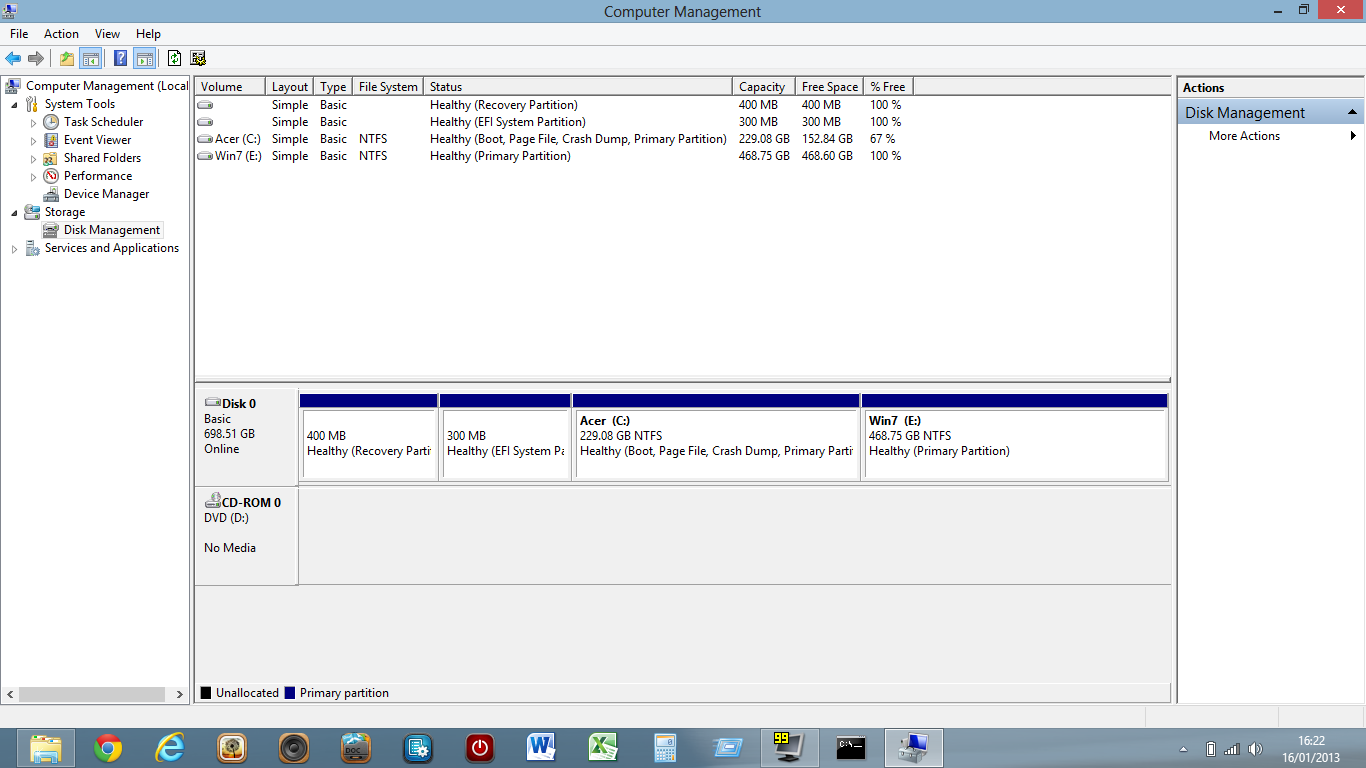
Before making the partition for Windows 7, delete the OEM Recovery partition at the end of HDD drive.
If you shink C: before deleting the OEM Recovery partition, the C: & the new partition will be converted to Dynamic partitions.
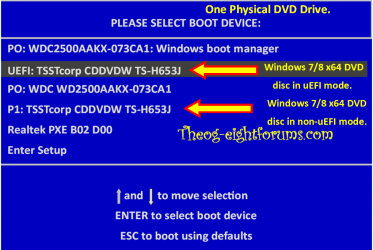
Than follow this tutorial: (installing in uEFI mode.)
Dual Boot Installation - Windows 8 and Windows 7 or Vista
theog said:3) Reset BIOS to default, and reboot to BIOS make sure Secure Boot is disabled.
NOTE: Check your manufacturer's uEFI BIOS manual for settings.
gregrocker said:Ray he is trying to install with flash stick, not DVD. Did you watch his video? It's possible he's gotten something wrong in the extra steps creating the flash stick.
If you can't get the help you need here I would take this to www.EightForums.com where surely they know this stuff by now.
Jay what happens when you try to run the Windows 7 installer from Win8? You won't be able to format partiitons but it may see and allow you to install to your target partition. Worth a try.
So this is why you're suggesting return to defaults then disable Secure Boot. If he would show all of the BIOS menus would you be able to spot the setting needed? He could go back to get sub-menus.
His Eight is running in UEFI, are you saying it won't boot without Secure Boot? Because that would kill the idea to run (not boot) the 7 installer from Win8.
I just spent an hour in EF Install forum and it seems there no further along than us on this stuff. I'd hoped they had gotten there already. Guess we will get there together.
theog said:3) Reset BIOS to default, and reboot to BIOS make sure Secure Boot is disabled.
NOTE: Check your manufacturer's uEFI BIOS manual for settings.
SIW2 said:The problem with all this - is that it is a bit challenging for the average Joe.
Many people don't even know disk management exists, or powershell ( my dad for example - he has been using a pc several hours a day for over 20 years ). They would be apprehensive about doing anything in Bios setup.
These are the kind of things that act as barriers.
People will just put up with what they been have given - too difficult and (they think ), too risky to do anything about it.


