Outlook Email - Deleting Wrong Email Entry when starting new email

techlearner

New member
Local time
7:25 PM
Messages
86
Location
UK
I have a situation where someone has 2 email addresses. One of them is now redundant and I have deleted it from the People section. However, when I am set to make a new email to that person and type the first letter of their name, in the pop up window (that you can click on) their old email address still appears.
How do I delete this from that list? Can find no way to do so.
 

My Computer My Computer

At a glance

windows 7 professional8.00 GB
Computer type
Laptop
Computer Manufacturer/Model Number
Lenovo Thinkpad E550
OS
windows 7 professional
Memory
8.00 GB
Hard Drives
Windows 7_OS (C:) and Lenovo_Recovery (Q:)
Antivirus
McAfee and AVG
Browser
Mozilla Firefox
In new email, start typing the address you want to remove. When you have enough characters for auto complete to show it (sometimes one letter is enough), use DOWN ARROW key on keyboard to select the address in question and press DEL key.

That's it.
 

My Computer My Computer

At a glance

Windows 10 Pro x64 EN-GB1.6 GHz Intel Core i7-720QM Processor6 GBATI Mobility Radeon HD 5850 Graphics
Computer type
Laptop
Computer Manufacturer/Model Number
HP ENVY 17-1150eg
OS
Windows 10 Pro x64 EN-GB
CPU
1.6 GHz Intel Core i7-720QM Processor
Memory
6 GB
Graphics Card(s)
ATI Mobility Radeon HD 5850 Graphics
Sound Card
Beats sound system with integrated subwoofer
Monitor(s) Displays
17" laptop display, 22" LED and 32" Full HD TV through HDMI
Screen Resolution
1600*900 (1), 1920*1080 (2&3)
Hard Drives
Internal: 2 x 500 GB SATA Hard Disk Drive 7200 rpm
External: 2TB for backups, 3TB USB3 network drive for media
Cooling
As Envy runs a bit warm, I have it on a Cooler Master pad
Keyboard
Logitech diNovo Media Desktop Laser (bluetooth)
Mouse
Logitech Performance Mouse MX
Internet Speed
50/10 Mbps VDSL
Antivirus
Windows Defender 4.3.9431.0
Browser
Maxthon 3.5.2., IE11
In new email, start typing the address you want to remove. When you have enough characters for auto complete to show it (sometimes one letter is enough), use DOWN ARROW key on keyboard to select the address in question and press DEL key.

That's it.
Tried doing that...got to highlight the address with the arrow but then pressing DEL yielded no action.
 

My Computer My Computer

At a glance

windows 7 professional8.00 GB
Computer type
Laptop
Computer Manufacturer/Model Number
Lenovo Thinkpad E550
OS
windows 7 professional
Memory
8.00 GB
Hard Drives
Windows 7_OS (C:) and Lenovo_Recovery (Q:)
Antivirus
McAfee and AVG
Browser
Mozilla Firefox
Which version of Outlook you have? I use Outlook 2013, this works perfectly.
 

My Computer My Computer

At a glance

Windows 10 Pro x64 EN-GB1.6 GHz Intel Core i7-720QM Processor6 GBATI Mobility Radeon HD 5850 Graphics
Computer type
Laptop
Computer Manufacturer/Model Number
HP ENVY 17-1150eg
OS
Windows 10 Pro x64 EN-GB
CPU
1.6 GHz Intel Core i7-720QM Processor
Memory
6 GB
Graphics Card(s)
ATI Mobility Radeon HD 5850 Graphics
Sound Card
Beats sound system with integrated subwoofer
Monitor(s) Displays
17" laptop display, 22" LED and 32" Full HD TV through HDMI
Screen Resolution
1600*900 (1), 1920*1080 (2&3)
Hard Drives
Internal: 2 x 500 GB SATA Hard Disk Drive 7200 rpm
External: 2TB for backups, 3TB USB3 network drive for media
Cooling
As Envy runs a bit warm, I have it on a Cooler Master pad
Keyboard
Logitech diNovo Media Desktop Laser (bluetooth)
Mouse
Logitech Performance Mouse MX
Internet Speed
50/10 Mbps VDSL
Antivirus
Windows Defender 4.3.9431.0
Browser
Maxthon 3.5.2., IE11
Which version of Outlook you have? I use Outlook 2013, this works perfectly.
How do you find out what year a version of Outlook is? All I can see when I go to log in is that it says 2015 Microsoft at the bottom of the screen. I am in Mozilla Firefox, Windows 7.
 

My Computer My Computer

At a glance

windows 7 professional8.00 GB
Computer type
Laptop
Computer Manufacturer/Model Number
Lenovo Thinkpad E550
OS
windows 7 professional
Memory
8.00 GB
Hard Drives
Windows 7_OS (C:) and Lenovo_Recovery (Q:)
Antivirus
McAfee and AVG
Browser
Mozilla Firefox

My Computer My Computer

At a glance

Windows 10 Pro x64 EN-GB1.6 GHz Intel Core i7-720QM Processor6 GBATI Mobility Radeon HD 5850 Graphics
Computer type
Laptop
Computer Manufacturer/Model Number
HP ENVY 17-1150eg
OS
Windows 10 Pro x64 EN-GB
CPU
1.6 GHz Intel Core i7-720QM Processor
Memory
6 GB
Graphics Card(s)
ATI Mobility Radeon HD 5850 Graphics
Sound Card
Beats sound system with integrated subwoofer
Monitor(s) Displays
17" laptop display, 22" LED and 32" Full HD TV through HDMI
Screen Resolution
1600*900 (1), 1920*1080 (2&3)
Hard Drives
Internal: 2 x 500 GB SATA Hard Disk Drive 7200 rpm
External: 2TB for backups, 3TB USB3 network drive for media
Cooling
As Envy runs a bit warm, I have it on a Cooler Master pad
Keyboard
Logitech diNovo Media Desktop Laser (bluetooth)
Mouse
Logitech Performance Mouse MX
Internet Speed
50/10 Mbps VDSL
Antivirus
Windows Defender 4.3.9431.0
Browser
Maxthon 3.5.2., IE11
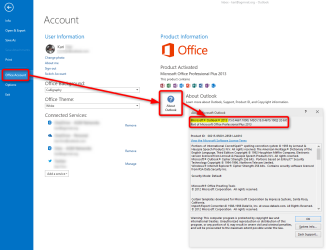
This is beginning to get highly complex. Since I don't have the format as displayed in your post, I obviously have an older version. I clicked on the link you gave and it shows this...

Help menu, click About Microsoft Office Outlook.

However, there is no about 'microsoft office outlook' to click on....and typing it into search yields nothing
 

My Computer My Computer

At a glance

windows 7 professional8.00 GB
Computer type
Laptop
Computer Manufacturer/Model Number
Lenovo Thinkpad E550
OS
windows 7 professional
Memory
8.00 GB
Hard Drives
Windows 7_OS (C:) and Lenovo_Recovery (Q:)
Antivirus
McAfee and AVG
Browser
Mozilla Firefox
OK.

If you have a 64-bit Windows installed, open the folder C:\Program Files (x86)\Microsoft Office and tell us what number your OfficeXX folder has (XX = 2 digits), as here in screenshot from my computer you can see Office15 which means Office 2013:

2015-02-02_21h00_08.png

If you have a 32-bit Windows, open C:\Program Files\Microsoft Office instead to find the same OfficeXX to see the number.

With this information we can most probably then find a solution for you.

Kari
 

My Computer My Computer

At a glance

Windows 10 Pro x64 EN-GB1.6 GHz Intel Core i7-720QM Processor6 GBATI Mobility Radeon HD 5850 Graphics
Computer type
Laptop
Computer Manufacturer/Model Number
HP ENVY 17-1150eg
OS
Windows 10 Pro x64 EN-GB
CPU
1.6 GHz Intel Core i7-720QM Processor
Memory
6 GB
Graphics Card(s)
ATI Mobility Radeon HD 5850 Graphics
Sound Card
Beats sound system with integrated subwoofer
Monitor(s) Displays
17" laptop display, 22" LED and 32" Full HD TV through HDMI
Screen Resolution
1600*900 (1), 1920*1080 (2&3)
Hard Drives
Internal: 2 x 500 GB SATA Hard Disk Drive 7200 rpm
External: 2TB for backups, 3TB USB3 network drive for media
Cooling
As Envy runs a bit warm, I have it on a Cooler Master pad
Keyboard
Logitech diNovo Media Desktop Laser (bluetooth)
Mouse
Logitech Performance Mouse MX
Internet Speed
50/10 Mbps VDSL
Antivirus
Windows Defender 4.3.9431.0
Browser
Maxthon 3.5.2., IE11
Thanks. I checked my control panel (under programmes). For Microsoft Office it is 2010 and version 14.0.4763.1000
 

My Computer My Computer

At a glance

windows 7 professional8.00 GB
Computer type
Laptop
Computer Manufacturer/Model Number
Lenovo Thinkpad E550
OS
windows 7 professional
Memory
8.00 GB
Hard Drives
Windows 7_OS (C:) and Lenovo_Recovery (Q:)
Antivirus
McAfee and AVG
Browser
Mozilla Firefox
That was quite stupid of me, of course that is the easiest way to check the version. Sorry. Sometimes we geeks think too complicated :).

OK, so you have Office 2010. I can only tell you that it works in Outlook 2010 exactly the same way as it works in 2013, the way I told you in my first post. I have Office 2010 installed on one virtual machine, tested it now and it works perfectly.

You might want first check that this wrong email address is not stored as a contact. If it is, remove the contact first, then start a new email, start typing the address, use arrow keys to select it and press DEL.
 

My Computer My Computer

At a glance

Windows 10 Pro x64 EN-GB1.6 GHz Intel Core i7-720QM Processor6 GBATI Mobility Radeon HD 5850 Graphics
Computer type
Laptop
Computer Manufacturer/Model Number
HP ENVY 17-1150eg
OS
Windows 10 Pro x64 EN-GB
CPU
1.6 GHz Intel Core i7-720QM Processor
Memory
6 GB
Graphics Card(s)
ATI Mobility Radeon HD 5850 Graphics
Sound Card
Beats sound system with integrated subwoofer
Monitor(s) Displays
17" laptop display, 22" LED and 32" Full HD TV through HDMI
Screen Resolution
1600*900 (1), 1920*1080 (2&3)
Hard Drives
Internal: 2 x 500 GB SATA Hard Disk Drive 7200 rpm
External: 2TB for backups, 3TB USB3 network drive for media
Cooling
As Envy runs a bit warm, I have it on a Cooler Master pad
Keyboard
Logitech diNovo Media Desktop Laser (bluetooth)
Mouse
Logitech Performance Mouse MX
Internet Speed
50/10 Mbps VDSL
Antivirus
Windows Defender 4.3.9431.0
Browser
Maxthon 3.5.2., IE11
That was quite stupid of me, of course that is the easiest way to check the version. Sorry. Sometimes we geeks think too complicated :).

OK, so you have Office 2010. I can only tell you that it works in Outlook 2010 exactly the same way as it works in 2013, the way I told you in my first post. I have Office 2010 installed on one virtual machine, tested it now and it works perfectly.

You might want first check that this wrong email address is not stored as a contact. If it is, remove the contact first, then start a new email, start typing the address, use arrow keys to select it and press DEL.
Yes, as mentioned in my OP, I deleted the redundant email address from the people's list. So now I don't get why it won't delete if you are saying it should. You are suggesting in this post what you said earlier and that is what I tried without success. Guess this has gone as far as it can. Thanks anyway.
 

My Computer My Computer

At a glance

windows 7 professional8.00 GB
Computer type
Laptop
Computer Manufacturer/Model Number
Lenovo Thinkpad E550
OS
windows 7 professional
Memory
8.00 GB
Hard Drives
Windows 7_OS (C:) and Lenovo_Recovery (Q:)
Antivirus
McAfee and AVG
Browser
Mozilla Firefox
I am sorry I am not unable to help you. I have tested this now several times both in Outlook 2010 and 2013, it works every time.
 

My Computer My Computer

At a glance

Windows 10 Pro x64 EN-GB1.6 GHz Intel Core i7-720QM Processor6 GBATI Mobility Radeon HD 5850 Graphics
Computer type
Laptop
Computer Manufacturer/Model Number
HP ENVY 17-1150eg
OS
Windows 10 Pro x64 EN-GB
CPU
1.6 GHz Intel Core i7-720QM Processor
Memory
6 GB
Graphics Card(s)
ATI Mobility Radeon HD 5850 Graphics
Sound Card
Beats sound system with integrated subwoofer
Monitor(s) Displays
17" laptop display, 22" LED and 32" Full HD TV through HDMI
Screen Resolution
1600*900 (1), 1920*1080 (2&3)
Hard Drives
Internal: 2 x 500 GB SATA Hard Disk Drive 7200 rpm
External: 2TB for backups, 3TB USB3 network drive for media
Cooling
As Envy runs a bit warm, I have it on a Cooler Master pad
Keyboard
Logitech diNovo Media Desktop Laser (bluetooth)
Mouse
Logitech Performance Mouse MX
Internet Speed
50/10 Mbps VDSL
Antivirus
Windows Defender 4.3.9431.0
Browser
Maxthon 3.5.2., IE11
Thanks for trying anyway. Appreciated. :)
 

My Computer My Computer

At a glance

windows 7 professional8.00 GB
Computer type
Laptop
Computer Manufacturer/Model Number
Lenovo Thinkpad E550
OS
windows 7 professional
Memory
8.00 GB
Hard Drives
Windows 7_OS (C:) and Lenovo_Recovery (Q:)
Antivirus
McAfee and AVG
Browser
Mozilla Firefox
Back
Top