Solved PACE Anti-Piracy?

sfxworks

New member
Member
Local time
1:46 AM
Messages
30
I just uninstalled this program called "PACE Anti-Priacy". All of the sudden, none of my programs, except a few by from microsoft, are showing up. How do I fix this?...Its...really....annoying.

Edit: Its wierd. They show up in auslogics when I try to remove programs from there. Just not from Programs and Features....
 

My Computer

OS
Windows 7 Iltimate x64
I'd do a nice deep scan with antivirus and malwarebytes if I were you.
 

My Computer

Computer Manufacturer/Model Number
Pugh Technologies
OS
W7 Professional x64
CPU
AMD Athlon II X3 445 Rana 3.10 GHz
Motherboard
MSI 870A-G54
Memory
PNY XLR DDR3 1600 4x2GB
Graphics Card(s)
NVIDIA GeForce GTS 450 (fermi) 1GB GDDR5
Sound Card
Realtek ALC892 onboard
Monitor(s) Displays
ASUS VE205t, Viewsonic VX2035WM
Screen Resolution
1600x900, 1600x1050
Hard Drives
977GB Hitachi Hitachi HDS721010CLA332
244GB Western Digital WDC WD2500AAJS-65B4A0
488GB Western Digital WDC WD5000AAJS-00A8B0
488GB Western Digital WDC WD5000AAKS-00UU3A0
PSU
Antec EarthWatts EA650 650W
Case
ThermalTake Armor A90 Mid Tower
Cooling
3x 120mm in, 1x 120mm & 200mm out, self built hydro-cooler
Keyboard
Logitec 55
Mouse
Razer Deathadder
Internet Speed
20 Mbps D/L, 9 Mbps U/L
Pace Anti-Piracy is the name of a company. According to their website they have "...over 14 years of field-proven experience in delivering anti-piracy solutions. Hundreds of world-class software companies, from Adobe to Corel to Disney, trust PACE to solve their anti-piracy problems."

Source

They have two primary products. The first is called iLok and the other is InterLok Pro. In the left column of the above source is a Contact link. You might be able to get the tech support people to tell you how to remove all traces of their product. If they won't help, and if you know which product you installed / uninstalled, you could try using the start menu search function to see if you can find any remaining files or folders. Or you could use the registry editor (regedit) to find leftovers.

I guess my only question is what prompted you to install this? (Assuming you installed something from this legitimate company and not some rogue malware using the same name.)
 

My Computer

Computer type
Laptop
Computer Manufacturer/Model Number
Sony Vaio VPCEB47GM Laptop
OS
Win 7 Pro 64-bit
CPU
Intel i5 2.4 Ghz
Memory
8GB DDR3
Graphics Card(s)
Intel HD 3000
Sound Card
IDT High Definition
Monitor(s) Displays
15.6 WGXA Anti-Glare LED
Screen Resolution
1280x800
Hard Drives
640Gb 7200rpm
Antivirus
MSE
Browser
Opera (primary) with IE9 backup
Didn't help. Found a bad registry. Thats it.
 

My Computer

OS
Windows 7 Iltimate x64
Pace Anti-Piracy is the name of a company. According to their website they have "...over 14 years of field-proven experience in delivering anti-piracy solutions. Hundreds of world-class software companies, from Adobe to Corel to Disney, trust PACE to solve their anti-piracy problems."

Source

They have two primary products. The first is called iLok and the other is InterLok Pro. In the left column of the above source is a Contact link. You might be able to get the tech support people to tell you how to remove all traces of their product. If they won't help, and if you know which product you installed / uninstalled, you could try using the start menu search function to see if you can find any remaining files or folders. Or you could use the registry editor (regedit) to find leftovers.

I guess my only question is what prompted you to install this? (Assuming you installed something from this legitimate company and not some rogue malware using the same name.)

I honestly don't kniw. It just appeared out of nowhere. I was just cleaning up some unwanted programs from my list.
 

My Computer

OS
Windows 7 Iltimate x64

My Computer

Computer type
Laptop
Computer Manufacturer/Model Number
Sony Vaio VPCEB47GM Laptop
OS
Win 7 Pro 64-bit
CPU
Intel i5 2.4 Ghz
Memory
8GB DDR3
Graphics Card(s)
Intel HD 3000
Sound Card
IDT High Definition
Monitor(s) Displays
15.6 WGXA Anti-Glare LED
Screen Resolution
1280x800
Hard Drives
640Gb 7200rpm
Antivirus
MSE
Browser
Opera (primary) with IE9 backup
Pace iLok is used a lot for Apple MAC "protection" systems so it may be worthwhile concentrating on those programs that are available for both platforms when looking for the source
 

My Computers

System One System Two

  • Computer type
    PC/Desktop
    Computer Manufacturer/Model Number
    ChillBlast - Custom to my design
    OS
    Windows 11 Pro x64 [Latest Release and Release Preview]
    CPU
    Ryzen 9 5950X, 3.8 - 5.2 MHz
    Motherboard
    Asus Prime X570-Pro
    Memory
    64GB [2 x 32GB] DDR4 3200MHz
    Graphics Card(s)
    4GB NVIDIA GEFORCE GTX 1650 Ti
    Sound Card
    On-board SPDIF to 5.1 System + HDMI [5.1 system]
    Monitor(s) Displays
    32" UHD 32 Bit HDR Monitor + 43" UHD 4K 32Bit HDR TV
    Screen Resolution
    2 x 3840 x 2160 @60Hz
    Hard Drives
    1TB M2 SSD OS, 500GB Fast Access SSD, 2 x 8TB Data + Various Externals from 1TB to 4TB, 10TB NAS
    PSU
    NZXT C750 80 PLUS Gold 750W Modular PSU
    Case
    Workstation Case [Matt Black]
    Cooling
    NZXT Kraken X63 280mm CPU Cooler +2x Quiet Case fans
    Keyboard
    Logitech Wireless MX Keys & K400 + others
    Mouse
    Logitech Wireless MX Master 3S
    Internet Speed
    920 MB Down 50 MB Up
    Antivirus
    BitDefender Total Security Pro
    Browser
    Chrome (always run latest Non-Beta)
    Other Info
    Also run ...
    Laptop - Quad 8GB - Windows 10 Pro x64
    Nexus 7 Android tablet x2
    Samsung 10.2" tablet
    Blackview TAB 8 4G Android Tablet c/w Keyboard
    Wacom Intuos Pro Medium Pen Pad
    Wacom Intuos Pro Small Pen Pad
    Wacom Expresskeys Remote
    Loopdeck+ Graphics Controller
    Shuttle Pro v2 Control
  • Computer type
    Laptop
    System Manufacturer/Model Number
    Dell XPS 17 10750H
    OS
    Windows 11 Pro x64 Latest RP
    CPU
    Intel I7 10750H 5.0GHz
    Motherboard
    Dell XPS
    Memory
    32GB [2x16GB] DDR4 2933 MHz
    Graphics Card(s)
    nVidia GTX1650Ti 4 GB GDDR6
    Sound Card
    Stock [Realtek] 4 Speaker
    Monitor(s) Displays
    17" IPS UHD+ Infinity Edge Touchscreen
    Screen Resolution
    3840 x 2400
    Hard Drives
    2TB M2 NVMe, 4TB External + various 500GB & 1TB External NVMe (also have access to spinner HDD from
    PSU
    Stock
    Case
    Stock XPS Aluminium & Carbon Fibre
    Cooling
    Stock - Active Fan Control
    Keyboard
    Backlit + Various Logitech
    Mouse
    Stock Track Pad + Logitech MX Trackball
    Internet Speed
    72 MB Down 18MB Up
    Browser
    Chrome
    Other Info
    Also run ...
    Laptop - Quad 8GB - Windows 10 Pro x64
    Nexus 7 Android tablet x2
    10.2" tablet
    Sony Z3 Android Smartphone
    Wacom Intuos Pro Medium Pen Pad
    Wacom Intuos Pro Small Pen Pad
    Wacom Expresskeys Remote
    Loopdeck+ Graphics Controller
    Shuttle Pro v2 Control Pad
    10TB NAS
It probably won't help but you might let Revo Uninstaller take a look at what's on your system. They have something called Forced Uninstall that can remove a program even if it's no longer listed in the Control Panel Programs and Features or Revo's own listing. The included tutorial goes into greater detail on how to use this feature.

Download Revo Uninstaller Freeware - Free and Full Download - Uninstall software, remove programs, solve uninstall problems

This feature is included in my program (auslogistics).

Still...Doing a full system scan with malwarebytes (cause, it can't hurt).
 

My Computer

OS
Windows 7 Iltimate x64
Oh thats great...It froze...
 

My Computer

OS
Windows 7 Iltimate x64
Ok.
Malwarebytes found nothing.
Nothing shows up in the Programs and Features list.
And I can't install Adobe CS5.5 Master Collection.
Related?

ERROR: DW042: ARP Entry couldn't be created for language : en_US
 

My Computer

OS
Windows 7 Iltimate x64
SOLUTION: Re-install windows 7
 

My Computer

OS
Windows 7 Iltimate x64
It's probably not much of a consolation (reinstalling any version of Windows is a hassle) but I think that's the best course of action. You'll have a totally clean computer with no hidden system file problems.

Please forgive me for offering some unasked for advice. Once you get your machine configured the way you want it, all updates and programs installed, I respectfully suggest you invest in an external hard drive and make a system image of your computer.

How to Create a System Image in Windows 7

You can use the built in Win 7 imaging tool, Macrium free, or Paragon free. Also make the companion recovery CD just in case you can't boot your computer. If you ever find yourself in a similar situation, use the system image to get up and running in about 30 minutes or less.
 

My Computer

Computer type
Laptop
Computer Manufacturer/Model Number
Sony Vaio VPCEB47GM Laptop
OS
Win 7 Pro 64-bit
CPU
Intel i5 2.4 Ghz
Memory
8GB DDR3
Graphics Card(s)
Intel HD 3000
Sound Card
IDT High Definition
Monitor(s) Displays
15.6 WGXA Anti-Glare LED
Screen Resolution
1280x800
Hard Drives
640Gb 7200rpm
Antivirus
MSE
Browser
Opera (primary) with IE9 backup
Hi peeps, my friend recently sent a link to me to this website from Twitter.

My Windows XP partition on my Dell Vostro 1500 laptop is garbled with all sort of problems. For one, I have so many bad sectors on my 1 and a half year old hard drive that it is mind-blowing to me. I've tried to repair it several times, however CHKDSK gets stuck on data verification.

Now my Windows XP partition seems to operate at the speed that was like a 1992 33Mhz Packard Bell I used to own. I custom installed my hard drive myself without any Western Digital Hard Drive software. All I did was partition it in Linux.

Imagine my surprise when I find this forum and I find the following on my Hard Drive using Linux:

Twitter / Randy Christian Lee: "PACE" anti-piracy applica ...
yfrog Photo : http://yfrog.com/mgmb9sp Shared by MistaC87
scaled.php


I am in the process of backing up certain folders on my hard drive to wipe it so I can put clean installations of Windows XP, 7, and Linux on it, and to me, this has weird vibes written all over. Then I looked it up on Wikipedia and across Google to be only more confused:

Home

There's something really funky about this to me.

Then I decided to put just two words into Google, that being PACE and Apple, and I found this.
Quotes from http://discussions.apple.com/thread/835953?start=0&tstart=0:
"Everytime i use something with PACE involved it's destablized my machine"

Then I found an old post from this link back in 2005:
Pace Anti Piracy - how to dump it - SpywareInfo Forum

So far, it seems like to me that "PACE" is basically just a reverse-engineer to manipulate system operations. A same quote by the person in that forums says it is installed in the root of his Mac OS UNIX system. This could also be defined as a ROOTKIT.

When you have software trying to mess with your operating system's fundamentals (like a ROOTKIT), then there is no doubt going to be a negative performance and stability impact, which compromises systems in more than one way. The opeartion of a rootkit is to hide processes and shadow them on the system if I am not mistaken.

I'm wondering myself if PACE is a rootkit. I just typed "PACE" and "rootkit" into Google and came back with all sorts of problems users are having with rootkits.

Then I see this quote on here: DxO Labs
"PACE is not a Rootkit. It doesn't try to hide itself from the operating system. Like any software protection technology, Pace stores encrypted files on your disk in order to manage the state of your licenses."

I am all sorts of confused on this. I'm starting to wonder if I need to create a virtual machine with a clean installation of Windows XP or 7, install PACE on purpose, and then see what happens next.

 

My Computer

OS
Windows XP, 7, Mac Os X, Linux
PACE Anti-Piracy was installed on my system along with Adobe CS5.5 Flash Catalyst.
 

My Computer

Computer type
PC/Desktop
Computer Manufacturer/Model Number
custom build
OS
Windows 7 Professional x64
CPU
INtel i5 3570K
Memory
DDR3 8GB dual channel
Hard Drives
Intel SSD 330 120GB (sata3) OS & apps
+ HDD sata2 for storage
Antivirus
Avast
Browser
Opera
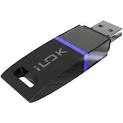
I have Pace iLok key as several of my Recording Studio add ons use this for anti-piracy. ProTools (a recording program also uses this). The software, by itself, does not do anything. You have to have an "iLok key" (a USB device that looks like an USB key/flash drive) to work in conjunction with the iLok software.
 

Attachments

  • iLok key.png
    iLok key.png
    4 KB · Views: 34

My Computer

Computer type
PC/Desktop
Computer Manufacturer/Model Number
My Own Build
OS
Windows 10 64 bit
CPU
Intel i7 6700K
Motherboard
ASUS ROG Maximus VIII Hero
Memory
16GB Corsair Dominator
Graphics Card(s)
Intel CPU Graphics
Sound Card
RealTek
Monitor(s) Displays
27" Dell S2719dgf
Screen Resolution
2560X1440
Hard Drives
1 TB Samsung 850 EVO SSD for Win 10 Pro
500GB Samsung 850 EVO SSD for Win 10 Insider
2 TB drive for backup
PSU
EVGA Supernova 750G2
Case
BeQuiet Silent Base 600
Cooling
Deepcool Captain 120EX
Keyboard
Microsoft Wireless 2000
Mouse
Microsoft wireless
Internet Speed
100 MB/sec (Cable)
Antivirus
Microsoft Defender and Malwarebytes
Browser
Edge/Firefox
Other Info
Cakewalk (Sonar) by BandLab and Studio One 4.1 Pro recording studio software. MOTU 896Mk3 Hybrid recording interface, Frontier Tranzport wireless control unit, Behringer X-Touch Control Surface.
Five USB connected optical drives for CD Audio production using Nero BurningROM
had the same problem. this is a permissions error, because i had my user files to another partition than windows.
Copy the installation folder to your c: drive (where windows are installed) and run it from there.
 

My Computer

Computer type
PC/Desktop
OS
window 7 x64
Memory
2GB DDR
Hard Drives
Verbatim SSD 120GB
Antivirus
Comodo
Browser
Firefox
Back
Top