IF a cpu is already at a high temperature ( shutoff usually occurs between 90 - 99 or 100 C depending on motherboard; sometimes earlier... ) then it will shutoff quickly after being turned back on.
You can enter bios ( Pressing one of the following keys during startup should bring you to the bios: F2, F10, Delete or some other key ). Pressing Tab usually hides the simple boot screen ( logo ) in favor of more information. When you enter the bios there should be a hardware monitor option. That'll tell you the processor temperature.
Next, does the PC turn off after entering windows, or after being powered on.
Is the computer in the home of a smoker ( Smoke adheres to dust and makes it sticky meaning it clogs fans much easier and much faster than usual; additionally smoker-dust has to be brushed off while normal dust can be blown out using compressed air )?
Did you open the case and look inside? Dells typically have a green duct which routes air to/from processor depending on fan direction. You will need to move this out of the way to look inside depending how tight everything is put together ( simply lift 2 of hanging pieces over the cpu apart and lift. It should swing open. You can completely remove this but it isn't required ). Look for any capacitors that have gone bad ( If using non-solid caps there will be a K or X or some other indentation on the top. Make sure they are all indented and not popping upward or oozing anything. IF ooze is present or if they are becoming convex then they are bad. Another sign of caps going bad, if they blow from the bottom, is if they wiggle like a loose tooth; they should be firmly in [ again this depends on how much of the leads are exposed, but they should be firm regardless ]. Don't wiggle too much in case the leads are long [ you'll eventually break them if you bend them back and forth ] ).
Make sure all of the fans are clean and oiled ( most fans have a rubber stop underneath the sticky; under normal circumstances these fans will last many years without needing to be oiled but they can run dry so it doesn't hurt to look inside and add a drop before re-sealing them ).
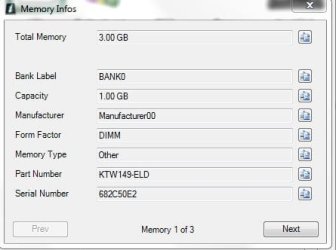
As said, it is likely a hardware issue if it is turning off after being powered on. If it is rebooting shortly after starting windows it could be something else such as software, or a hardware issue ( such as bad memory, processor [ VERY RARE but it does cause odd side effects ], etc.. ).. Use Windows Memory Tester ( you'll want to test the memory one stick at a time in each slot... So stick 1 in slot 1, then 2. Then stick 2 in slot 1 then 2. Etc. Check each stick in each slot and make sure to run it at least 8 passes or so; memory typically shows symptoms of failing when it starts reaching operating temperature ).
Hope this helps.