Solved PC will Cold Boot but won't Warm boot?


Well for my own personal preference I always downloaddrivers direct form the manufacturer I never use driver finders mate they arenothing but trouble.
If it is of any help try here
SAPPHIRE HD 7790 1GB GDDR5 DUAL-X OC#
 

My Computer My Computer

Computer type
PC/Desktop
Computer Manufacturer/Model Number
Own build (new) Desk1 / Asus ROG Win 7 / Desk2 1st build
OS
Desk1 7 Home Prem / Desk2 10 Pro / Main lap Asus ROG 10 Pro 2 laptop Toshiba 7 Pro Asus P2520 7 & 10
CPU
Desk1 i5 3750K / Laptop i7 GTX 860M / Desk2 i5 2500
Motherboard
Desk1 Asus P877-V / Desk2 Gigabyte H67 UD3H / Laptop ?
Memory
Desk1 8GB (1866) / Desk2 16GB (1333) / Laptop 8Gb DDR3
Graphics Card(s)
Desk 1& 2NVidia GTX 650 & Laptops on board Intel
Sound Card
Desk 1 & 2 -XONAR DG Realtek High Def audio Laptop
Monitor(s) Displays
Desk 1 Benq HD 2450 / Desk2 Philips 24" / Laptop 17.5"
Screen Resolution
1920x1080 D1 & D2 & Laptop 1
Hard Drives
Desk1 Samsung 120GB 830 SSD
Asus ROG 256GB 850 Pro SSD
Desk2 Samsung 840 256 SSD
Toshiba 120GB EVO
PSU
Desk 1 Corsair HX 1050/ Laptop ? / Desk 2 Corsair HX 650
Case
Desk 1 Cooler HAF XM ? Toshiba laptop / Desk2 Coolermaster
Cooling
Fans on all Desk1 -2 Desk2 - all Coolermasters 5 Laptop ?
Keyboard
Desk 1 MS Sidewinder X6 Desk 2 MS Sidewinder X 4
Mouse
Desk 1&2 - Gigabyte MS 900 gamer - laptop - Logitec wireless
Internet Speed
ADSL2+
Other Info
One other Desktop (tester) and spare Toshba laptop both with SSD's
Running Kaspersky 2016 ISS on all machines config'd identically
Logitec audio stereo systems on each machine (x3)
Canon MG5250MFC
Router/modem TP-Link running WPA2SK

My Computer My Computer

Computer type
PC/Desktop
Computer Manufacturer/Model Number
Dell XPS 435MT
OS
Windows 7 Ultimate x64
CPU
Intel Core i7-950
Motherboard
Dell 0R849J
Memory
Elpida DDR3 12 Gb 1066
Graphics Card(s)
EVGA nVidia GeForce GTX 760 2GB GDDR5
Sound Card
Syba PCI-e VIA VT1723 Envy24DT
Monitor(s) Displays
Dell 3007WFP-HC, Nixeus Vue 30
Screen Resolution
1920 x 1200
Hard Drives
Crucial M500 240GB
1TB Seagate Barracuda
PSU
Corsair CX500M
Keyboard
Logitech MX 5500 combo
Mouse
Logitech MX 5500
Internet Speed
300Mbps
Antivirus
MSE
Browser
IE11 & Chrome
Other Info
MBAM Premium

My Computer My Computer

Computer type
PC/Desktop
Computer Manufacturer/Model Number
Own build (new) Desk1 / Asus ROG Win 7 / Desk2 1st build
OS
Desk1 7 Home Prem / Desk2 10 Pro / Main lap Asus ROG 10 Pro 2 laptop Toshiba 7 Pro Asus P2520 7 & 10
CPU
Desk1 i5 3750K / Laptop i7 GTX 860M / Desk2 i5 2500
Motherboard
Desk1 Asus P877-V / Desk2 Gigabyte H67 UD3H / Laptop ?
Memory
Desk1 8GB (1866) / Desk2 16GB (1333) / Laptop 8Gb DDR3
Graphics Card(s)
Desk 1& 2NVidia GTX 650 & Laptops on board Intel
Sound Card
Desk 1 & 2 -XONAR DG Realtek High Def audio Laptop
Monitor(s) Displays
Desk 1 Benq HD 2450 / Desk2 Philips 24" / Laptop 17.5"
Screen Resolution
1920x1080 D1 & D2 & Laptop 1
Hard Drives
Desk1 Samsung 120GB 830 SSD
Asus ROG 256GB 850 Pro SSD
Desk2 Samsung 840 256 SSD
Toshiba 120GB EVO
PSU
Desk 1 Corsair HX 1050/ Laptop ? / Desk 2 Corsair HX 650
Case
Desk 1 Cooler HAF XM ? Toshiba laptop / Desk2 Coolermaster
Cooling
Fans on all Desk1 -2 Desk2 - all Coolermasters 5 Laptop ?
Keyboard
Desk 1 MS Sidewinder X6 Desk 2 MS Sidewinder X 4
Mouse
Desk 1&2 - Gigabyte MS 900 gamer - laptop - Logitec wireless
Internet Speed
ADSL2+
Other Info
One other Desktop (tester) and spare Toshba laptop both with SSD's
Running Kaspersky 2016 ISS on all machines config'd identically
Logitec audio stereo systems on each machine (x3)
Canon MG5250MFC
Router/modem TP-Link running WPA2SK
I experience this problem so I thought I would suggest a possible reason for it. In my case it is to do with a firmware update on my SSD which caused the problem. Apparently it caused a malfunction of the boot manager, so a restart while operating causes BIOS to lose the SSD as it will not show up at all.
A Shut Down & then a few minutes later starting the computer again works perfectly.
So could the OP's problem be caused by a boot manager problem on his hard drive. This is an area that I know little about but though my tuppence worth might help.
At this point my SSD is not repairable so I am going to change it.
 
Last edited:

My Computer My Computer

Computer type
PC/Desktop
Computer Manufacturer/Model Number
Self built using existing case
OS
Windows 7 Home Premium 64 bit sp1
CPU
Intel i5 3570 3.4Ghz Ivy Bridge SKT 1155 quad core
Motherboard
Gigabyte Z77-HD3 SKT 1155 2xSata 3, 4x USB 3.0
Memory
G-Skill Rip Jaws 16Gb (8x2) DDR3 -1600 PC3 12800 CL 10 red
Graphics Card(s)
Gigabyte NVIDIA GT610 1Gb DDR3 810/1200 PCI-E 2.0 Silent
Sound Card
NVIDIA High Definition & Realtech High Definition Audio
Monitor(s) Displays
2 x Philips 226V4L 16:9 aspect ratio
Screen Resolution
1920 x 1080 HD
Hard Drives
Samsung 840 Pro 256gb SSD, SATA 3.
Hitachi Touro Portable 1tb, USB 3.0 HDD used for image b/ups.
PSU
Corsair VS450
Case
Codeng
Cooling
PSU fan & CPU fan
Keyboard
Logitech
Mouse
Logitech Wireless trackball M570
Internet Speed
Wireless 3G. 3mg down & 550kb up.
Antivirus
Bitdefender Internet Security 2020
Browser
Opera (Current Version) & Firefox
Other Info
MS Office 2013 Pro. Davis weather station software. MGE Nova 600 avr UPS.
Sorry mate I thought you meant you got it through one of those driver search sites. Like I said I used them in the past when I was a bit green and got myself into all sorts of strife.:o
No Worries - a little of the jargon my relatives picked up down under.:)


I experience this problem so I thought I would suggest a possible reason for it. In my case it is to do with a firmware update on my SSD which caused the problem. Apparently it caused a malfunction of the boot manager, so a restart while operating causes BIOS to lose the SSD as it will not show up at all.
A Shut Down & then a few minutes later starting the computer again works perfectly.
So could the OP's problem be caused by a boot manager problem on his hard drive. This is an area that I know little about but though my tuppence worth might help.
At this point my SSD is not repairable so I am going to change it.

Since I'm replacing so many components decided to go ahead & get the SSD too. So when it arrives will be doing a clean install of Windows. Seems to be some reservations on the Dell Forum regarding enabling AHCI not affecting the optical drives. Really gonna mess this PC up.:sarc:
Hopefully the clean install will fix my AMD driver issues. If not maybe I can contact Sapphire?
 

My Computer My Computer

Computer type
PC/Desktop
Computer Manufacturer/Model Number
Dell XPS 435MT
OS
Windows 7 Ultimate x64
CPU
Intel Core i7-950
Motherboard
Dell 0R849J
Memory
Elpida DDR3 12 Gb 1066
Graphics Card(s)
EVGA nVidia GeForce GTX 760 2GB GDDR5
Sound Card
Syba PCI-e VIA VT1723 Envy24DT
Monitor(s) Displays
Dell 3007WFP-HC, Nixeus Vue 30
Screen Resolution
1920 x 1200
Hard Drives
Crucial M500 240GB
1TB Seagate Barracuda
PSU
Corsair CX500M
Keyboard
Logitech MX 5500 combo
Mouse
Logitech MX 5500
Internet Speed
300Mbps
Antivirus
MSE
Browser
IE11 & Chrome
Other Info
MBAM Premium
Yes mate jus remember to make sure the ACHI is set before you install and turn off the defrag and do it manually for any spinners and also do not do chkdsk's on it. I think I am right in saying that Windows will pickup the SSD when you do abut you can always go in and check the TRIM is set it isn't hard to do that.
http://www.sevenforums.com/tutorials/61869-ahci-enable-windows-7-vista.html

Make Sure TRIM Is Enabled for Your Solid State Drive in Windows 7 for Better Performance

you might like this one too
http://www.sevenforums.com/tutorials/113967-ssd-alignment.html
 

My Computer My Computer

Computer type
PC/Desktop
Computer Manufacturer/Model Number
Own build (new) Desk1 / Asus ROG Win 7 / Desk2 1st build
OS
Desk1 7 Home Prem / Desk2 10 Pro / Main lap Asus ROG 10 Pro 2 laptop Toshiba 7 Pro Asus P2520 7 & 10
CPU
Desk1 i5 3750K / Laptop i7 GTX 860M / Desk2 i5 2500
Motherboard
Desk1 Asus P877-V / Desk2 Gigabyte H67 UD3H / Laptop ?
Memory
Desk1 8GB (1866) / Desk2 16GB (1333) / Laptop 8Gb DDR3
Graphics Card(s)
Desk 1& 2NVidia GTX 650 & Laptops on board Intel
Sound Card
Desk 1 & 2 -XONAR DG Realtek High Def audio Laptop
Monitor(s) Displays
Desk 1 Benq HD 2450 / Desk2 Philips 24" / Laptop 17.5"
Screen Resolution
1920x1080 D1 & D2 & Laptop 1
Hard Drives
Desk1 Samsung 120GB 830 SSD
Asus ROG 256GB 850 Pro SSD
Desk2 Samsung 840 256 SSD
Toshiba 120GB EVO
PSU
Desk 1 Corsair HX 1050/ Laptop ? / Desk 2 Corsair HX 650
Case
Desk 1 Cooler HAF XM ? Toshiba laptop / Desk2 Coolermaster
Cooling
Fans on all Desk1 -2 Desk2 - all Coolermasters 5 Laptop ?
Keyboard
Desk 1 MS Sidewinder X6 Desk 2 MS Sidewinder X 4
Mouse
Desk 1&2 - Gigabyte MS 900 gamer - laptop - Logitec wireless
Internet Speed
ADSL2+
Other Info
One other Desktop (tester) and spare Toshba laptop both with SSD's
Running Kaspersky 2016 ISS on all machines config'd identically
Logitec audio stereo systems on each machine (x3)
Canon MG5250MFC
Router/modem TP-Link running WPA2SK
I asked this question back in post #10 and I haven't been able to find the answer. Could someone guide me to the answer.?

Post #10
What power supply are you using at this time.

This has me confused also. I know nothing about a Dell M/B.
Post # 17

Hmm... Not plugging anything into the front panel switches, they came already attached the MOBO.

I'm trying to understand when this computer gets fixed what fixed it. At the present time my 3 brain cell haven't grasped the answer yet.
 

My Computer My Computer

Computer type
PC/Desktop
Computer Manufacturer/Model Number
Home made Desktop
OS
Windows 10 Pro. 64/ version 1709 Windows 7 Pro/64
CPU
Intel i7-6800K @ 4.3
Motherboard
ASUS X-99 Deluxe II
Memory
Corsair Platinum 16 gig @2400
Graphics Card(s)
EVGA GTX 1070 OC
Monitor(s) Displays
Asus 27" LED LCD/VE278Q
Screen Resolution
1920-1080 or 1280-720 HDMI
Hard Drives
INTEL SSD 730-240 Gb Sata 3.0/
PSU
EVGA Platium 1200W
Case
Phanteks Luxe Tempered Glass 8 fans/ one radiator
Cooling
XSPC/ Water Cooled CPU
Keyboard
Das 4 Professional
Mouse
Logitech M705/MX Anywhere 2-S
Internet Speed
100 mbits
Antivirus
Microsoft Security Essentials/ Malwarebytes Premium 3.0/ SAS
Browser
I.E. 11 default/Firefox/ ISP Time Warner Cable/Spectrum
Other Info
LG BluRay Burner/
Sound system-KLipsch-THX/
Icy Dock ssd Hot Swap bays.
Well Bear I did back in post#2 but the only answer was that the OP got a new Corsair CX500 and that it was noisy a couple of posts later.
You are right about Dell boards too they can be quite a mystery so I decided not to go there.

I guess t is wait and see time.
 

My Computer My Computer

Computer type
PC/Desktop
Computer Manufacturer/Model Number
Own build (new) Desk1 / Asus ROG Win 7 / Desk2 1st build
OS
Desk1 7 Home Prem / Desk2 10 Pro / Main lap Asus ROG 10 Pro 2 laptop Toshiba 7 Pro Asus P2520 7 & 10
CPU
Desk1 i5 3750K / Laptop i7 GTX 860M / Desk2 i5 2500
Motherboard
Desk1 Asus P877-V / Desk2 Gigabyte H67 UD3H / Laptop ?
Memory
Desk1 8GB (1866) / Desk2 16GB (1333) / Laptop 8Gb DDR3
Graphics Card(s)
Desk 1& 2NVidia GTX 650 & Laptops on board Intel
Sound Card
Desk 1 & 2 -XONAR DG Realtek High Def audio Laptop
Monitor(s) Displays
Desk 1 Benq HD 2450 / Desk2 Philips 24" / Laptop 17.5"
Screen Resolution
1920x1080 D1 & D2 & Laptop 1
Hard Drives
Desk1 Samsung 120GB 830 SSD
Asus ROG 256GB 850 Pro SSD
Desk2 Samsung 840 256 SSD
Toshiba 120GB EVO
PSU
Desk 1 Corsair HX 1050/ Laptop ? / Desk 2 Corsair HX 650
Case
Desk 1 Cooler HAF XM ? Toshiba laptop / Desk2 Coolermaster
Cooling
Fans on all Desk1 -2 Desk2 - all Coolermasters 5 Laptop ?
Keyboard
Desk 1 MS Sidewinder X6 Desk 2 MS Sidewinder X 4
Mouse
Desk 1&2 - Gigabyte MS 900 gamer - laptop - Logitec wireless
Internet Speed
ADSL2+
Other Info
One other Desktop (tester) and spare Toshba laptop both with SSD's
Running Kaspersky 2016 ISS on all machines config'd identically
Logitec audio stereo systems on each machine (x3)
Canon MG5250MFC
Router/modem TP-Link running WPA2SK
I have never seen a motherboard you didn't have to plug in the power switch on the tower (case).
 

My Computer My Computer

Computer type
PC/Desktop
Computer Manufacturer/Model Number
Home made Desktop
OS
Windows 10 Pro. 64/ version 1709 Windows 7 Pro/64
CPU
Intel i7-6800K @ 4.3
Motherboard
ASUS X-99 Deluxe II
Memory
Corsair Platinum 16 gig @2400
Graphics Card(s)
EVGA GTX 1070 OC
Monitor(s) Displays
Asus 27" LED LCD/VE278Q
Screen Resolution
1920-1080 or 1280-720 HDMI
Hard Drives
INTEL SSD 730-240 Gb Sata 3.0/
PSU
EVGA Platium 1200W
Case
Phanteks Luxe Tempered Glass 8 fans/ one radiator
Cooling
XSPC/ Water Cooled CPU
Keyboard
Das 4 Professional
Mouse
Logitech M705/MX Anywhere 2-S
Internet Speed
100 mbits
Antivirus
Microsoft Security Essentials/ Malwarebytes Premium 3.0/ SAS
Browser
I.E. 11 default/Firefox/ ISP Time Warner Cable/Spectrum
Other Info
LG BluRay Burner/
Sound system-KLipsch-THX/
Icy Dock ssd Hot Swap bays.
I asked this question back in post #10 and I haven't been able to find the answer. Could someone guide me to the answer.?

Post #10
What power supply are you using at this time.

This has me confused also. I know nothing about a Dell M/B.
Post # 17

Hmm... Not plugging anything into the front panel switches, they came already attached the MOBO.

I'm trying to understand when this computer gets fixed what fixed it. At the present time my 3 brain cell haven't grasped the answer yet.

Power supply = Corsair Builder Series CX500 as ICit2lol said, the first was noisy & replaced. The new one is quiet.

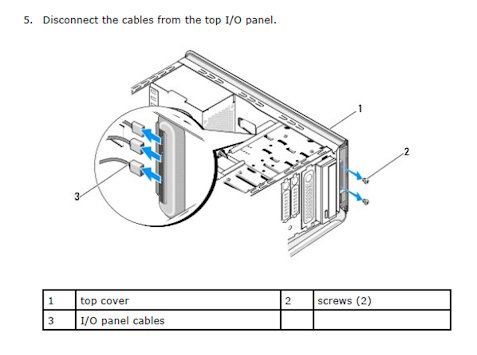
Here is the front panel for the mini tower which is my PC - nothing to plug in:
2013-10-16


Here is the front panel for the Full Tower which does require disconnecting:
lRoAk1H1CKWQfQ0t_9dY-lKjOs-IGkjgLsehC9vIi6E=w477-h355-p-no

2013-10-16


The fix apparently was removing the AMD drivers &/or Catalyst Control Center.
 

My Computer My Computer

Computer type
PC/Desktop
Computer Manufacturer/Model Number
Dell XPS 435MT
OS
Windows 7 Ultimate x64
CPU
Intel Core i7-950
Motherboard
Dell 0R849J
Memory
Elpida DDR3 12 Gb 1066
Graphics Card(s)
EVGA nVidia GeForce GTX 760 2GB GDDR5
Sound Card
Syba PCI-e VIA VT1723 Envy24DT
Monitor(s) Displays
Dell 3007WFP-HC, Nixeus Vue 30
Screen Resolution
1920 x 1200
Hard Drives
Crucial M500 240GB
1TB Seagate Barracuda
PSU
Corsair CX500M
Keyboard
Logitech MX 5500 combo
Mouse
Logitech MX 5500
Internet Speed
300Mbps
Antivirus
MSE
Browser
IE11 & Chrome
Other Info
MBAM Premium
Were you ever getting a BSOD with this problem?
What I'm trying to figure out is the difference in the way drivers load between booting a PC and Restarting a PC.

To the best of my knowledge their shouldn't be any.
But it might be different from motherboard to motherboard and from Bios to Bios.

Did you or did you not have to plug the wires from the switch into the motherboard?

The reason I'm asking is. If their is one connector from the switches on the tower to the motherboard if that connector is turned 180 deg your prower switch would become your reset switch and visa versa.

In my pea brain two and two is not adding up to four.
 
Last edited:

My Computer My Computer

Computer type
PC/Desktop
Computer Manufacturer/Model Number
Home made Desktop
OS
Windows 10 Pro. 64/ version 1709 Windows 7 Pro/64
CPU
Intel i7-6800K @ 4.3
Motherboard
ASUS X-99 Deluxe II
Memory
Corsair Platinum 16 gig @2400
Graphics Card(s)
EVGA GTX 1070 OC
Monitor(s) Displays
Asus 27" LED LCD/VE278Q
Screen Resolution
1920-1080 or 1280-720 HDMI
Hard Drives
INTEL SSD 730-240 Gb Sata 3.0/
PSU
EVGA Platium 1200W
Case
Phanteks Luxe Tempered Glass 8 fans/ one radiator
Cooling
XSPC/ Water Cooled CPU
Keyboard
Das 4 Professional
Mouse
Logitech M705/MX Anywhere 2-S
Internet Speed
100 mbits
Antivirus
Microsoft Security Essentials/ Malwarebytes Premium 3.0/ SAS
Browser
I.E. 11 default/Firefox/ ISP Time Warner Cable/Spectrum
Other Info
LG BluRay Burner/
Sound system-KLipsch-THX/
Icy Dock ssd Hot Swap bays.
No - never a BSOD with this problem.

However the AMD atikmdag driver issue caused BSOD about once a week. But that's an entirely different problem.
Well I wonder? Perhaps the during the restart when the monitor went blank it was waiting on something from the video card driver before initiating a restart?
 

My Computer My Computer

Computer type
PC/Desktop
Computer Manufacturer/Model Number
Dell XPS 435MT
OS
Windows 7 Ultimate x64
CPU
Intel Core i7-950
Motherboard
Dell 0R849J
Memory
Elpida DDR3 12 Gb 1066
Graphics Card(s)
EVGA nVidia GeForce GTX 760 2GB GDDR5
Sound Card
Syba PCI-e VIA VT1723 Envy24DT
Monitor(s) Displays
Dell 3007WFP-HC, Nixeus Vue 30
Screen Resolution
1920 x 1200
Hard Drives
Crucial M500 240GB
1TB Seagate Barracuda
PSU
Corsair CX500M
Keyboard
Logitech MX 5500 combo
Mouse
Logitech MX 5500
Internet Speed
300Mbps
Antivirus
MSE
Browser
IE11 & Chrome
Other Info
MBAM Premium
I have updated my previous post please read again.

I'm trying to understand what fixed your boot and restart problem.
 

My Computer My Computer

Computer type
PC/Desktop
Computer Manufacturer/Model Number
Home made Desktop
OS
Windows 10 Pro. 64/ version 1709 Windows 7 Pro/64
CPU
Intel i7-6800K @ 4.3
Motherboard
ASUS X-99 Deluxe II
Memory
Corsair Platinum 16 gig @2400
Graphics Card(s)
EVGA GTX 1070 OC
Monitor(s) Displays
Asus 27" LED LCD/VE278Q
Screen Resolution
1920-1080 or 1280-720 HDMI
Hard Drives
INTEL SSD 730-240 Gb Sata 3.0/
PSU
EVGA Platium 1200W
Case
Phanteks Luxe Tempered Glass 8 fans/ one radiator
Cooling
XSPC/ Water Cooled CPU
Keyboard
Das 4 Professional
Mouse
Logitech M705/MX Anywhere 2-S
Internet Speed
100 mbits
Antivirus
Microsoft Security Essentials/ Malwarebytes Premium 3.0/ SAS
Browser
I.E. 11 default/Firefox/ ISP Time Warner Cable/Spectrum
Other Info
LG BluRay Burner/
Sound system-KLipsch-THX/
Icy Dock ssd Hot Swap bays.
OK - yes. I'm new @ this. Assumed you meant did I touch the switch on the front panel. I did plug connectors into 15, 17, 21 & 23. Sorry for the confusion :o

2013-10-16

2013-10-16


Removing the AMD drivers & CCC seemed to have fixed the restart issue.

thanks
 

My Computer My Computer

Computer type
PC/Desktop
Computer Manufacturer/Model Number
Dell XPS 435MT
OS
Windows 7 Ultimate x64
CPU
Intel Core i7-950
Motherboard
Dell 0R849J
Memory
Elpida DDR3 12 Gb 1066
Graphics Card(s)
EVGA nVidia GeForce GTX 760 2GB GDDR5
Sound Card
Syba PCI-e VIA VT1723 Envy24DT
Monitor(s) Displays
Dell 3007WFP-HC, Nixeus Vue 30
Screen Resolution
1920 x 1200
Hard Drives
Crucial M500 240GB
1TB Seagate Barracuda
PSU
Corsair CX500M
Keyboard
Logitech MX 5500 combo
Mouse
Logitech MX 5500
Internet Speed
300Mbps
Antivirus
MSE
Browser
IE11 & Chrome
Other Info
MBAM Premium
Thank you for the picture and the to the point way of answering the questions. That helps.
Did you have to change any of the connection on the motherboard from the way you installed it the first time?
I understand they are keyed.
I'm asking all these questions so I and all the other people reading our post from around the world can have a better understanding.
 

My Computer My Computer

Computer type
PC/Desktop
Computer Manufacturer/Model Number
Home made Desktop
OS
Windows 10 Pro. 64/ version 1709 Windows 7 Pro/64
CPU
Intel i7-6800K @ 4.3
Motherboard
ASUS X-99 Deluxe II
Memory
Corsair Platinum 16 gig @2400
Graphics Card(s)
EVGA GTX 1070 OC
Monitor(s) Displays
Asus 27" LED LCD/VE278Q
Screen Resolution
1920-1080 or 1280-720 HDMI
Hard Drives
INTEL SSD 730-240 Gb Sata 3.0/
PSU
EVGA Platium 1200W
Case
Phanteks Luxe Tempered Glass 8 fans/ one radiator
Cooling
XSPC/ Water Cooled CPU
Keyboard
Das 4 Professional
Mouse
Logitech M705/MX Anywhere 2-S
Internet Speed
100 mbits
Antivirus
Microsoft Security Essentials/ Malwarebytes Premium 3.0/ SAS
Browser
I.E. 11 default/Firefox/ ISP Time Warner Cable/Spectrum
Other Info
LG BluRay Burner/
Sound system-KLipsch-THX/
Icy Dock ssd Hot Swap bays.
No change, this MOBO is exactly like the one it replaced. The connections only go on one way so really impossible to put them on incorrectly.
 

My Computer My Computer

Computer type
PC/Desktop
Computer Manufacturer/Model Number
Dell XPS 435MT
OS
Windows 7 Ultimate x64
CPU
Intel Core i7-950
Motherboard
Dell 0R849J
Memory
Elpida DDR3 12 Gb 1066
Graphics Card(s)
EVGA nVidia GeForce GTX 760 2GB GDDR5
Sound Card
Syba PCI-e VIA VT1723 Envy24DT
Monitor(s) Displays
Dell 3007WFP-HC, Nixeus Vue 30
Screen Resolution
1920 x 1200
Hard Drives
Crucial M500 240GB
1TB Seagate Barracuda
PSU
Corsair CX500M
Keyboard
Logitech MX 5500 combo
Mouse
Logitech MX 5500
Internet Speed
300Mbps
Antivirus
MSE
Browser
IE11 & Chrome
Other Info
MBAM Premium
Thank you.
That leaves it down to the drivers that cause the BSOD.
I do believe if you would of mentioned the BSOD in the beginning of your posts you could of saved a lot of money and time.
Just a thought if you ever get BSOD again.

The members here are very good at BSOD.

BSOD Help and Support - Windows 7 Help Forums

Again thank you for putting up with all my questions.
Happy computing.
 

My Computer My Computer

Computer type
PC/Desktop
Computer Manufacturer/Model Number
Home made Desktop
OS
Windows 10 Pro. 64/ version 1709 Windows 7 Pro/64
CPU
Intel i7-6800K @ 4.3
Motherboard
ASUS X-99 Deluxe II
Memory
Corsair Platinum 16 gig @2400
Graphics Card(s)
EVGA GTX 1070 OC
Monitor(s) Displays
Asus 27" LED LCD/VE278Q
Screen Resolution
1920-1080 or 1280-720 HDMI
Hard Drives
INTEL SSD 730-240 Gb Sata 3.0/
PSU
EVGA Platium 1200W
Case
Phanteks Luxe Tempered Glass 8 fans/ one radiator
Cooling
XSPC/ Water Cooled CPU
Keyboard
Das 4 Professional
Mouse
Logitech M705/MX Anywhere 2-S
Internet Speed
100 mbits
Antivirus
Microsoft Security Essentials/ Malwarebytes Premium 3.0/ SAS
Browser
I.E. 11 default/Firefox/ ISP Time Warner Cable/Spectrum
Other Info
LG BluRay Burner/
Sound system-KLipsch-THX/
Icy Dock ssd Hot Swap bays.
Well I didn't mention BSOD in then beginning because I don't think to has anything to with the Cold Boot vs. Warm Boot issue.
That is an entirely different problem.

You said:
Code:
Please make your answers short and to the point.
I get lost in the stories.

I am trying not to introduce anything that is not relevant to the Warm start issue. BSOD only from AMD driver atikmdag issue.

So anyone viewing this thread please do not read into it anywhere that BSOD had anything to do with the initial question.
 

My Computer My Computer

Computer type
PC/Desktop
Computer Manufacturer/Model Number
Dell XPS 435MT
OS
Windows 7 Ultimate x64
CPU
Intel Core i7-950
Motherboard
Dell 0R849J
Memory
Elpida DDR3 12 Gb 1066
Graphics Card(s)
EVGA nVidia GeForce GTX 760 2GB GDDR5
Sound Card
Syba PCI-e VIA VT1723 Envy24DT
Monitor(s) Displays
Dell 3007WFP-HC, Nixeus Vue 30
Screen Resolution
1920 x 1200
Hard Drives
Crucial M500 240GB
1TB Seagate Barracuda
PSU
Corsair CX500M
Keyboard
Logitech MX 5500 combo
Mouse
Logitech MX 5500
Internet Speed
300Mbps
Antivirus
MSE
Browser
IE11 & Chrome
Other Info
MBAM Premium
Now you got me confused again.
Are you saying the driver problem that could of caused the BSOD had nothing to do with the driver problem that caused the restart problem.

From you post #34
Removing the AMD drivers & CCC seemed to have fixed the restart issue.

What do you say; let just let this dog rest.
You happy
I'm confused
The world is great
 

My Computer My Computer

Computer type
PC/Desktop
Computer Manufacturer/Model Number
Home made Desktop
OS
Windows 10 Pro. 64/ version 1709 Windows 7 Pro/64
CPU
Intel i7-6800K @ 4.3
Motherboard
ASUS X-99 Deluxe II
Memory
Corsair Platinum 16 gig @2400
Graphics Card(s)
EVGA GTX 1070 OC
Monitor(s) Displays
Asus 27" LED LCD/VE278Q
Screen Resolution
1920-1080 or 1280-720 HDMI
Hard Drives
INTEL SSD 730-240 Gb Sata 3.0/
PSU
EVGA Platium 1200W
Case
Phanteks Luxe Tempered Glass 8 fans/ one radiator
Cooling
XSPC/ Water Cooled CPU
Keyboard
Das 4 Professional
Mouse
Logitech M705/MX Anywhere 2-S
Internet Speed
100 mbits
Antivirus
Microsoft Security Essentials/ Malwarebytes Premium 3.0/ SAS
Browser
I.E. 11 default/Firefox/ ISP Time Warner Cable/Spectrum
Other Info
LG BluRay Burner/
Sound system-KLipsch-THX/
Icy Dock ssd Hot Swap bays.
Now you got me confused again.
Are you saying the driver problem that could of caused the BSOD had nothing to do with the driver problem that caused the restart problem.

From you post #34
Removing the AMD drivers & CCC seemed to have fixed the restart issue.

What do you say; let just let this dog rest.
You happy
I'm confused
The world is great

I'm leaning towards your conclusion & they are connected - it's possible both Warm Start & BSOD are caused by the displayport cable. I posted in the BSOD Help & Support per your suggestion = BSOD while streaming on DisplayPort attached monitor?
The infamous pin 20 issue.

No issues when displayport monitor unattached. Waiting for a new Accell DP cable. Hope it will be the fix.

thanks
 

My Computer My Computer

Computer type
PC/Desktop
Computer Manufacturer/Model Number
Dell XPS 435MT
OS
Windows 7 Ultimate x64
CPU
Intel Core i7-950
Motherboard
Dell 0R849J
Memory
Elpida DDR3 12 Gb 1066
Graphics Card(s)
EVGA nVidia GeForce GTX 760 2GB GDDR5
Sound Card
Syba PCI-e VIA VT1723 Envy24DT
Monitor(s) Displays
Dell 3007WFP-HC, Nixeus Vue 30
Screen Resolution
1920 x 1200
Hard Drives
Crucial M500 240GB
1TB Seagate Barracuda
PSU
Corsair CX500M
Keyboard
Logitech MX 5500 combo
Mouse
Logitech MX 5500
Internet Speed
300Mbps
Antivirus
MSE
Browser
IE11 & Chrome
Other Info
MBAM Premium
Back
Top