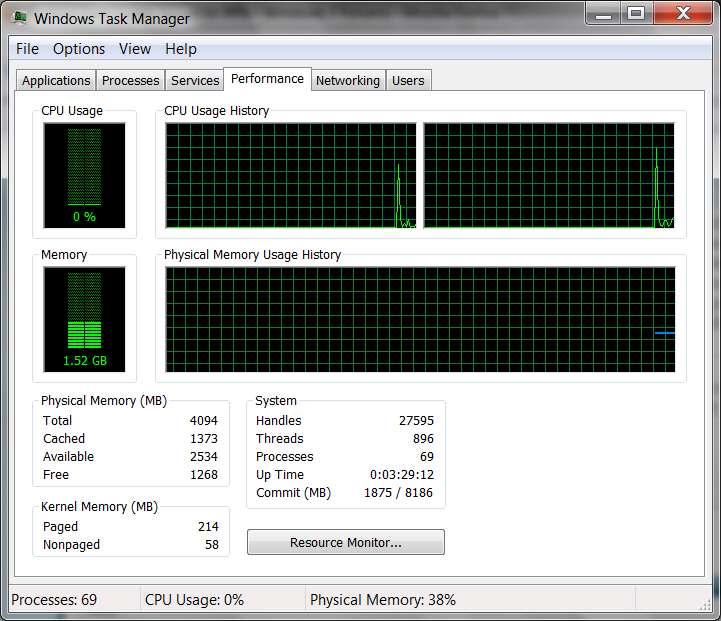
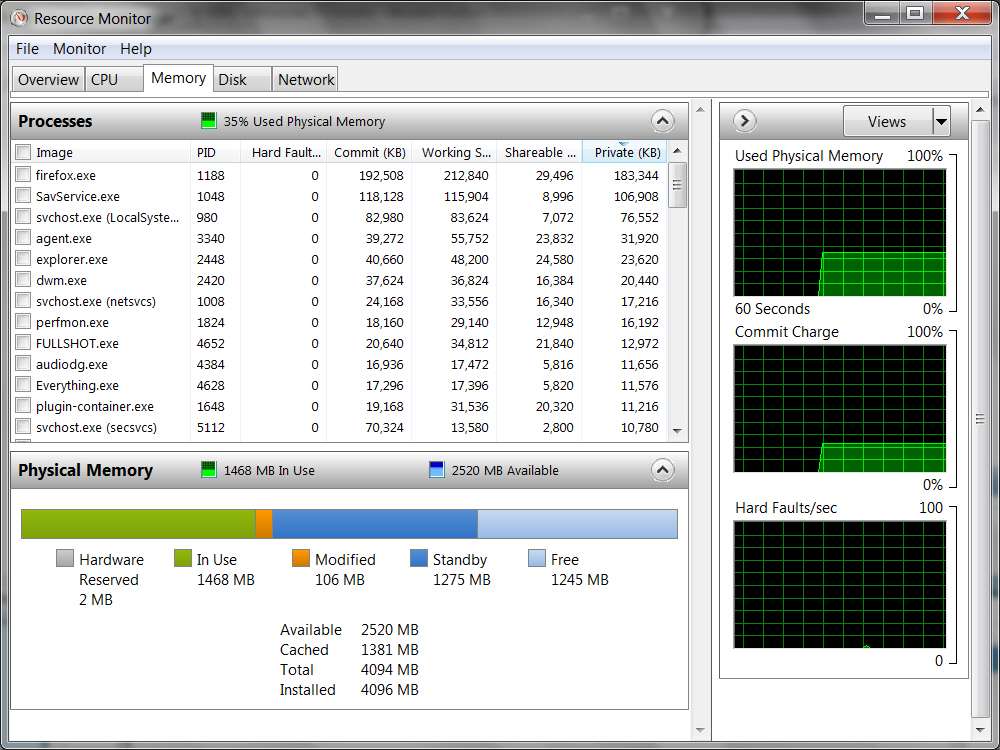
See if you can figure out where the memory is being allocated, or which task/program has done this to you... using the Resource Monitor in Win7.
Start -> Run -> TASKMGR to get the Task Manager window.
Then select the "Performance" tab on that window.
Then push the "Resource Monitor" button at the bottom of the window, to get a second Resource Monitor window.
Then select the "Memory" tab on that window.
The presentation of tasks shown will by default be in reverse order by "most memory used" first. Your "culprit" should be right at the top. But if it doesn't look that way, you can also click on any of the column headings to sort the rows into order by that column's values... either ascending or descending sequence as you repeatedly click on the column heading to toggle the sort sequence.
Hope this helps you find your "culprit"... assuming you can get into Task Manager when your memory gets consumed like you describe. Of course, you can always pre-launch Task Manager and the Performance Monitor and then minimize the windows to the taskbar, just to have them already started and running should you ever need to restore them to see what's going on when your memory usage suddenly spikes as you describe. That way it doesn't seem there'd be any risk of not being able to launch them when you really wanted them.