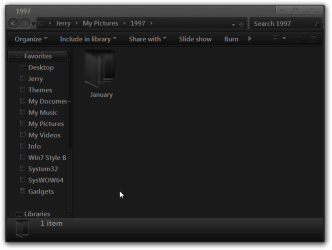
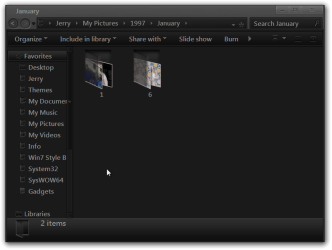
Simple I am sure, but cannot find the solution. In my pictures library/directory I have many folders. Almost all the folders have a tiny image of one of the photos contained in that folder. For whatever reason one of those folders will not display that tiny image no matter what I have tried.
I have tried clicking folder properties>customize>Folder pictures>choose file or restore default. Does thing. The folder icon for this folder continues to show empty.
Any tips?
I have tried clicking folder properties>customize>Folder pictures>choose file or restore default. Does thing. The folder icon for this folder continues to show empty.
Any tips?
My Computer
- Computer type
- PC/Desktop
- Computer Manufacturer/Model Number
- Custom
- OS
- Microsoft Windows 7 Home Premium 64-bit 7601 Multiprocessor Free Service Pack 1
- CPU
- Intel(R) Core(TM) i7 CPU 860 @ 2.80GHz
- Motherboard
- ASRock P55 Pro
- Memory
- 8.00 GB
- Graphics Card(s)
- NVIDIA GeForce GTX 670
- Sound Card
- (1) High Definition Audio Device (2) Logitech G930 Headset
- Screen Resolution
- 1920 x 1080 x 32 bits (4294967296 colors) @ 60 Hz
- Hard Drives
- (1) Hitachi HDS5C3020ALA632 ATA Device (2) Samsung SSD 850 EVO 500GB ATA Device (3) EPSON Stylus Storage USB Device (4) (5) Generic- MS/MS-Pro USB Device (6) Generic- SD/MMC USB Device (7) Generic- SM/xD-Picture USB Device