Post Your Overclock!

Status
Not open for further replies.
ok so i checked my volts and im 1.280 at full load. thats resonable for 4.3 right. any tips? should i tighten those volts or leave it?
 

My Computer

Computer Manufacturer/Model Number
The Vampire
OS
Windows 7 Ultimate
CPU
Intel i5 2500k @ 3.30
Motherboard
P8Z68 V-Pro
Memory
G.Skill Ripjaws 1600 2x4 Gb
Graphics Card(s)
BFG GTX 260 MAXCORE 55 OC 896MB GDDR3
Sound Card
Onboard
Monitor(s) Displays
50'' Sony Display Panel
Screen Resolution
1360 x 768
Hard Drives
Seagate 750 GB
WD 160 GB
PSU
OCZ 750 Watts ZT Series Fully Modular PSU 80 Plus Bronze
Case
NZXT Red Phantom
Cooling
120mm x2 Intake, 120mm x 1 and 200mm x2 Exhaust
Keyboard
LX710 Logitech Wireless Keyboard
Mouse
Logitech Wireless Mouse
Just depends on the CPU since they will all run at diffrent clocks/vCore.


What I do is see where it will run stable at the lowest possible voltage.
And from that lowest stable place, go up 1 notch.

For example, mine was stable @ 4.5 at around 1.24vcore.
@ 1.23 would fail prime after a while.

So I ended up setting it at 1.25 (for a bit more headroom) and leaving it there for 24/7.
Just a little habit Ive always been in.


Just keep lowering the vcore a little at a time, and test until it fails.
then bump up a notch and see if stable, and youll have your lowest stable vCore.

I would think at 1.28 you could probably go up to 4.4 or 4.5
 

My Computer

Computer Manufacturer/Model Number
Custom (Self Build)
OS
Windows 7 Home Premium 64bit
CPU
Intel Core i7 2700k
Motherboard
eVGA P67 SLI
Memory
8GB Mushkin Redline Ridgebacks @1866
Graphics Card(s)
EVGA GTX570 SC
Sound Card
XiFi Titanium HD
Monitor(s) Displays
LG W2453V
Screen Resolution
1920x1080
Hard Drives
Intel 320 80GB -- Intel X25-V 40GB --WD Black 1TB x2 -- WD Blue 640GB
PSU
Seasonic x750
Case
Corsair 600T SE White
Cooling
eVGA Superclocked CPU Cooler
Keyboard
Saitek Cyborg
Antivirus
Kaspersky
Browser
IE
Other Info
LG BD/DVD
Agree with Wishmaster, try small steps to determine stability. That's really the correct way to overclock. And since no two CPU's are alike, no one setting can work for all. Trial and error, and patience, is your friend when it comes to overclocking ;)
 

My Computer

Computer type
PC/Desktop
Computer Manufacturer/Model Number
Custom built by me.
OS
Windows 10 Pro
CPU
Intel Core i7-4770K (3.5Ghz)
Motherboard
Gigabyte G1 Sniper 5 (F10 Bios)
Memory
32 gig Corsair Dominator Platinum (4x8Gig)
Graphics Card(s)
Sapphire Tri-X R9 Fury
Sound Card
Soundblaster ZXR
Monitor(s) Displays
NEC PA242W 24" LCD Monitor
Screen Resolution
1920 x 1200
Hard Drives
Primary - Samsung 850 Pro (512gig), Samsung 840 Pro (256gig), 2TB WD Caviar Black.
PSU
EVGA Supernova 1000 G2
Case
Cooler Master HAF X
Cooling
Corsair H100i with Corsair Air Series SP120 Quiet Fans
Keyboard
Logitech Wireless Wave
Mouse
Logitech Performance MX
Internet Speed
High Speed Cable
Antivirus
Norton Security
Browser
IE11
Other Info
Memory Timings - 1866MHz @ 9-9-9-27-1T @ 1.5 volts
I would think at 1.28 you could probably go up to 4.4 or 4.5

Agree with Wishmaster, try small steps to determine stability. That's really the correct way to overclock. And since no two CPU's are alike, no one setting can work for all. Trial and error, and patience, is your friend when it comes to overclocking ;)

Yep. the CPU voltage is fine, but you could either lower it or raise the clocks.

But to do all these adjustments, your better off doing it manually. I've got the same chip and virtually identical board and could post some of my settings if you like.

*NB As the others have said, no two chips are alike and there's no guarantee that my settings would work for you, but it might give you an idea of the different volts/settings that should be placed on manual.
 

My Computer

Computer type
PC/Desktop
Computer Manufacturer/Model Number
Systems by SmartEyeball
OS
8 Pro x64
CPU
i7 3770K 4.6GHz
Motherboard
ASUS P8Z77 WS
Memory
16GB G.Skill Trident X 2666mhz
Graphics Card(s)
x2 EVGA 780 Ti Superclocked SLI
Sound Card
SB X-FI Surround 5.1 PRO USB / ATH-AD900 Headphones
Monitor(s) Displays
x3 Dell U2410 / 58" Samsung
Screen Resolution
5760*1200/ 1920*1200
Hard Drives
2x Intel 520 240GB (RAID 0) * 2x WD Caviar Blacks 2TB (RAID 0) * 2TB WD Caviar Black * Sony Optirac DVD
PSU
Silverstone Strider Evolution 1200W
Case
Thermaltake Level 10 GT Snow Edition
Cooling
Noctua NH-D14
Keyboard
Topre Realforce // Ducky Shine MX Black // Filco Ninja TKL
Mouse
Thermaltake Theron (Highly Recommended) + Razer Imperator
Antivirus
MSE
Browser
IE, FF, WaterFox
Other Info
GT Extreme V2 Sim Racing Cockpit + 40" LCD and K/B Mouse stand ▼
Fanatec CSR Elite Wheel + Clubsport V1 Pedals + CSR shifter/7G-H ▼Saitek X52 Pro ▼ TrackIR 5 Pro
Buttkicker v2 Seat Rumbler with Dedicated 5.1 and Sub Woofer attached to frame ▼
=
Bloody Big Grin
I would think at 1.28 you could probably go up to 4.4 or 4.5

Agree with Wishmaster, try small steps to determine stability. That's really the correct way to overclock. And since no two CPU's are alike, no one setting can work for all. Trial and error, and patience, is your friend when it comes to overclocking ;)

Yep. the CPU voltage is fine, but you could either lower it or raise the clocks.

But to do all these adjustments, your better off doing it manually. I've got the same chip and virtually identical board and could post some of my settings if you like.

*NB As the others have said, no two chips are alike and there's no guarantee that my settings would work for you, but it might give you an idea of the different volts/settings that should be placed on manual.

yeah i raised the multiplier to 44 which leaves me at 4.5 with 1.280 v. i tried 4.5 with 1.24,1.25,1.26v and all bsod. 1.27v booted and lasted for 1 min then bsod. i took it back 1.280v and its running now lol. yeah i did tweak it manually, i just tried the switch to see what would happen. ima run prime for a while and see the temps. if i like what i see ill step up the multiplier. and hope this doesnt melt on me. what are some decent temps at full load with 4.5? i just have 1 fan on my 212, no push/pull config.
 

My Computer

Computer Manufacturer/Model Number
The Vampire
OS
Windows 7 Ultimate
CPU
Intel i5 2500k @ 3.30
Motherboard
P8Z68 V-Pro
Memory
G.Skill Ripjaws 1600 2x4 Gb
Graphics Card(s)
BFG GTX 260 MAXCORE 55 OC 896MB GDDR3
Sound Card
Onboard
Monitor(s) Displays
50'' Sony Display Panel
Screen Resolution
1360 x 768
Hard Drives
Seagate 750 GB
WD 160 GB
PSU
OCZ 750 Watts ZT Series Fully Modular PSU 80 Plus Bronze
Case
NZXT Red Phantom
Cooling
120mm x2 Intake, 120mm x 1 and 200mm x2 Exhaust
Keyboard
LX710 Logitech Wireless Keyboard
Mouse
Logitech Wireless Mouse
Good approach vierasniper, good appraoch ;)
 

My Computer

Computer type
PC/Desktop
Computer Manufacturer/Model Number
Custom built by me.
OS
Windows 10 Pro
CPU
Intel Core i7-4770K (3.5Ghz)
Motherboard
Gigabyte G1 Sniper 5 (F10 Bios)
Memory
32 gig Corsair Dominator Platinum (4x8Gig)
Graphics Card(s)
Sapphire Tri-X R9 Fury
Sound Card
Soundblaster ZXR
Monitor(s) Displays
NEC PA242W 24" LCD Monitor
Screen Resolution
1920 x 1200
Hard Drives
Primary - Samsung 850 Pro (512gig), Samsung 840 Pro (256gig), 2TB WD Caviar Black.
PSU
EVGA Supernova 1000 G2
Case
Cooler Master HAF X
Cooling
Corsair H100i with Corsair Air Series SP120 Quiet Fans
Keyboard
Logitech Wireless Wave
Mouse
Logitech Performance MX
Internet Speed
High Speed Cable
Antivirus
Norton Security
Browser
IE11
Other Info
Memory Timings - 1866MHz @ 9-9-9-27-1T @ 1.5 volts

My Computer

Computer type
PC/Desktop
Computer Manufacturer/Model Number
Systems by SmartEyeball
OS
8 Pro x64
CPU
i7 3770K 4.6GHz
Motherboard
ASUS P8Z77 WS
Memory
16GB G.Skill Trident X 2666mhz
Graphics Card(s)
x2 EVGA 780 Ti Superclocked SLI
Sound Card
SB X-FI Surround 5.1 PRO USB / ATH-AD900 Headphones
Monitor(s) Displays
x3 Dell U2410 / 58" Samsung
Screen Resolution
5760*1200/ 1920*1200
Hard Drives
2x Intel 520 240GB (RAID 0) * 2x WD Caviar Blacks 2TB (RAID 0) * 2TB WD Caviar Black * Sony Optirac DVD
PSU
Silverstone Strider Evolution 1200W
Case
Thermaltake Level 10 GT Snow Edition
Cooling
Noctua NH-D14
Keyboard
Topre Realforce // Ducky Shine MX Black // Filco Ninja TKL
Mouse
Thermaltake Theron (Highly Recommended) + Razer Imperator
Antivirus
MSE
Browser
IE, FF, WaterFox
Other Info
GT Extreme V2 Sim Racing Cockpit + 40" LCD and K/B Mouse stand ▼
Fanatec CSR Elite Wheel + Clubsport V1 Pedals + CSR shifter/7G-H ▼Saitek X52 Pro ▼ TrackIR 5 Pro
Buttkicker v2 Seat Rumbler with Dedicated 5.1 and Sub Woofer attached to frame ▼
=
Bloody Big Grin
alright i tried 4.5 with 1.28v and its instant bsod when trying p95. i lowered the multiplier, so now im at 4.4 1.27v and its running p95 just fine. temp wise im just a few degrees below 65 so that's good. i'd need a wee bit more juice to be stable at 4.5 huh? instead of slapping a generic 120mm on my 212, would preplacing both with the sought after noctua would i see improvement? or are they just for silence?
 

My Computer

Computer Manufacturer/Model Number
The Vampire
OS
Windows 7 Ultimate
CPU
Intel i5 2500k @ 3.30
Motherboard
P8Z68 V-Pro
Memory
G.Skill Ripjaws 1600 2x4 Gb
Graphics Card(s)
BFG GTX 260 MAXCORE 55 OC 896MB GDDR3
Sound Card
Onboard
Monitor(s) Displays
50'' Sony Display Panel
Screen Resolution
1360 x 768
Hard Drives
Seagate 750 GB
WD 160 GB
PSU
OCZ 750 Watts ZT Series Fully Modular PSU 80 Plus Bronze
Case
NZXT Red Phantom
Cooling
120mm x2 Intake, 120mm x 1 and 200mm x2 Exhaust
Keyboard
LX710 Logitech Wireless Keyboard
Mouse
Logitech Wireless Mouse
i'd need a wee bit more juice to be stable at 4.5 huh?

Possibly. There are other factors that could also be in play, like RAM. Have you set the X.M.P profile?

instead of slapping a generic 120mm on my 212, would preplacing both with the sought after noctua would i see improvement? or are they just for silence?

They do push a fair of air, and yes you would see an improvement, but it's the noise level that the noctuas are re-known for.

There are other fans that will push more air, but noise can become a factor.
 

My Computer

Computer type
PC/Desktop
Computer Manufacturer/Model Number
Systems by SmartEyeball
OS
8 Pro x64
CPU
i7 3770K 4.6GHz
Motherboard
ASUS P8Z77 WS
Memory
16GB G.Skill Trident X 2666mhz
Graphics Card(s)
x2 EVGA 780 Ti Superclocked SLI
Sound Card
SB X-FI Surround 5.1 PRO USB / ATH-AD900 Headphones
Monitor(s) Displays
x3 Dell U2410 / 58" Samsung
Screen Resolution
5760*1200/ 1920*1200
Hard Drives
2x Intel 520 240GB (RAID 0) * 2x WD Caviar Blacks 2TB (RAID 0) * 2TB WD Caviar Black * Sony Optirac DVD
PSU
Silverstone Strider Evolution 1200W
Case
Thermaltake Level 10 GT Snow Edition
Cooling
Noctua NH-D14
Keyboard
Topre Realforce // Ducky Shine MX Black // Filco Ninja TKL
Mouse
Thermaltake Theron (Highly Recommended) + Razer Imperator
Antivirus
MSE
Browser
IE, FF, WaterFox
Other Info
GT Extreme V2 Sim Racing Cockpit + 40" LCD and K/B Mouse stand ▼
Fanatec CSR Elite Wheel + Clubsport V1 Pedals + CSR shifter/7G-H ▼Saitek X52 Pro ▼ TrackIR 5 Pro
Buttkicker v2 Seat Rumbler with Dedicated 5.1 and Sub Woofer attached to frame ▼
=
Bloody Big Grin
I may be wrong, but I think the Noctua pushes 56cfm and is almost silent. That's a fair amount of air to push.

EDIT: I was close, it is 54.36cfm Link.
 

My Computers

System One System Two

  • Computer type
    PC/Desktop
    Computer Manufacturer/Model Number
    ALWAYS UNDER CONSTRUCTION
    OS
    Windows 11 Pro
    CPU
    Ryzen 9 5900X
    Motherboard
    Asus X570 Crosshair Viii Hero
    Memory
    32GB G Skill DDR4-3600
    Graphics Card(s)
    EVGA RTX 3080 FTW 3 Ultra
    Sound Card
    On Board/Sennheiser PC37X Headset
    Monitor(s) Displays
    3 X Asus 27"
    Screen Resolution
    2560x1440
    Hard Drives
    2 X 1 TB NVME drives
    PSU
    EVGA 850
    Case
    Phanteks Eclipse P400A
    Cooling
    EVGA 280 AIO
    Keyboard
    Logitech G510s/ Logitech G13
    Mouse
    Logitech G502
    Internet Speed
    24/1
    Antivirus
    ESET/MBAM Pro/SAS Pro
    Browser
    Chrome/ Firefox/ Edge
  • Computer type
    Laptop
    System Manufacturer/Model Number
    Dell 16 Plus
    OS
    Windows 11 Pro
    CPU
    Intel Ultra 9 288V
    Memory
    32 GB LPDDR5X 8533
    Monitor(s) Displays
    16" Mini-LED HDR600 Touch 90 Hz
    Screen Resolution
    2560X1600
    Hard Drives
    1 TB NVME
You can use IBT for quick tests. Keep in mind however, it does run a bit hotter than a P95 test will so keep an eye on temps.

I agree (and my personal pref as well) to be at 60-65C under Prime. With that target in mind, IBT will likely be around 70.


I wouldn't substitute it for a good 10-12 hr Prime run for stability, but ..
Its a excellent tool for finding a dirty OC fast.

For example, run it at Very High for 2-3 passes takes about 5 minutes.
If it fails there, theres no point even going under Prime for the long test.
This is good for when your looking for lower vcores etc.

You may be able to pass 2-3 runs with it, and still fail Prime in 8hrs, but the point is it will let you know quickly if your in the ballpark, or no where close to stability.
I do not particularly like it for long tests though.
 

My Computer

Computer Manufacturer/Model Number
Custom (Self Build)
OS
Windows 7 Home Premium 64bit
CPU
Intel Core i7 2700k
Motherboard
eVGA P67 SLI
Memory
8GB Mushkin Redline Ridgebacks @1866
Graphics Card(s)
EVGA GTX570 SC
Sound Card
XiFi Titanium HD
Monitor(s) Displays
LG W2453V
Screen Resolution
1920x1080
Hard Drives
Intel 320 80GB -- Intel X25-V 40GB --WD Black 1TB x2 -- WD Blue 640GB
PSU
Seasonic x750
Case
Corsair 600T SE White
Cooling
eVGA Superclocked CPU Cooler
Keyboard
Saitek Cyborg
Antivirus
Kaspersky
Browser
IE
Other Info
LG BD/DVD
i'd need a wee bit more juice to be stable at 4.5 huh?

Possibly. There are other factors that could also be in play, like RAM. Have you set the X.M.P profile?

instead of slapping a generic 120mm on my 212, would preplacing both with the sought after noctua would i see improvement? or are they just for silence?

They do push a fair of air, and yes you would see an improvement, but it's the noise level that the noctuas are re-known for.

There are other fans that will push more air, but noise can become a factor.

at 4.4 with 1.28v i bsod after a little less than an hour on p95. any other things i can tweak? the only things i have changed are the multiplier and manual voltage, anything regarding the BCLK? it was 1.3 i think when i had the auto oc. it wen back to 1.00 when i returned to manual. and i haven't set a xmp profile. like i said i only moved the multi and the voltage.

and thanks about the tip about burn test wishmaster.
 

My Computer

Computer Manufacturer/Model Number
The Vampire
OS
Windows 7 Ultimate
CPU
Intel i5 2500k @ 3.30
Motherboard
P8Z68 V-Pro
Memory
G.Skill Ripjaws 1600 2x4 Gb
Graphics Card(s)
BFG GTX 260 MAXCORE 55 OC 896MB GDDR3
Sound Card
Onboard
Monitor(s) Displays
50'' Sony Display Panel
Screen Resolution
1360 x 768
Hard Drives
Seagate 750 GB
WD 160 GB
PSU
OCZ 750 Watts ZT Series Fully Modular PSU 80 Plus Bronze
Case
NZXT Red Phantom
Cooling
120mm x2 Intake, 120mm x 1 and 200mm x2 Exhaust
Keyboard
LX710 Logitech Wireless Keyboard
Mouse
Logitech Wireless Mouse
You could simply have a chip thats wants more juice. :(

But, Id leave the BLCK at 100.
Once you start messing with that on the P67/z68 boards, it just seems to open a whole new can of worms (in a bad way)


There is a PLL Override switch, that is supposed to help stability with higher multis.

It may or may not be needed for your OC.
Some report needing it from x40 and up, and others not until 4.6-4.8 ish

Some boards also have issues with Sleep/Hibernate if this On.
I do not know about your board in particular, so not sure whether to suggest leaving it On or turning it Off.

I know my board really doesnt seem to like it much, and does better if its disabled. So going by my own experiences, Id disable that sucker. But, your board may be different.
 

My Computer

Computer Manufacturer/Model Number
Custom (Self Build)
OS
Windows 7 Home Premium 64bit
CPU
Intel Core i7 2700k
Motherboard
eVGA P67 SLI
Memory
8GB Mushkin Redline Ridgebacks @1866
Graphics Card(s)
EVGA GTX570 SC
Sound Card
XiFi Titanium HD
Monitor(s) Displays
LG W2453V
Screen Resolution
1920x1080
Hard Drives
Intel 320 80GB -- Intel X25-V 40GB --WD Black 1TB x2 -- WD Blue 640GB
PSU
Seasonic x750
Case
Corsair 600T SE White
Cooling
eVGA Superclocked CPU Cooler
Keyboard
Saitek Cyborg
Antivirus
Kaspersky
Browser
IE
Other Info
LG BD/DVD
oh man a hungry chip? i cant have nice things. im waiting from a little more input from eyeball he does have basically the same board as me. maybe thats why i was crashing, with auto oc it changed the BCLK. im going full manual on the next runs until i get what im after.
 

My Computer

Computer Manufacturer/Model Number
The Vampire
OS
Windows 7 Ultimate
CPU
Intel i5 2500k @ 3.30
Motherboard
P8Z68 V-Pro
Memory
G.Skill Ripjaws 1600 2x4 Gb
Graphics Card(s)
BFG GTX 260 MAXCORE 55 OC 896MB GDDR3
Sound Card
Onboard
Monitor(s) Displays
50'' Sony Display Panel
Screen Resolution
1360 x 768
Hard Drives
Seagate 750 GB
WD 160 GB
PSU
OCZ 750 Watts ZT Series Fully Modular PSU 80 Plus Bronze
Case
NZXT Red Phantom
Cooling
120mm x2 Intake, 120mm x 1 and 200mm x2 Exhaust
Keyboard
LX710 Logitech Wireless Keyboard
Mouse
Logitech Wireless Mouse
Possibly. There are other factors that could also be in play, like RAM. Have you set the X.M.P profile?

Be careful with XMP as I found setting it on my board also raised other voltages. Not sure how this plays on Sandy Bridge boards but on my 1366 Gigabyte board enabling XMP also raised my QPI/Vtt and CPU V-core voltages, as well as RAM voltage, but the RAM volts should get raised. It was the effect on the other volts that was an issue. Remember the more volts, the more heat.

Anyway even though my board is capable of XMP, I set my memory parameters manually thus ensuring other voltages aren't raised in conunction with the memory settings. This way I tweak the other voltage setting as needed.

Just something to be aware of.
 

My Computer

Computer type
PC/Desktop
Computer Manufacturer/Model Number
Custom built by me.
OS
Windows 10 Pro
CPU
Intel Core i7-4770K (3.5Ghz)
Motherboard
Gigabyte G1 Sniper 5 (F10 Bios)
Memory
32 gig Corsair Dominator Platinum (4x8Gig)
Graphics Card(s)
Sapphire Tri-X R9 Fury
Sound Card
Soundblaster ZXR
Monitor(s) Displays
NEC PA242W 24" LCD Monitor
Screen Resolution
1920 x 1200
Hard Drives
Primary - Samsung 850 Pro (512gig), Samsung 840 Pro (256gig), 2TB WD Caviar Black.
PSU
EVGA Supernova 1000 G2
Case
Cooler Master HAF X
Cooling
Corsair H100i with Corsair Air Series SP120 Quiet Fans
Keyboard
Logitech Wireless Wave
Mouse
Logitech Performance MX
Internet Speed
High Speed Cable
Antivirus
Norton Security
Browser
IE11
Other Info
Memory Timings - 1866MHz @ 9-9-9-27-1T @ 1.5 volts
My current settings for 4.6ghz

AI Tweaker>
Ai Overclock Tuner - [X.M.P]
BCLK/PCIE Frequency [100.0]
Internal PLL Overvoltage [Disabled]
EPU Power Saving Mode [Disabled]

AI Tweaker>CPU Power Management
CPU Ratio [46]
Enhanced Intel Speedstep [Enabled]
Turbo Mode Parameters all Auto except:
Additional Turbo Voltage [0.004]

AI Tweaker>Digi+ VRM
Load Line Calibration [Regular]
VRM Frequency [Auto]
Phase Control [Extreme]
Duty Control [T.Probe]
CPU Current Capability [100%]

CPU Voltage [Offset mode]
Offset Mode Sign [-]
CPU Offset voltage [0.035] *1
DRAM Voltage [1.65000] *2 Yours should be 1.5000
VCCSA Voltage [Auto]
VCCIO Voltage [1.15000] *3 Yours should be set to [Auto or 1.1000] See below
CPU PLL Voltage [1.71250]
The rest including CPU Spread Spectrum are [Auto]


Just remember that one size does not fit all. These settings are fine with my system, but may not suit yours. But hopefully it will give you a starting point.


********************************************************************************************


*1

I use a CPU voltage negative offset to maintain all the Speedstep/power saving features instead of setting a manual 'fixed' vcore. The downside to a manual setting is that the vcore is a constant voltage, so even if the clock speeds change, the voltage doesn't; which negates having Speedstep/EIST etc enabled in the first place.

When using the offset mode, the 'starting point' is based on the CPU's VID, or Voltage Identifier (the VID is the individual voltage applied to each chip the factory sets ie It's stock voltage). When using the '-' offset, it subtracts from the 'full voltage' that the system needs under full load.

ie: My max load vcore is 1.272v, but using -0.035 it can fluctuate from 1.248 up to 1.272v under full load. So depending on load, it doesn't have to run at 1.272v all the time. Offset can also affect the vcore as it adjusts through the various powerstates, from idle to full load, so if set too low it can 'trip up' between states due to insufficient vcore.

Using a manual setting is good for determining what vcore is needed for any given clock speed. Once that's established, (using IBT) you can always change it to offset mode later.


*2

My Modules are rated for 1.65v to achieve the 2133mhz speed. Depending on which G.Skill modules you have (there are a lot of different Ripjaw models ;) ) the DRAM voltage can range between 1.5v up to 1.65v - The X.M.P profile will set this for you (as well as the RAM timings)

This important Because▼

*3

There is a .5v variance rule between DRAM voltage and VCCIO. If your DRAM voltage is outside ouf this .5v variance, it can damage the IMC (Integrated Memory Controller) on the CPU. To calculate this, you simply subtract .5v from the DRAM voltage.

So if your DRAM volts are 1.5000v, the VCCIO should be a minimum of 1.0000. The VCCIO Auto on these boards are 1.1000, so that's a .4v variance; well within the specs.

Since my modules are 1.65v, my VCCIO has to be 1.1500 If left on Auto, or using the default 1.1000 my variance would be .55v, which is out of spec and potentially damaging. Up to 1.2000 is the 'max safe' 24/7 recommendation.


Some things you could also try:


  • Leave the BCLK at 100

  • Internal PLL Overvoltage [Enabled] (basically this allows for extra voltage when required)

  • Load Line Calibration [Medium 25% or High 50% - shouldn't need any higher for 4.5]

  • LLC affects vdroop, or the voltage drop when the CPU is under load. (As shown by the difference between what you put in the BIOS and what it actually is as reported by CPU-Z) Basically it 'forces' a more constant voltage.

  • Set the RAM to X.M.P

  • CPU PLL Voltage [Auto] SB tends to like lower amounts for some reason though.

  • Raise vcore a few bumps, do a quick test with IBT, adjust vcore. Don't bother with Prime95 until ready for a 'proper run'

  • Cross fingers ;)


Some chips just like voltage, so don't be too discouraged if you find you need more than others for the same clocks.


Rough volt/temp guidelines:

Max safe 24/7 vcore on air 1.38v-1.4v (temps permitting)
Max safe 24/7 VCCIO 1.2000
Try to keep the cores below 85c during IBT

 

My Computer

Computer type
PC/Desktop
Computer Manufacturer/Model Number
Systems by SmartEyeball
OS
8 Pro x64
CPU
i7 3770K 4.6GHz
Motherboard
ASUS P8Z77 WS
Memory
16GB G.Skill Trident X 2666mhz
Graphics Card(s)
x2 EVGA 780 Ti Superclocked SLI
Sound Card
SB X-FI Surround 5.1 PRO USB / ATH-AD900 Headphones
Monitor(s) Displays
x3 Dell U2410 / 58" Samsung
Screen Resolution
5760*1200/ 1920*1200
Hard Drives
2x Intel 520 240GB (RAID 0) * 2x WD Caviar Blacks 2TB (RAID 0) * 2TB WD Caviar Black * Sony Optirac DVD
PSU
Silverstone Strider Evolution 1200W
Case
Thermaltake Level 10 GT Snow Edition
Cooling
Noctua NH-D14
Keyboard
Topre Realforce // Ducky Shine MX Black // Filco Ninja TKL
Mouse
Thermaltake Theron (Highly Recommended) + Razer Imperator
Antivirus
MSE
Browser
IE, FF, WaterFox
Other Info
GT Extreme V2 Sim Racing Cockpit + 40" LCD and K/B Mouse stand ▼
Fanatec CSR Elite Wheel + Clubsport V1 Pedals + CSR shifter/7G-H ▼Saitek X52 Pro ▼ TrackIR 5 Pro
Buttkicker v2 Seat Rumbler with Dedicated 5.1 and Sub Woofer attached to frame ▼
=
Bloody Big Grin
Thanks for Guideline and the tips. This is really gonna come in handy, now i have a better overview of what i need to get a good OC. Ill play with the setting some more tomorrow after i update the bios. hope fully i get some stable without burning the chip too badly.
 

My Computer

Computer Manufacturer/Model Number
The Vampire
OS
Windows 7 Ultimate
CPU
Intel i5 2500k @ 3.30
Motherboard
P8Z68 V-Pro
Memory
G.Skill Ripjaws 1600 2x4 Gb
Graphics Card(s)
BFG GTX 260 MAXCORE 55 OC 896MB GDDR3
Sound Card
Onboard
Monitor(s) Displays
50'' Sony Display Panel
Screen Resolution
1360 x 768
Hard Drives
Seagate 750 GB
WD 160 GB
PSU
OCZ 750 Watts ZT Series Fully Modular PSU 80 Plus Bronze
Case
NZXT Red Phantom
Cooling
120mm x2 Intake, 120mm x 1 and 200mm x2 Exhaust
Keyboard
LX710 Logitech Wireless Keyboard
Mouse
Logitech Wireless Mouse
You wont burn the chip ;) - it takes a fair bit effort (ie mega volts) to kill these things.

Good luck with it mate :)
 

My Computer

Computer type
PC/Desktop
Computer Manufacturer/Model Number
Systems by SmartEyeball
OS
8 Pro x64
CPU
i7 3770K 4.6GHz
Motherboard
ASUS P8Z77 WS
Memory
16GB G.Skill Trident X 2666mhz
Graphics Card(s)
x2 EVGA 780 Ti Superclocked SLI
Sound Card
SB X-FI Surround 5.1 PRO USB / ATH-AD900 Headphones
Monitor(s) Displays
x3 Dell U2410 / 58" Samsung
Screen Resolution
5760*1200/ 1920*1200
Hard Drives
2x Intel 520 240GB (RAID 0) * 2x WD Caviar Blacks 2TB (RAID 0) * 2TB WD Caviar Black * Sony Optirac DVD
PSU
Silverstone Strider Evolution 1200W
Case
Thermaltake Level 10 GT Snow Edition
Cooling
Noctua NH-D14
Keyboard
Topre Realforce // Ducky Shine MX Black // Filco Ninja TKL
Mouse
Thermaltake Theron (Highly Recommended) + Razer Imperator
Antivirus
MSE
Browser
IE, FF, WaterFox
Other Info
GT Extreme V2 Sim Racing Cockpit + 40" LCD and K/B Mouse stand ▼
Fanatec CSR Elite Wheel + Clubsport V1 Pedals + CSR shifter/7G-H ▼Saitek X52 Pro ▼ TrackIR 5 Pro
Buttkicker v2 Seat Rumbler with Dedicated 5.1 and Sub Woofer attached to frame ▼
=
Bloody Big Grin
I'm sure your friend would be delighted to see the amount of volts you're pumping through that thing... on air ;)


Yeah.... Intel only recommends a voltage between 0.800 - 1.375. You're pushing 1.54volts! Wow...... :eek: - Intel® Core

You sure about those temps?


@ smarteye, yeah I'm happy with my system and you're right it has a lot left. Anyway If I had a better after market CPU cooler I'd push for the 4gig range but the cooler I have now isn't up to the task.

And to be honest I was very near getting a SB system myself but in the end couldn't justify replacing the i7-950 system.

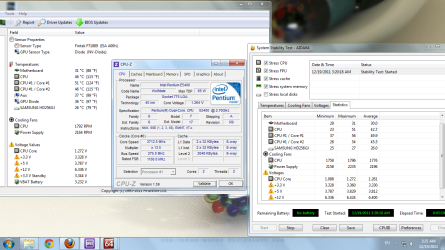
:D temps were 45 °C with no load and 59 °C with 40% load and 64 °C with 100% load
Lol yes and in the bios volt core was marked Orange xd

But it worked and the clocks are back to stock speed now it was just a test ;p
 

My Computer

Computer Manufacturer/Model Number
Homebuilt
OS
Windows 7 Home Premium x64
CPU
Core i7 2600K
Motherboard
Asus P8Z77-V LX
Memory
4GB DDR3 Kingston HyperX
Graphics Card(s)
Gigabyte GTX 670
Sound Card
Realtek HD Audio
Monitor(s) Displays
Delium Monitor
Screen Resolution
1360 x 768
Hard Drives
C: (500GB)
PSU
Corsair 620W
Case
Antec
Cooling
Cooling Master
Keyboard
Logitech
Mouse
Logitech wireless mouse M 505
Internet Speed
60MBPS
So, how good is this with stock cooling? :)

35120207.png


And just a quick test to see if system crash....(but not :) )

scr.png
 

My Computer

Computer type
PC/Desktop
Computer Manufacturer/Model Number
Custom Build
OS
Windows 10 Pro x64
CPU
Intel Core i5 4440 @Stock
Motherboard
Gigabyte Z97 D3H
Memory
4 x 4GB HyperX Fury DDR3
Graphics Card(s)
Gigabyte GTX 1050Ti O4G
Sound Card
Integrated
Monitor(s) Displays
Dell P2417H
Screen Resolution
1920 x 1080
Hard Drives
Samsung EVO 850 120GB / Toshiba DT01ACA050 1TB 7200prm 32MB
PSU
Riotoro Onyx 750W
Case
NZXT H500 Black-Red
Cooling
Stock CPU + NZXT 120mm + 2x120mm red fans
Keyboard
Modecom Volcano Lanparty
Mouse
Asus ROG Gladius / DeepCool E-Pad Plus
Internet Speed
DOCSIS 50/3 Mbit
Browser
Google Chrome
Other Info
Asus K55VJ(i5 3210M, GT635M / 2GB, 8GB DDR3, 500GB HDD)
Status
Not open for further replies.
Back
Top