Post Your Overclock!

Status
Not open for further replies.
I would argue for longer testing times for a few reasons:
1) It is a tougher test, and therefor more likely to show errors
2) You know it will always be stable no matter what you do (mostly anyways) and if you suddenly DO need to run some encoding (or whatever) for 10 hours, you won't need to worry.
3) Running it for 10 minutes to an hour may not show errors you may get running a game for an hour or encoding for an hour.

Again, it is more opinion than anything else, but I see no reason NOT to run it for 12 hours as a check.

~Lordbob
 

My Computer

Computer Manufacturer/Model Number
Hera
OS
Windows 7 Ultimate x64, Mint 9
CPU
Intel i5-2500k
Motherboard
ASUS P8P67 Pro
Memory
2x 4Gb Corsair VENGEANCE DDR3-1600
Graphics Card(s)
NVidia GeForce N260GTX Twin Frozr
Sound Card
Realtek HD OnBoard Audio
Monitor(s) Displays
ASUS 24" Monitor
Screen Resolution
1920x1080
Hard Drives
G.SKILL Phoenix Series 60GB SATA II MLC Internal Solid State Drive (SSD)
SAMSUNG Spinpoint F3R 1TB 7200 RPM 32MB Cache SATA II
PSU
Cooler Master Real Power Pro 750W
Case
Cooler Master Haf 932
Cooling
Fans
Keyboard
Razer Tarantula
Mouse
Razer Lachesis
Internet Speed
not fast enough
To clearify my position...

I understand the need to run 12 hour stress test on an overclocked. However I don't think everyday usage will come near to what a program like Prime 95 does with your system, even in half the time.

In short, using everyday apps won't stress your system like running Prime 95 for 12+ hours; On the other hand, running a program like Prime 95 for 12+ hours and passing it says you have a very stable system, especially if it's overclocked.

I've said it a few times, it's one thing to say you're overclocked, it's another to run stable on a Prime 95 load with a temp monitoring program!

I can OC to 4gig... can I run it under load within temps! A program like Prime 95 answers that question ;)
 

My Computer

Computer type
PC/Desktop
Computer Manufacturer/Model Number
Custom built by me.
OS
Windows 10 Pro
CPU
Intel Core i7-4770K (3.5Ghz)
Motherboard
Gigabyte G1 Sniper 5 (F10 Bios)
Memory
32 gig Corsair Dominator Platinum (4x8Gig)
Graphics Card(s)
Sapphire Tri-X R9 Fury
Sound Card
Soundblaster ZXR
Monitor(s) Displays
NEC PA242W 24" LCD Monitor
Screen Resolution
1920 x 1200
Hard Drives
Primary - Samsung 850 Pro (512gig), Samsung 840 Pro (256gig), 2TB WD Caviar Black.
PSU
EVGA Supernova 1000 G2
Case
Cooler Master HAF X
Cooling
Corsair H100i with Corsair Air Series SP120 Quiet Fans
Keyboard
Logitech Wireless Wave
Mouse
Logitech Performance MX
Internet Speed
High Speed Cable
Antivirus
Norton Security
Browser
IE11
Other Info
Memory Timings - 1866MHz @ 9-9-9-27-1T @ 1.5 volts
I understand the need to run 12 hour stress test on an overclocked. However I don't think everyday usage will come near to what a program like Prime 95 does with your system, even in half the time.

In short, using everyday apps won't stress your system like running Prime 95 for 12+ hours; On the other hand, running a program like Prime 95 for 12+ hours and passing it says you have a very stable system, especially if it's overclocked.

I've said it a few times, it's one thing to say you're overclocked, it's another to run stable on a Prime 95 load with a temp monitoring program.
That is exactly what I was thinking.

~Lordbob
 

My Computer

Computer Manufacturer/Model Number
Hera
OS
Windows 7 Ultimate x64, Mint 9
CPU
Intel i5-2500k
Motherboard
ASUS P8P67 Pro
Memory
2x 4Gb Corsair VENGEANCE DDR3-1600
Graphics Card(s)
NVidia GeForce N260GTX Twin Frozr
Sound Card
Realtek HD OnBoard Audio
Monitor(s) Displays
ASUS 24" Monitor
Screen Resolution
1920x1080
Hard Drives
G.SKILL Phoenix Series 60GB SATA II MLC Internal Solid State Drive (SSD)
SAMSUNG Spinpoint F3R 1TB 7200 RPM 32MB Cache SATA II
PSU
Cooler Master Real Power Pro 750W
Case
Cooler Master Haf 932
Cooling
Fans
Keyboard
Razer Tarantula
Mouse
Razer Lachesis
Internet Speed
not fast enough
We both agree there :D

It kills me when people say I'm OC to 4gig and then show a shot of a system with no load :huh:

My .02 cents
 

My Computer

Computer type
PC/Desktop
Computer Manufacturer/Model Number
Custom built by me.
OS
Windows 10 Pro
CPU
Intel Core i7-4770K (3.5Ghz)
Motherboard
Gigabyte G1 Sniper 5 (F10 Bios)
Memory
32 gig Corsair Dominator Platinum (4x8Gig)
Graphics Card(s)
Sapphire Tri-X R9 Fury
Sound Card
Soundblaster ZXR
Monitor(s) Displays
NEC PA242W 24" LCD Monitor
Screen Resolution
1920 x 1200
Hard Drives
Primary - Samsung 850 Pro (512gig), Samsung 840 Pro (256gig), 2TB WD Caviar Black.
PSU
EVGA Supernova 1000 G2
Case
Cooler Master HAF X
Cooling
Corsair H100i with Corsair Air Series SP120 Quiet Fans
Keyboard
Logitech Wireless Wave
Mouse
Logitech Performance MX
Internet Speed
High Speed Cable
Antivirus
Norton Security
Browser
IE11
Other Info
Memory Timings - 1866MHz @ 9-9-9-27-1T @ 1.5 volts
Makes sense to me.. if hardware is going to fail, it's usually under a heavy load.

I still think its much less boring to test your OC while playing a game (or letting your kids play) at the highest possible settings for several days or even a full week between adjustments. Some BSODs only happen under constantly changing conditions
 
You have a point there as well, but running a stress test program like prime 95 for a constant 12+ hours is torture on a system, especailly with regards to heat.

While games can be taxing, their not as taxing as Prime 95 is overall.

Also, prime 95 can and will fail a system that's not overclocked!
 

My Computer

Computer type
PC/Desktop
Computer Manufacturer/Model Number
Custom built by me.
OS
Windows 10 Pro
CPU
Intel Core i7-4770K (3.5Ghz)
Motherboard
Gigabyte G1 Sniper 5 (F10 Bios)
Memory
32 gig Corsair Dominator Platinum (4x8Gig)
Graphics Card(s)
Sapphire Tri-X R9 Fury
Sound Card
Soundblaster ZXR
Monitor(s) Displays
NEC PA242W 24" LCD Monitor
Screen Resolution
1920 x 1200
Hard Drives
Primary - Samsung 850 Pro (512gig), Samsung 840 Pro (256gig), 2TB WD Caviar Black.
PSU
EVGA Supernova 1000 G2
Case
Cooler Master HAF X
Cooling
Corsair H100i with Corsair Air Series SP120 Quiet Fans
Keyboard
Logitech Wireless Wave
Mouse
Logitech Performance MX
Internet Speed
High Speed Cable
Antivirus
Norton Security
Browser
IE11
Other Info
Memory Timings - 1866MHz @ 9-9-9-27-1T @ 1.5 volts
I'm familiar with prime95... the last time I used it, it fried my PSU, even though the CPU temps never went above 65c
 
Hmmm....sounds like it stressed the system, which in turn shot the PS. Something to be aware of and watchful of... if the system seems to be running low on temps, check that one of the workers didn't stop due to an error. If that happens, that basically says there's a problem with your system, and if you continue to run it in that state, well... :eek:

Whenever I run Prime 95, I keep an eye on the loads and temps. If I see a load of less than 100 percent and prime is running, I know a worker failed and it's time to shut down prime 95.

Prime 95 run.JPG
 

My Computer

Computer type
PC/Desktop
Computer Manufacturer/Model Number
Custom built by me.
OS
Windows 10 Pro
CPU
Intel Core i7-4770K (3.5Ghz)
Motherboard
Gigabyte G1 Sniper 5 (F10 Bios)
Memory
32 gig Corsair Dominator Platinum (4x8Gig)
Graphics Card(s)
Sapphire Tri-X R9 Fury
Sound Card
Soundblaster ZXR
Monitor(s) Displays
NEC PA242W 24" LCD Monitor
Screen Resolution
1920 x 1200
Hard Drives
Primary - Samsung 850 Pro (512gig), Samsung 840 Pro (256gig), 2TB WD Caviar Black.
PSU
EVGA Supernova 1000 G2
Case
Cooler Master HAF X
Cooling
Corsair H100i with Corsair Air Series SP120 Quiet Fans
Keyboard
Logitech Wireless Wave
Mouse
Logitech Performance MX
Internet Speed
High Speed Cable
Antivirus
Norton Security
Browser
IE11
Other Info
Memory Timings - 1866MHz @ 9-9-9-27-1T @ 1.5 volts
Agree with this scenario, the question is how long do you need to run Prime95 or equivalent.

For some the 12 hour test period is just fine, for others a shorter test may be adequate.

Getting a 4 GHz OC, or any OC, and not stress testing it, is just not complete. It needs to be tested for stability and temps.
 

My Computer

Computer type
PC/Desktop
Computer Manufacturer/Model Number
76~2.0
OS
Windows 7 Ult x64 - SP1/ Windows 8 Pro x64
CPU
Intel Core i5-3570K 4.6GHz
Motherboard
Gigabyte GA-Z77X UD3H, f18
Memory
8GB (2X4GB) DDR3 1600 Corsair Vengeance CL8 1.5v
Graphics Card(s)
Sapphire HD 7770 Vapor-X OC 1GB DDR5
Sound Card
Onboard VIA VT2021
Monitor(s) Displays
22" LCD Dell
Screen Resolution
1680x1050
Hard Drives
Samsung 840Pro 128GB SSD,
Seagate Barracuda 500GB SATA2 7200rpm 32MB cache, Seagate Barracuda 1TB SATA2 7200rpm 32MB cache,
PSU
Corsair HX650W
Case
Cooler Master Storm Scout
Cooling
Corsair H80 2x12cm Noctua NF P12 , 2x14cm case fans
Keyboard
Logitech Wave
Mouse
CM Sentinel
Internet Speed
Dismal
Antivirus
Avast
Browser
Opera Next
Other Info
Haswell laptop: HP Envy 17t-j, i7-4700MQ, GeForce 740M 2GB DDR3, 17.3" Full HD 1920x1080, 16GB RAM, Samsung 840 Pro 128GB, 1TB Hitachi 7200 HDD,
Desktop: eSATA ports,
External eSATA Seagate 500GB SATA2 7200rpm,
External WD USB 500GB
I guess that was the weak link in my system. To be fair the PSU was probably defective.. never seen smoke coming from a PSU without tripping a circuit breaker almost immediately, but then again if you've never smelled fried silicon or melted wires..
 
Not bad, I guess. Still need to get another fan to go push-pull with my H50

I've got the same identical overclock as you and everything, about the same temps also with my Cooler Master V8

My question is, what are you ambient temps? The past few days it's been super hot here in Socal and I'm only about an hour and a half north of you in Riverside.
 

My Computer

Computer Manufacturer/Model Number
Gigabyte
OS
Windows 7 Ultimate
CPU
Core i5
Motherboard
Gigabyte P55M-UD2
Memory
Kingston HyperXBlu 8GB DDR3 1333MH/4gb Avexir AVD3U13330902G
Graphics Card(s)
Nvidia GT520 1gb
Monitor(s) Displays
Samsung SyncMaster P2770HD/Vizio 26in. Monitor
Screen Resolution
1920x1080/1920x1200
Hard Drives
120gb OCZ Agility 3
300gb Western Digital Velociraptor
1tb Western Digital Black
1tb Western Digital Green
1tb Seagate Spinpoint

2x 320gb Western Digital Caviar
PSU
Thermaltake 750w
Case
Antec Mini P180
Cooling
Cooler Master V8
Keyboard
Apple Wired Keyboard with Number Pad
Mouse
Logitech MX518
Here is my i5 750 overclocked to 4.1 pix below.

s49l5l.jpg


dg
 

My Computer

OS
Windows 7 64bit Ultimate
CPU
Intel i5 2500K 3.30 ghz overclocked to 4.8 ghz
Motherboard
Asus P8T867 EXT bios 2103 rev 1.03
Memory
G.SKILL DDR3 12GB PC3 1600 at 800mhz 8-9-8-24-1t
Graphics Card(s)
Zotac GeForce GTX 560 1GB non ti driver 290.53 beta
Sound Card
on-board realtek
Monitor(s) Displays
Asusr 23" LED
Screen Resolution
1980x1080 max
PSU
BFG-1000 watts

My Computer

Computer Manufacturer/Model Number
Custom Built/ Built by me, CR-48
OS
Windows 7 Ultimate x64
CPU
INTEL CORE I5 750 180x20 all powersaving 1.168v
Motherboard
MSI P55-GD55
Memory
OCZ 4GB DDR3 PC3-10666 (7-7-7-20-2t) @1.651v
Graphics Card(s)
ASUS 9800GT GLACIATOR FANSINK
Sound Card
ONBOARD REALTEK ALC889
Monitor(s) Displays
VIEWSONIC VX924, VIZIO VS420LF1A
Screen Resolution
VX924: 1280x1024 75hz, VS420LF1A: 1920x1080 60hz(1080p)
Hard Drives
HITACHI Deskstar HD31000 IDK/7K 1TB 7200RPM 32MB CACHE SATA II
PSU
OCZ MODXSTREAM PRO 700 WATT SEMI-MODULAR
Case
ANTEC 900
Cooling
CoolerMaster Hyper 212+
Keyboard
Logitech K520
Mouse
LOGITECH M310
Internet Speed
CHARTER PIPELINE 15MB DOWN/ 3MB UP
Other Info
ROUTER: DLINK DIR-655, Netgear WNR3500L (SamKnows)
MODEM: MOTOROLA SB6120
HTPC: AMD Athlon II x2 255 C3, Pegatron M2N78-LA (Violet 3.02) , Galaxy NVidia Geforce 210, HP OEM 300WATT PSU, Zalman Z7 Plus, SAMSUNG 3GB PC2-5300, SEAGATE 80GB SATA, Hauppauge WinTV-HVR-1800
In my opinion putting you're cpu under stress for 12 hours is just retarded .
When you overclock you're gpu would you leave FurMark running for 12 hours aswell?
:cool:

Whether you agree or not, that is the standard practice/procedure for stress testing an overclocked computer ;)

Perhaps you should visit some overclcking sites for tips on stress testing overclocked systems? You would see some recommend more.

Yes, i know all about it being the norm
ive got my own tests that prove my cpu is stable
occt for an hour / crysis / gta 4 / Re-encode 10 gb file

i just dont need to run prime for 12 hours

when i have used prime ive only ever used it for 1 hour
seriously is you're pc ever going to be more stressed out than an hour of prime running?

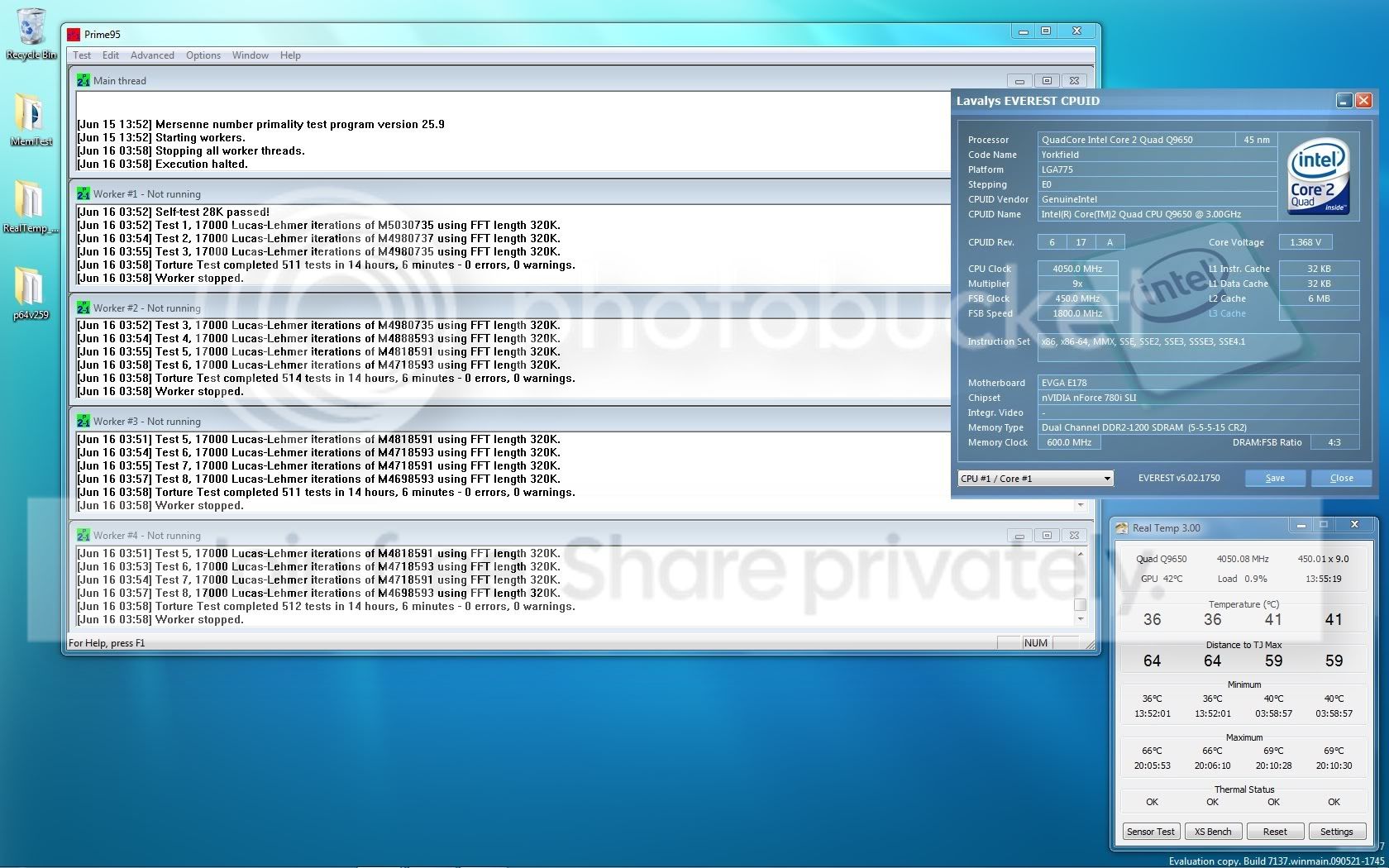
Yes easily in fact. 10 hours "complete loop" of not just prime but the prime blend test is the standard defacto best all around test for stability there is. The small fft test only loads the CPU and doesn't stress the memory controller at all, for this reason it's better to run the Blend test for overall stablity.

In fact there are 37 different K tests in prime blend and each one of them applies stress factors that are slightly different from each other. To run them all it usually takes around 10 hours of testing,.

#1) 4,000 @ 1024k / 0:15
#2) 800,000 @ 8k / 0:30
#3) 560,000 @ 10k / 00:45
#4) 4,500 @ 896k / 1:00
#5) 5,300 @ 768k / 1:15
#6) 460,000 @ 12k / 1:30
#7) 380,000 @ 14k / 1:45
#8) 6,500 @ 640k / 2:00
#9) 7,800 @ 512k / 2:15
#10) 340,000 @ 16k / 2:30
#11) 270,000 @ 20k / 2:45
#12) 9,000 @ 448k / 3:00
#13) 11,000 @ 384k / 3:15
#14) 210,000 @ 24k / 3:30
#15) 180,000 @ 28k / 3:45
#16) 13,000 @ 320k / 4:00
#17) 17,000 @ 256k / 4:15
#18) 160,000 @ 32k / 4:30
#19) 120,000 @ 40k / 4:45
#20) 19,000 @ 224k / 5:00
#21) 22,000 @ 192k / 5:15
#22) 100,000 @ 48k / 5:30
#23) 84,000 @ 56k / 5:45
#24) 27,000 @ 160k / 6:00
#25) 34,000 @ 128k / 6:15
#26) 75,000 @ 65k / 6:30
#27) 56,000 @ 80k / 6:45
#28) 39,000 @ 112k / 7:00
#29) 46,000 @ 96k / 7:15
#30) 3,100 @ 1280k / 7:30
#31) 2,500 @ 1536k / 7:45
#32) 2,100 @ 1792k / 8:00
#33) 1,900 @ 2048k / 8:15
#34) 1,500 @ 2560k / 8:30
#35) 1,200 @ 3072k / 8:45
#36) 1,000 @ 3584k / 9:00
#37) 900 @ 4096k / 9:15

1 hour isn't even close to being stable. ;)

It's always best to prove your overclock is stable not just guess at it.
I defy anyone here to run the Prime Blend test for the complete 10 hour loop then post the results here.

I wouldn't consider running an overclock with anything less.

14hoursBlend4050Mhz.jpg
 

My Computer

Computer type
PC/Desktop
Computer Manufacturer/Model Number
Home built
OS
Windows 7 Ult, Windows 8.1 Pro,
CPU
Q9650-4.275GHz, E8600 4.5GHz, E6750-3.8GHz
Motherboard
Evga 780i FTW
Memory
G.Skill PC2 9600 1200Mhz 5 5 5 15 2T
Graphics Card(s)
GTX480
Sound Card
Asus Xonar D2
Monitor(s) Displays
HannsG
Screen Resolution
1680X1050
Hard Drives
GSkill Phoenix Pro 120GB SSD
PSU
ThermalTake Toughpower 1000Watt modular
Case
ThermalTake XaserV
Cooling
Xigmatek S1283
Keyboard
Logitech G15
Mouse
Logitech G9
Internet Speed
T1
Ever see those idiots who use liquid nitrogen cooling to get some ridiculously high overclock then post it on youtube and think they're accomplishing something?
 
Ever see those idiots who use liquid nitrogen cooling to get some ridiculously high overclock then post it on youtube and think they're accomplishing something?

Exactly the reason for posting this and thanks for helping me prove my point.

I did it with some attitude I'll admit but there are far too many unusable overclocks with unproven stablity being posted everywhere and I just couldn't take it anymore. :geek:
 

My Computer

Computer type
PC/Desktop
Computer Manufacturer/Model Number
Home built
OS
Windows 7 Ult, Windows 8.1 Pro,
CPU
Q9650-4.275GHz, E8600 4.5GHz, E6750-3.8GHz
Motherboard
Evga 780i FTW
Memory
G.Skill PC2 9600 1200Mhz 5 5 5 15 2T
Graphics Card(s)
GTX480
Sound Card
Asus Xonar D2
Monitor(s) Displays
HannsG
Screen Resolution
1680X1050
Hard Drives
GSkill Phoenix Pro 120GB SSD
PSU
ThermalTake Toughpower 1000Watt modular
Case
ThermalTake XaserV
Cooling
Xigmatek S1283
Keyboard
Logitech G15
Mouse
Logitech G9
Internet Speed
T1
Ever see those idiots who use liquid nitrogen cooling to get some ridiculously high overclock then post it on youtube and think they're accomplishing something?

Exactly the reason for posting this and thanks for helping me prove my point.

I did it with some attitude I'll admit but there are far too many unusable overclocks with unproven stablity being posted everywhere and I just couldn't take it anymore. :geek:
I agree, it's kind of stupid to overclock beyond a setting that can be permanently maintained, especially when you're risking a couple thousand worth of hardware. I usually try to find the highest stable OC possible then back it off 10-15% and don't mess with it any more.
 

My Computer

OS
Windows 7 64bit Ultimate
CPU
Intel i5 2500K 3.30 ghz overclocked to 4.8 ghz
Motherboard
Asus P8T867 EXT bios 2103 rev 1.03
Memory
G.SKILL DDR3 12GB PC3 1600 at 800mhz 8-9-8-24-1t
Graphics Card(s)
Zotac GeForce GTX 560 1GB non ti driver 290.53 beta
Sound Card
on-board realtek
Monitor(s) Displays
Asusr 23" LED
Screen Resolution
1980x1080 max
PSU
BFG-1000 watts
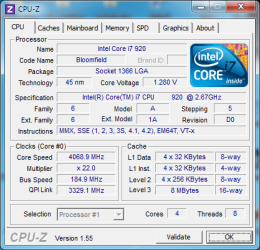
My very first overclock. I think my 920 did pretty well. Well, really, the ASUS P6T Deluxe V2 motherboard with ASUS TurboV helped too. I can't believe I'm posting at 4GHz right now.:eek:

Also I thought the 920 had a multiplier limit of 20. Mine went up to 22!

4GHz.png

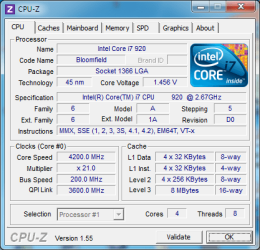
Overclock attempt #2. This one ended up being more stable.

4.2GHz.png
 
Last edited:

My Computer

Computer Manufacturer/Model Number
iBuyPower Chimera X58
OS
Windows 8 Pro x64
CPU
Intel Core i7 920
Motherboard
Asus P6T Deluxe V2
Memory
12GB (2GB x6) Triple Channel DDR3 1333 MHz
Graphics Card(s)
ATI Radeon HD 4870 X2 2GB GDDR5
Sound Card
Integrated Digital HD 7.1 Surround Sound
Monitor(s) Displays
24.6-inch ASUS VW246H 20000:1 Contrast, 2 ms response time,
Screen Resolution
1920x1080
Hard Drives
1 TB 7200 RPM SATA II 3 GBps 16MB cache
PSU
NZXT 800W Gaming Series
Case
Guardian Inferno (Custom Painted NZXT Guardian 921)
Cooling
Thermaltake V1 Fan Cooling System OC Proof
Keyboard
Razer Lycosa
Mouse
iBuyPower Ergonomical Internet Mouse
Internet Speed
11 MBps High-speed Cable
Status
Not open for further replies.
Back
Top