
Solved Potential Hardware Issue

GrahamD

New member
Local time
5:03 PM
Messages
26
Location
England
I have suddenly had a problem with my PC and I think it's hardware related.

If I boot windows, it gets to "Starting Windows" and stays there for about two minutes before log in screen. I haven't changed anything either hard or software, it just started doing this one day. It also delays with starting in Safe Mode and having swapped out the Hard Drive for another, it also does this in Windows 10, hence which is why I think this is hardware.

I have tried unplugging various bits, but I don't have much disconnect and I'm running out of options. If I go to Device Manager, everything is there present and correct. Windows sees all my 16GB memory I don't have any external drives, memsticks etc. I do have a USB Corsair water cooler, but the software says that all works. I do have a AMD Radeon RX 5500XT Graphics card which seems to be working ok.

Is there a way I can easily diagnose what is causing the slow boot?

Just to cover my bases, I have done the usual Chkdsk, SFC etc. All report clean.
 

My Computer

Computer type
PC/Desktop
Computer Manufacturer/Model Number
Custom build
OS
Windows 7 Pro 64 bit
CPU
AMD AM4 5 3600XT
Motherboard
ROG STRIX X570-F
Memory
32.00 GB - 4 x 4GB DDR4 Corsair VENGENCE PRO
Graphics Card(s)
Radeon RX 5500 XT
Sound Card
(1) AMD High Definition Audio Device (2) Realtek High Defi
Monitor(s) Displays
IIYama Black Hawk
Screen Resolution
Standard HD Mode
Hard Drives
(1) ST3000DM 001-9YN166 SATA Disk Device (2) WDC WD25 00HHTZ-04N21V0 SATA Disk Device
PSU
Corsair RM850
Case
Custom
Cooling
Corsair water cooled
Keyboard
Generic
Mouse
Microsoft Optical
Internet Speed
About 28Mbs
Antivirus
Kaspersky's Total Security (Up to date)
Browser
Chrome
Other Info
Internal USB hub, PCIEx Usb hub, Front panel USB Hub

My Computer

Computer type
PC/Desktop
Computer Manufacturer/Model Number
medionl/Aspire 6930G/acer x55a
OS
W7 home premium 32bit/W7HP 64bit/w10 tp insider ring
CPU
E5300 dual core
Motherboard
medion MS7366
Memory
3gb
Graphics Card(s)
Nvidia Geforce 7100 Nforce 630i
Monitor(s) Displays
avixc
Internet Speed
n (isp resticted to 72)
Antivirus
mse/pands
Browser
palemoon
Other Info
Belkin Fd7050 n USB using Railink RT2870 drivers, more upto date
Please edit your profile with ALL the hardware specs. It will help us to help you.
System Info - See Your System Specs

Let see if your disks are healthy (chkdsk checks the logical part)
Download, extract and run CrystalDiskInfo It's a portable, don't need to install.
CrystalDiskInfo7_300x250.jpg
 

My Computers

System One System Two

  • Computer type
    PC/Desktop
    Computer Manufacturer/Model Number
    custom build
    OS
    Windows 7 HP 64
    CPU
    i5 6600K - 800MHz to 4200MHz
    Motherboard
    GA-Z170-HD3P
    Memory
    4+4G GSkill DDR4 3000
    Graphics Card(s)
    IG - Intel 530
    Monitor(s) Displays
    Samsung 226BW
    Screen Resolution
    1680x1050
    Hard Drives
    (1) -1 SM951 – 128GB M.2 AHCI PCIe SSD drive for Windows 7 and Lubuntu
    (2) -1 WD SATA 3 - 1T for Data
    (3) -1 WD SATA 3 - 1T for backup
    PSU
    Thermaltake 450W TR2 gold
    Keyboard
    Old and good Chicony mechanical keyboard
    Mouse
    Logitech mX performance - 9 buttons (had to disable some)
    Internet Speed
    500Mb/s
    Browser
    Firefox 64
    Other Info
    TinyWall firewall
  • Computer type
    Laptop
    System Manufacturer/Model Number
    Asus Q550LF
    OS
    Windows 7 Pro
    CPU
    i7-4500U 800MHz to 3.0GHz
    Motherboard
    Asus Q550LF
    Memory
    (4+4)G DDR3 1600
    Graphics Card(s)
    IG intel 4400 + NVIDIA GeForce GT 745M
    Sound Card
    Realtek
    Monitor(s) Displays
    LG Display LP156WF4-SPH1
    Screen Resolution
    1920 x 1080
    Hard Drives
    BX500 120G SSD for Windows and programs +
    1T HDD for data
    Internet Speed
    500 Mb/s
    Browser
    Firefox
    Other Info
    TinyWall firewall
Please edit your profile with ALL the hardware specs. It will help us to help you.
System Info - See Your System Specs

Let see if your disks are healthy (chkdsk checks the logical part)
Download, extract and run CrystalDiskInfo It's a portable, don't need to install.
CrystalDiskInfo7_300x250.jpg

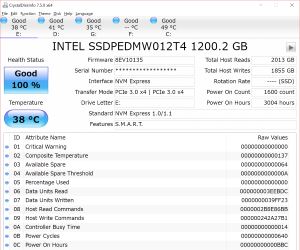
I have included all the hardware into my profile and have run CrystalDiskInfo, with no errors.

I have just run the Windows Memory Diagnostic on default settings, which has come back with no errors.
 
Last edited:

My Computer

Computer type
PC/Desktop
Computer Manufacturer/Model Number
Custom build
OS
Windows 7 Pro 64 bit
CPU
AMD AM4 5 3600XT
Motherboard
ROG STRIX X570-F
Memory
32.00 GB - 4 x 4GB DDR4 Corsair VENGENCE PRO
Graphics Card(s)
Radeon RX 5500 XT
Sound Card
(1) AMD High Definition Audio Device (2) Realtek High Defi
Monitor(s) Displays
IIYama Black Hawk
Screen Resolution
Standard HD Mode
Hard Drives
(1) ST3000DM 001-9YN166 SATA Disk Device (2) WDC WD25 00HHTZ-04N21V0 SATA Disk Device
PSU
Corsair RM850
Case
Custom
Cooling
Corsair water cooled
Keyboard
Generic
Mouse
Microsoft Optical
Internet Speed
About 28Mbs
Antivirus
Kaspersky's Total Security (Up to date)
Browser
Chrome
Other Info
Internal USB hub, PCIEx Usb hub, Front panel USB Hub

My Computers

System One System Two

  • Computer type
    PC/Desktop
    Computer Manufacturer/Model Number
    custom build
    OS
    Windows 7 HP 64
    CPU
    i5 6600K - 800MHz to 4200MHz
    Motherboard
    GA-Z170-HD3P
    Memory
    4+4G GSkill DDR4 3000
    Graphics Card(s)
    IG - Intel 530
    Monitor(s) Displays
    Samsung 226BW
    Screen Resolution
    1680x1050
    Hard Drives
    (1) -1 SM951 – 128GB M.2 AHCI PCIe SSD drive for Windows 7 and Lubuntu
    (2) -1 WD SATA 3 - 1T for Data
    (3) -1 WD SATA 3 - 1T for backup
    PSU
    Thermaltake 450W TR2 gold
    Keyboard
    Old and good Chicony mechanical keyboard
    Mouse
    Logitech mX performance - 9 buttons (had to disable some)
    Internet Speed
    500Mb/s
    Browser
    Firefox 64
    Other Info
    TinyWall firewall
  • Computer type
    Laptop
    System Manufacturer/Model Number
    Asus Q550LF
    OS
    Windows 7 Pro
    CPU
    i7-4500U 800MHz to 3.0GHz
    Motherboard
    Asus Q550LF
    Memory
    (4+4)G DDR3 1600
    Graphics Card(s)
    IG intel 4400 + NVIDIA GeForce GT 745M
    Sound Card
    Realtek
    Monitor(s) Displays
    LG Display LP156WF4-SPH1
    Screen Resolution
    1920 x 1080
    Hard Drives
    BX500 120G SSD for Windows and programs +
    1T HDD for data
    Internet Speed
    500 Mb/s
    Browser
    Firefox
    Other Info
    TinyWall firewall
The saga continues...

I have tried removing as many USB devices and hubs as I can get away with, to the point that the only devices I had was the Corsair water pump and a mouse - all to no avail. I have tried swapping out keyboard and mouse just in case.

I have tried the Memory diagnostics tool and everything appears ok. Device Manager with all hidden devices shown shows no issues. In Control Panel\All Control Panel Items\Performance Information and Tools\Advanced Tools I have run the Resource and Performance Monitor which has come back with

"A Service is reported as having an unexpected error code"
Cause: One or more services has failed. The service did not stop gracefully, suggesting the service may have crashed or one of its components stopped in an unsupported way.
Details: Service exited with code not equal to 0 or 1077
Resolution: Restart the service

Under the heading System Service Checks (Failed)
Abnormally Terminated Services Check 1 2 Failed
Workstation Service Check 1 0 Passed

The Hardware Device and Driver Checks shows everything passed.

The only other thing I have done is halted the Security Updates, as the last and final update did some damage to my computer and had to do a system restore to take it off - but I did this some months ago and hasn't been an issue up to now.

I have timed the startup and from the Windows Starting animation to log in screen is 2 mins 50 secs, which would normally be a few seconds.
 
Last edited:

My Computer

Computer type
PC/Desktop
Computer Manufacturer/Model Number
Custom build
OS
Windows 7 Pro 64 bit
CPU
AMD AM4 5 3600XT
Motherboard
ROG STRIX X570-F
Memory
32.00 GB - 4 x 4GB DDR4 Corsair VENGENCE PRO
Graphics Card(s)
Radeon RX 5500 XT
Sound Card
(1) AMD High Definition Audio Device (2) Realtek High Defi
Monitor(s) Displays
IIYama Black Hawk
Screen Resolution
Standard HD Mode
Hard Drives
(1) ST3000DM 001-9YN166 SATA Disk Device (2) WDC WD25 00HHTZ-04N21V0 SATA Disk Device
PSU
Corsair RM850
Case
Custom
Cooling
Corsair water cooled
Keyboard
Generic
Mouse
Microsoft Optical
Internet Speed
About 28Mbs
Antivirus
Kaspersky's Total Security (Up to date)
Browser
Chrome
Other Info
Internal USB hub, PCIEx Usb hub, Front panel USB Hub
As I'm grasping at straws, I also have a HD with Linux Mint installation which I have been playing with. On startup, there is a popup with says its started in Software Rendering mode as there "could be a problem with drivers or some other issue". I hardly use this install, but this is the first time I have booted it up for quite some time. I would take this as a confirmation that I have some hardware which is causing the glitch.

Just a thought - Although the memory diagnostic says there is nothing wrong, as I have 4 sticks of memory, would there be worthwhile trying to remove one stick at a time to see if that's what's causing the hang-up?
 

My Computer

Computer type
PC/Desktop
Computer Manufacturer/Model Number
Custom build
OS
Windows 7 Pro 64 bit
CPU
AMD AM4 5 3600XT
Motherboard
ROG STRIX X570-F
Memory
32.00 GB - 4 x 4GB DDR4 Corsair VENGENCE PRO
Graphics Card(s)
Radeon RX 5500 XT
Sound Card
(1) AMD High Definition Audio Device (2) Realtek High Defi
Monitor(s) Displays
IIYama Black Hawk
Screen Resolution
Standard HD Mode
Hard Drives
(1) ST3000DM 001-9YN166 SATA Disk Device (2) WDC WD25 00HHTZ-04N21V0 SATA Disk Device
PSU
Corsair RM850
Case
Custom
Cooling
Corsair water cooled
Keyboard
Generic
Mouse
Microsoft Optical
Internet Speed
About 28Mbs
Antivirus
Kaspersky's Total Security (Up to date)
Browser
Chrome
Other Info
Internal USB hub, PCIEx Usb hub, Front panel USB Hub
Hi Graham,

Rendering is associated with your Graphics cards, check the drivers for it.
note if it was recently updated that could be the cause, newer is not allways better.

Roy
 

My Computer

Computer type
PC/Desktop
Computer Manufacturer/Model Number
medionl/Aspire 6930G/acer x55a
OS
W7 home premium 32bit/W7HP 64bit/w10 tp insider ring
CPU
E5300 dual core
Motherboard
medion MS7366
Memory
3gb
Graphics Card(s)
Nvidia Geforce 7100 Nforce 630i
Monitor(s) Displays
avixc
Internet Speed
n (isp resticted to 72)
Antivirus
mse/pands
Browser
palemoon
Other Info
Belkin Fd7050 n USB using Railink RT2870 drivers, more upto date
Solved. Turns out after messing around looking for something not quite right, it happens to have been the RTC battery on the motherboard, which was stopping the Bios/UEFI from working properly. Although the RTC was working ok, the battery voltage was low. One battery changeout and everything is working great, including Windows 10 and my Linux install.
 

My Computer

Computer type
PC/Desktop
Computer Manufacturer/Model Number
Custom build
OS
Windows 7 Pro 64 bit
CPU
AMD AM4 5 3600XT
Motherboard
ROG STRIX X570-F
Memory
32.00 GB - 4 x 4GB DDR4 Corsair VENGENCE PRO
Graphics Card(s)
Radeon RX 5500 XT
Sound Card
(1) AMD High Definition Audio Device (2) Realtek High Defi
Monitor(s) Displays
IIYama Black Hawk
Screen Resolution
Standard HD Mode
Hard Drives
(1) ST3000DM 001-9YN166 SATA Disk Device (2) WDC WD25 00HHTZ-04N21V0 SATA Disk Device
PSU
Corsair RM850
Case
Custom
Cooling
Corsair water cooled
Keyboard
Generic
Mouse
Microsoft Optical
Internet Speed
About 28Mbs
Antivirus
Kaspersky's Total Security (Up to date)
Browser
Chrome
Other Info
Internal USB hub, PCIEx Usb hub, Front panel USB Hub
Back
Top