
animegazone
New member
- Local time
- 1:10 PM
- Messages
- 3
Had searching the internet for two weeks, but still failing.
The closest solution I found is this: http://www.sevenforums.com/sound-audio/322028-how-connect-wireless-headphones-pc.html
The problem is exactly the same as mine, but using the solution given, my wireless headphone still won't pair to my desktop PC.
Here is my devices:
- Wireless headphone: Jabra Move Wireless
- Windows 7 Ultimate, x64
- Bluetooth 2.0 USB Dongle
I don't think the other specification such motherboard, graphic card, etc is needed, so I will not write them here, unless they are needed to find the solution.
What I'm trying to achive:
I want to play music from my desktop PC using my wireless headphone through the USB bluetooth dongle.
Problems:
- Even after my wireless headset is already listed in control panel, it seems that its still not completely paired.

The bluetooth headphone/headset in "Sound" properties is still blank and nothing happened if the "Connect" option (by its popup menu) is clicked.
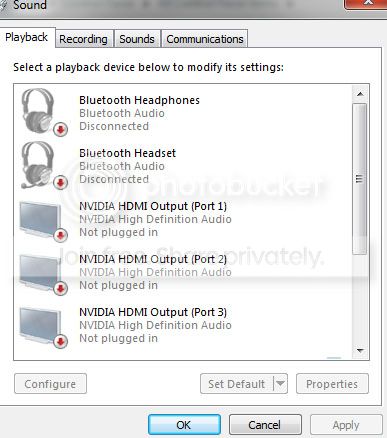
- In the Wireless headphone menu, I still can't click "Listen to music". Nothing is happened.
Here is my wireless headphone properties:
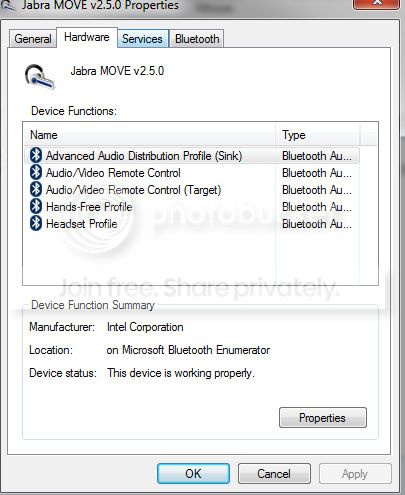
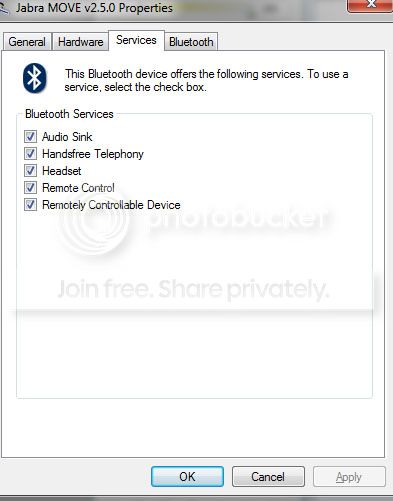
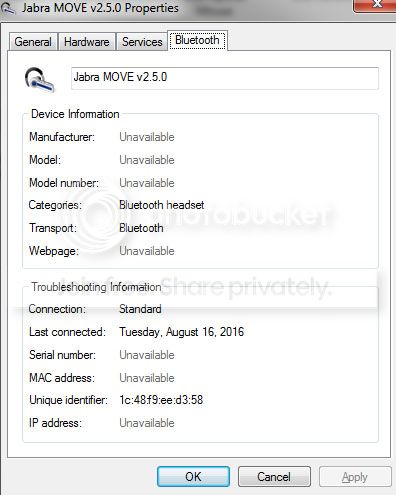
What should I do to make my wireless headphone completely paired with my desktop PC and fully working?
Any kind of help is appreciated.
Thanks.
The closest solution I found is this: http://www.sevenforums.com/sound-audio/322028-how-connect-wireless-headphones-pc.html
The problem is exactly the same as mine, but using the solution given, my wireless headphone still won't pair to my desktop PC.
Here is my devices:
- Wireless headphone: Jabra Move Wireless
- Windows 7 Ultimate, x64
- Bluetooth 2.0 USB Dongle
I don't think the other specification such motherboard, graphic card, etc is needed, so I will not write them here, unless they are needed to find the solution.
What I'm trying to achive:
I want to play music from my desktop PC using my wireless headphone through the USB bluetooth dongle.
Problems:
- Even after my wireless headset is already listed in control panel, it seems that its still not completely paired.
The bluetooth headphone/headset in "Sound" properties is still blank and nothing happened if the "Connect" option (by its popup menu) is clicked.
- In the Wireless headphone menu, I still can't click "Listen to music". Nothing is happened.
Here is my wireless headphone properties:
What should I do to make my wireless headphone completely paired with my desktop PC and fully working?
Any kind of help is appreciated.
Thanks.
My Computer
At a glance
Windows 7 Ultimate x64intel i7 4770k8GB DDR3 Kingstone, 12800nVidia GTX 660Ti
- Computer type
- PC/Desktop
- Computer Manufacturer/Model Number
- custom build
- OS
- Windows 7 Ultimate x64
- CPU
- intel i7 4770k
- Motherboard
- MSI Z87 G45
- Memory
- 8GB DDR3 Kingstone, 12800
- Graphics Card(s)
- nVidia GTX 660Ti
- Hard Drives
- Maxtor 2TB, 7500rpm
Western Digital 2GB, 7500rpm
- Antivirus
- Avast
- Browser
- Firefox


