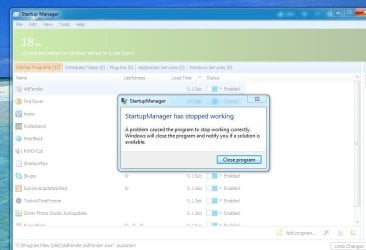
Welcome to Seven Forums Egrupov. You installed the new Version 5 I assume? I do not run any utilities at startup, so haven't had any issues, but my security programs asked if I wanted to allow these new startup items (including Startup Manager). Perhaps your Security programs are blocking this?
A Guy
P.S. If you don't have the Pro, the key on this giveaway still works
My Computer
At a glance
Windows 10 Home x64INTEL Core i5-750 Quad-Core 3.37GHzHyperX Fury Black Series 8GB (2 x 4GB) 1866MhzEVGA GeForce GTX 750 Superclocked 1GB 128-Bit...
Thanks A Guy for your speed answer.Yes,I have registered ver.5 and I disabled all my security programs but still the same,don't start.Maybe the different solution for this problem!?
If no help, right click on StartupManager.exe in the Glary Utilities 5 program Files (x86) folder and see what the settings are on the Security tab. You might also try running that exe as admin (right click> Run as administrator) as a test.
A Guy
P.S. Your system specs say 32 bit, yet you say you have x64.
My Computer
At a glance
Windows 10 Home x64INTEL Core i5-750 Quad-Core 3.37GHzHyperX Fury Black Series 8GB (2 x 4GB) 1866MhzEVGA GeForce GTX 750 Superclocked 1GB 128-Bit...
I'd try removing it completely with the free version of Revo Uninstaller, then reinstall. It's only the one program problem, so really not necessarily Windows per se.



 !
!


