Welcome to Seven Forums Egrupov. You installed the new Version 5 I assume? I do not run any utilities at startup, so haven't had any issues, but my security programs asked if I wanted to allow these new startup items (including Startup Manager). Perhaps your Security programs are blocking this?
A Guy
P.S. If you don't have the Pro, the key on this giveaway still works
Thanks A Guy for your speed answer.Yes,I have registered ver.5 and I disabled all my security programs but still the same,don't start.Maybe the different solution for this problem!?
If no help, right click on StartupManager.exe in the Glary Utilities 5 program Files (x86) folder and see what the settings are on the Security tab. You might also try running that exe as admin (right click> Run as administrator) as a test.
A Guy
P.S. Your system specs say 32 bit, yet you say you have x64.
I'd try removing it completely with the free version of Revo Uninstaller, then reinstall. It's only the one program problem, so really not necessarily Windows per se.

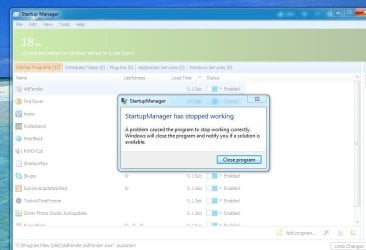


 !
!


