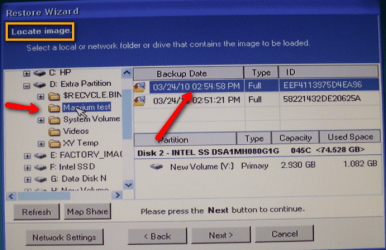
I've been using the imaging built into W7 and it looks like it will restore an image. I have gone as far in the restore process as the last screen before it starts the restore, but I have not actually restored the image.
After seeing the recommendations for Macrium Reflect I started using it also. You can't be too safe! When I boot with the Macrium disk, and I click on my external USB drive, the folder with the W7 files does not show up. The folder is named "Reflect-HP".
I was having a similar problem with my images on XP machines, but I could see the folders containing the Macrium images. When I click on the folder, I get the message "Please select a location containing a valid backup image". But I could put the image I wanted in the root of the external drive and the restore looks like it is ready to work. But that method is not working with W7.
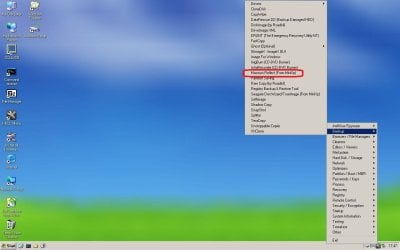
I have updated Macrium free to the latest version and made another boot disk. I saved the .iso file and burned the new boot disk with Imgburn at 4X speed. Still no joy!
Any ideas on what I'm doing wrong?
After seeing the recommendations for Macrium Reflect I started using it also. You can't be too safe! When I boot with the Macrium disk, and I click on my external USB drive, the folder with the W7 files does not show up. The folder is named "Reflect-HP".
I was having a similar problem with my images on XP machines, but I could see the folders containing the Macrium images. When I click on the folder, I get the message "Please select a location containing a valid backup image". But I could put the image I wanted in the root of the external drive and the restore looks like it is ready to work. But that method is not working with W7.
I have updated Macrium free to the latest version and made another boot disk. I saved the .iso file and burned the new boot disk with Imgburn at 4X speed. Still no joy!
Any ideas on what I'm doing wrong?
My Computer
At a glance
Windows 7 Home Premium 64biti3-5308 Gbonboard
- Computer Manufacturer/Model Number
- HP p6370t
- OS
- Windows 7 Home Premium 64bit
- CPU
- i3-530
- Motherboard
- MSI - IONA
- Memory
- 8 Gb
- Graphics Card(s)
- onboard
- Sound Card
- onboard
- Monitor(s) Displays
- Dell ST2400
- Screen Resolution
- 1920x1080
- Hard Drives
- Intell 520 SSD 120Gb, WD6400AAKS, 640Gb & WD USB MyBook 1Tb
- Internet Speed
- 1.5 Mmbps, Hughes Satellite