Hi,
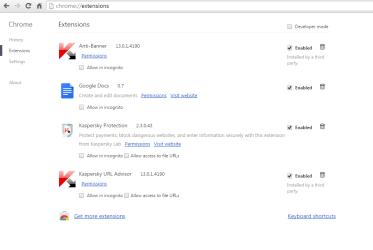
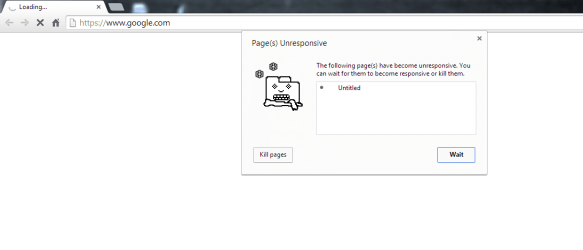
When I put an URL in address bar of Google chrome and press enter, it goes to bring that web file, but after passing long time (more than 20 seconds) it doesn't show anything. When I click on the X sign (on upper left corner) of the chrome (below image), it shows the web page immediately! I don't know what is the problem. I prior to posting problem here, tested some methods like, deleting all history, uninstalling and installing chrome again but no method could solve the problem. My bandwidth is 1024 kbps and Google chrome was working fine before.
Any idea?
When I put an URL in address bar of Google chrome and press enter, it goes to bring that web file, but after passing long time (more than 20 seconds) it doesn't show anything. When I click on the X sign (on upper left corner) of the chrome (below image), it shows the web page immediately! I don't know what is the problem. I prior to posting problem here, tested some methods like, deleting all history, uninstalling and installing chrome again but no method could solve the problem. My bandwidth is 1024 kbps and Google chrome was working fine before.
Any idea?
Attachments

My Computer
- Computer type
- PC/Desktop
- OS
- windows 7 32-bit
- CPU
- Intel(R) Core(TM) i3-2120 CPU @ 3.30GHz
- Motherboard
- Gigabyte Technology Co., Ltd. P61A-D3
- Memory
- 4.00 GB
- Graphics Card(s)
- NVIDIA GeForce GTS 450
- Sound Card
- (1) NVIDIA High Definition Audio (2) NVIDIA Virtual Audio
- Monitor(s) Displays
- Samsung
- Hard Drives
- ST500DM002-1BC142 ATA Device
- Internet Speed
- 1 Mbps
- Antivirus
- KIS 2013
- Browser
- chrome