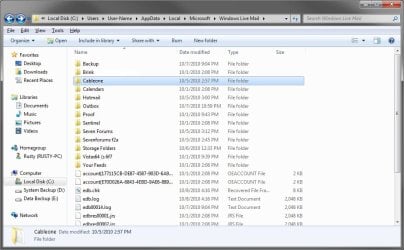
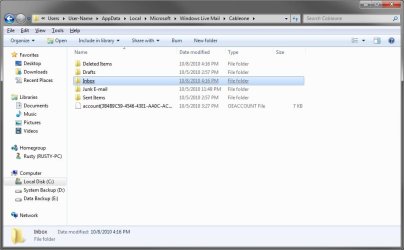
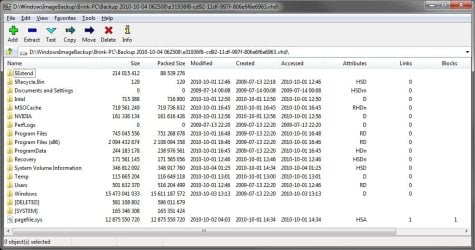
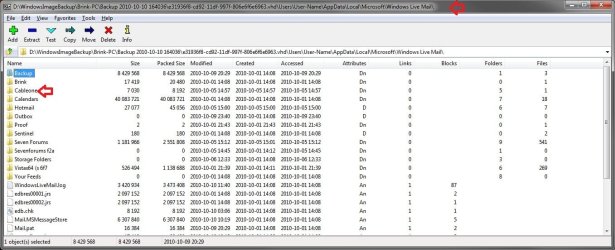
Can anyone help please? After having my PC repaired, I've restored my Windows Live Mail accounts and contacts, that I backed up onto an external with Windows 7 Backup and Restore. I have also managed to get some old messages back into my system that were in the storefolder before the machine was sent away, by going to C:\Users\yourname\AppData\Local\Microsoft\Windows Live Mail.
However, those newer mails that were in the inboxes have not materialised. As well as backing them up with the Win 7 Backup and Restore feature, I also made a separate backup of these, copying the store folder (in the same way I used to with Outlook Express) and saving it to my external hard drive. I've tried to import the files from this backup too, but it whizzes through in a couple of seconds and says the import is complete, yet the folders of this second backup appear empty and none of the mails are in the storage folder when I search for a name or subject. Does anyone have any idea where these newer messages might have gone to and how I can get them back into WLM please?
Any help greatly appreciated.
However, those newer mails that were in the inboxes have not materialised. As well as backing them up with the Win 7 Backup and Restore feature, I also made a separate backup of these, copying the store folder (in the same way I used to with Outlook Express) and saving it to my external hard drive. I've tried to import the files from this backup too, but it whizzes through in a couple of seconds and says the import is complete, yet the folders of this second backup appear empty and none of the mails are in the storage folder when I search for a name or subject. Does anyone have any idea where these newer messages might have gone to and how I can get them back into WLM please?
Any help greatly appreciated.
My Computer
- OS
- Windows 7 Home Premium 64 bit