
Hi guys,
I successfully used a macro recording application called QuicKeys on my old XP machine with no issues or problems.
Now that I have upgraded to WIndows 7 the applicaton no longers runs correctly i.e. it records the keystrokes/mouse movements ok, but on playback it halts when it reaches a mouse playback and generates a step failed error message.
I've tried running it both as a Standard user and also as an Administrator, but the problem still occurs.
The only solution appears to be to turn the UAC completely off (even lowest setting still results in the above problem). Only then does the application run without a problem.
I am guessing that somehow the mouse movement playback is being blocked by the UAC (no prompts), but I would have thought that running it with full admin rights would have by-passed the UAC.
Also tried running it with the "task scheduler" method which some users employ to avoid UAC issues, but still get the same result.
Are there any gurus out there with the solution?
Many thanks,
Pete
I successfully used a macro recording application called QuicKeys on my old XP machine with no issues or problems.
Now that I have upgraded to WIndows 7 the applicaton no longers runs correctly i.e. it records the keystrokes/mouse movements ok, but on playback it halts when it reaches a mouse playback and generates a step failed error message.
I've tried running it both as a Standard user and also as an Administrator, but the problem still occurs.
The only solution appears to be to turn the UAC completely off (even lowest setting still results in the above problem). Only then does the application run without a problem.
I am guessing that somehow the mouse movement playback is being blocked by the UAC (no prompts), but I would have thought that running it with full admin rights would have by-passed the UAC.
Also tried running it with the "task scheduler" method which some users employ to avoid UAC issues, but still get the same result.
Are there any gurus out there with the solution?
Many thanks,
Pete
Last edited:
My Computer
- Computer type
- PC/Desktop
- OS
- Windows 7 Ultimate 32 bit


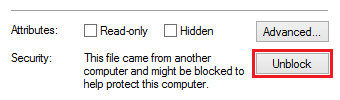
 It's as though the UAC is blocking the mouse movement playback. If I switch the UAC off the same macro will then play with no errors.
